This article is for sellers whose buyer account has received a notice restricting it because of how orders were placed or why items were bought, and who can't tell which orders are the problem. We explain how to check your purchasing against Amazon's official rules, how to organize the facts using your order history, and how to structure an inquiry to Customer Service. We also cover situations unique to sellers, where your own store and your own shopping overlap.
What an "order violation" on a buyer account means: what the terms actually say
This article is based on the Amazon.co.jp and Seller Central terms and Help pages we were able to review as of September 2026. Terms and on-screen labels can change, so please also check the latest Help content.
The Amazon.co.jp Conditions of Use ("Last updated: September 1, 2025" at the time of review) state that, in the event of a violation or fraudulent activity, or where inappropriate conduct is reasonably suspected, Amazon reserves the right, at its discretion and without notice, to refuse service, suspend accounts, cancel orders, and so on. Note that "order violation" is not the name of any notice in the official Help pages; in this article, we use it to refer to restrictions based on the purpose of orders or how they were placed.
The key point to keep in mind is that, as far as we could confirm, the terms and Help pages give no numerical thresholds such as "this many cancellations leads to suspension" or "buying this many units is a violation." Quantity limits are spelled out only in the rules for individual products and promotions, such as Lightning Deals, invitation-only sales, and preorders of limited editions. Rather than relying on claims like "you're fine up to X times," the starting point is to organize the facts about your own orders.
What to check first when you receive a notice
Confirm the message really came from Amazon
Some phishing emails pose as account restriction notices, so avoid acting through links in the email. You can check emails sent by Amazon.co.jp in the Message Center (メッセージセンター), and you can verify whether a suspicious message is genuine by submitting it through the form or forwarding it to verify@amazon.co.jp. This address can change, so please also check the latest Help content.

Identify the type of notice
Buyer accounts can receive several types of messages, and each involves a different procedure.
| Type of message | Main content | Where to cross-check |
|---|---|---|
| Restriction based on usage or orders | May state the reason, the scope of the restriction, how existing orders will be handled, and so on | The notice itself and the Message Center |
| Payment-related "hold" | A temporary hold due to unusual payment activity | Help page "Restore Access to Your Account on Hold" (保留中のアカウントへのアクセスを復活させる) |
| "Request for documents" (書類のご提供依頼) | A request for additional information for identity verification and compliance with commercial transaction laws | Help page "Request for documents" |
| Selling account notice | The reason for the suspension and options for appeal | Account Health (アカウント健全性) in Seller Central |
We cover the procedures for holds and identity verification in steps to take when you can't use your buyer account.
User reports include examples of messages saying the account had been restricted to purchasing digital content only due to a "violation of the returns and refunds policy," and messages saying that non-digital orders would be canceled automatically and refunded if already charged. These are user posts, not official explanations, but they are a useful reference for how to read a notice: it may describe the scope of the restriction and how existing orders will be handled. If returns are involved, see also what to check before making repeated returns.

Checking "why you bought" and "how you bought": a quick reference to the official rules
Rules about orders are often determined by a combination of "what you bought it for" and "how you bought it (benefits, payment method, and method of ordering)." The officially stated rules are as follows.
| Purchasing method to check | What the official rules say | Source |
|---|---|---|
| Orders using Prime benefits | Benefits may not be used for purchases intended for resale or rental, or for shipping to your own customers or prospective customers. If a membership is terminated for reasons such as fraudulently obtaining or abusing benefits, membership fees are not refunded on a prorated basis | Amazon Prime Terms |
| Paying with gift cards | May not be used for purchases intended for resale, inventory sourcing, or export. Suspected violations or fraud may lead to the balance being voided, the account being suspended, orders being canceled, and so on | Amazon Gift Card Terms and Conditions |
| Using Amazon Points | Transferring or reselling points is prohibited. If there is reason to doubt legitimate use, transactions using points may be stopped, put on hold, or canceled | Amazon Points Terms |
| Limited-quantity Lightning Deals | Unless otherwise stated, limited to one per customer. Lightning Deal discounts may not be redeemed for cash, resold, or transferred | Lightning Deal Terms (last updated July 7, 2016, so actual practice may differ in the details) |
| Invitation-only sales | Limited to one purchase per person | Help (invitation-only sales) |
| Preorders of limited or first-run editions | For limited and first-run editions sold by Amazon.co.jp, the quantity each customer can order may be limited, and orders exceeding the limit may be canceled | Help (preorders) |
| Orders placed with automated tools | Software that operates automatically must identify itself and may not imitate human actions or bypass CAPTCHAs | Conditions of Use, "Agents" section |
When checking why you bought something, also be careful with orders placed on someone else's behalf at their request. The Help pages warn that in scams advertised on social media as "paid proxy purchasing," in which people are made to buy products with a specified credit card, the buyer's account may be suspended.

Don't draw firm conclusions about what the official rules don't say
On the other hand, the terms and Help pages say nothing definite about whether buying inventory for resale with ordinary payment methods such as credit cards is allowed, or whether stock alert tools count as "agents." The wording "non-commercial, personal" in the Conditions of Use appears in the clause granting a license to use Amazon Services and content. The same Conditions of Use also state that you may not access or use Amazon Services for commercial purposes without written consent, but how this applies to buying products as inventory is not clear. In either case, the rights to suspend accounts and cancel orders mentioned at the start of this article still apply. If gift cards are involved, see also how to check where your gift cards came from.
Five situations where your own store and your own shopping overlap
In these situations, seller policies apply in addition to the buyer terms.
| Situation | Relevant rules | How to adjust |
|---|---|---|
| You ordered your own product with your buyer account to check how it works | Sellers may not order their own listings (sales rank manipulation) | Check product condition through your in-house inspection process |
| You wrote reviews of your own or competitors' products with your buyer account | Customer Product Reviews Policy, Community Guidelines | Put in writing a rule that no one, including family and employees, posts such reviews |
| You shipped products bought on Amazon directly to your own buyers | Amazon Prime Terms, Drop Shipping Policy | Stop buying from Amazon or other sellers and shipping directly, and ship your own inventory as the seller of record |
| You paid for inventory with a gift card balance or points | Gift Card Terms and Conditions (use for resale or inventory sourcing is prohibited), Amazon Points Terms (transfer and resale prohibited, etc.) | Keep separate payment methods for sourcing inventory |
| A staff member ordered personal items using the same login credentials as the selling account | The account owner is responsible for activity on the account | Buy personal items with each person's own account in their own name, and don't share login credentials used for selling. Don't place business orders with someone else's account while restricted |
Ordering your own products: Seller Central Help prohibits intentionally manipulating sales rank and states that sellers may not order their own listings. Since you may need to explain such orders even if they were made to check a product, record the circumstances in your ledger. We explain this in detail in how to respond to a sales rank manipulation warning.
Reviews: The Customer Product Reviews Policy lists posting or modifying reviews of your own or competitors' products from a buyer account as an example of a violation, and states that violations by employees or business partners can lead to enforcement action even without the seller's knowledge or consent. For how to review your practices, see what to check when you receive a product review warning.
Shipping directly to buyers: The Drop Shipping Policy states that purchasing products from Amazon or another seller and having them ship directly to buyers is "strictly prohibited without exception" if you are not identified as the seller of record, or if a name other than yours appears on packing slips, invoices, or external packaging. The Amazon Prime Terms also prohibit using Prime benefits to ship to customers. We cover how to check your process in how to review your drop shipping operations.
Paying with gift cards or points: Using a gift card balance to buy inventory can lead to the balance being voided or orders being canceled, and transactions using points may be canceled if legitimate use is in doubt. Keep payments for inventory separate from personal shopping so they can be distinguished in your ledger.
Shared login credentials: Some sellers use the same sign-in credentials for buying and selling. Under the Conditions of Use, the owner is responsible for activity on the account, and this doesn't change if you use shopping profiles. Since you may be asked to explain orders placed by family members or staff as the owner's activity, keep a record in your ledger of who ordered what and why.
Turning your order history into a "ledger of facts"
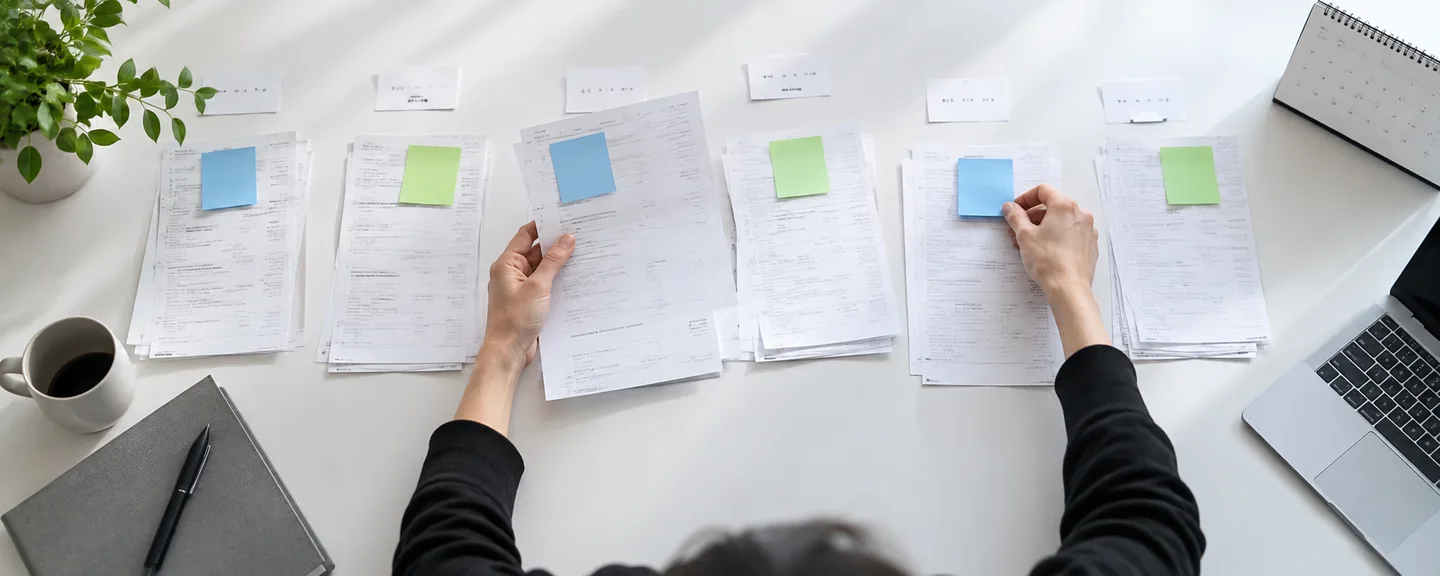
Before contacting Amazon, build a ledger of facts drawn from your order history. Recording one order per row in a spreadsheet makes this easier to organize.
Example columns for your ledger
- Order date, product name, quantity, seller and shipper
- Payment method (whether a gift card balance or points were used)
- Benefits used (Prime, Lightning Deal, invitation-only sale, preorder, etc.)
- Delivery address, who placed the order, and the purpose of the purchase
- Whether there was a cancellation, return, A-to-z Guarantee claim, or chargeback, and the reason
- Whether the order was archived and whether the invoice was saved
STEP1. Decide which period and orders to cover
If the notice specifies the orders or period in question, follow that; if not, first decide how far back to look, such as several months before the date of the notice.
STEP2. List regular orders, canceled orders, and archived orders
In addition to the regular list in Your Orders (注文履歴), also check Cancelled Orders (キャンセルされた注文) and any orders you have archived. Archiving is not deleting, and archived orders can be displayed by searching or by filtering by purchase date range, so be sure to include them all in your ledger.

STEP3. Sort cancellations by type
Record cancellations not just by count but by who canceled them and how.
| Type of cancellation | How it works according to Help |
|---|---|
| Canceled by you | Orders shipped by Amazon.co.jp can be canceled only before shipping preparation begins. Orders from sellers can be canceled from Your Orders within 5 minutes of the order being placed |
| Requested from the seller | For orders from sellers, after 5 minutes and until shipment, a cancellation becomes a request to the seller and requires the seller's confirmation |
| Payment deadline passed | Orders paid at a convenience store, ATM, via online banking, or with e-money are canceled automatically once the deadline passes |
| Canceled by Amazon | Orders may be canceled if they exceed the quantity limit for limited or first-run editions, or if the product's price was displayed incorrectly, among other reasons |
| Reordered to change the address | For products shipped by sellers, the address can't be changed after the order is placed, so you cancel and order again |
Because how these cancellations affect Amazon's decisions has not been made public, be ready to explain why you took each action.

STEP4. Save your invoices and receipts
Go to Your Orders, then Invoice (領収書等) for the relevant order, then Receipt/Purchase Statement (領収書/購入明細書), and save it using your browser's print function. It is available only after the order ships and can't be printed from the app. It can be reissued any number of times, but you may lose access to your order history if the account is restricted or closed, so save the documents for orders used for your business as early as possible.
STEP5. Request your account data
For personal data that you can't see in Your Account, submit a request through Request Your Data (データをリクエストする) and verify it with the link in the confirmation message; you can then download the data from a link sent once it is ready. Help doesn't detail exactly which items are included, so it's a good idea to request it as supplementary material for your ledger.
How to structure your inquiry: present the facts order by order
Where and how to get in touch
For buyer inquiries, you go to Contact Us (カスタマーサービスに連絡), select the relevant topic, and then use the "Contact Customer Service" button to choose chat or phone (a callback from an associate). If you can't access your account, the login screen for contacting support indicates that you can "skip sign-in" (ログインを省略).
Unlike selling accounts, buyer account restrictions have no appeal procedure described in the official Help pages. If the notice describes a procedure, follow it; if not, check with Customer Service.
Divide what you communicate into five parts
- The date you received the notice, and the stated reason and scope of the restriction (verbatim, without paraphrasing)
- The facts of the orders you believe are involved (the relevant rows of your ledger)
- The purpose of each order and who used the account
- What you will change about how you buy going forward
- What you want to confirm (the scope of the restriction, how existing orders will be handled, etc.)
Don't admit to a cause based on assumptions or deny one without checking; present the facts you have confirmed separately from the points that are unclear. Below is an example for a case where the number of cancellations seems to be the reason. It is a hypothetical example, not an actual case, so rewrite it to match your own ledger.
On [month] [day], I received a notice regarding restrictions on the use of my account. The notice stated "(the reason as written in the notice)," and did not specify which orders were involved.
Having checked my order history, I found that I canceled 6 orders in the 3 months before the notice. Three I canceled myself before shipping preparation began, two were canceled and reordered to change the delivery address, and one was canceled because the convenience store payment deadline passed. All of them were ordered by me personally for use at home. I do not share the account with family members or staff.
Going forward, I will finalize the delivery address and payment method before ordering, and for products shipped by sellers, I will confirm the address before placing the order.
Could you please tell me the scope of the restriction and how orders that have not yet shipped will be handled?

Keep your own record of the conversation
You can see previous chats by scrolling up in a new chat window, but they are shown only during the session, and email and phone history doesn't appear. Each time you contact Amazon, record the date and time, the contact channel, what you said, what the associate explained, and your next steps.
Check the impact on your selling account separately
The official Help pages don't explain whether a buyer account restriction affects your selling account, so check Account Health in Seller Central at the same time. Selling accounts operate under a separate system: under the agreement, when an account is suspended, the seller is in principle notified of the reason and the options for appeal, and appeals are submitted through "Reactivate your selling account" (出品用アカウントの再開) on the Account Health page. We lay out the process in an overview from account suspension to reinstatement.
What not to do
- Creating a new account to buy again: Avoid creating another account to get around a restriction. Because Amazon can suspend accounts without notice when inappropriate conduct is reasonably suspected, anything that looks like circumvention risks making the situation even worse. Note also that, in principle, sellers may have only one selling account per region, and a problem with any one of them can lead to all of them being suspended (this is not a rule on the number of buyer accounts).
- Closing your account yourself to make a clean break: Closing your account cuts off access not only to your order history and invoices, but also to listings and Seller Central data associated with the same email address and password, and it can't be restored. See also what to check before closing your buyer account.
- Filing a guarantee claim with inaccurate information: When filing an A-to-z Guarantee claim, you must agree to a statement acknowledging that a false claim may constitute a crime such as fraud and may be subject to criminal penalties. It is a separate procedure from a chargeback, so record the two separately in your ledger.
- Reordering limited items with automated tools: This may conflict with the requirements for "agents" in the Conditions of Use.
- Acting on links in emails that promise to "lift restrictions": These may be phishing, so check the Message Center instead.
Setting purchasing rules to prevent a recurrence
The basic principle is to keep business purchases separate from personal shopping. For business supplies and the like, one option is to separate them using Amazon Business, which is for corporations and sole proprietors, but we could find nothing in the Amazon Business account terms, either, saying it may be used to buy inventory for resale. Also, creating a new account (including an Amazon Business account) while restricted could be seen as circumvention, so check with Customer Service before you start using it.
Purchasing rules to set in advance
- Don't order your own listings with your buyer account
- Don't pay for inventory with a gift card balance or points
- Don't ship products bought from Amazon or other sellers directly to your own buyers (and don't use Prime benefits for sourcing inventory or shipping to customers)
- For limited-quantity products, check the stated limit and the terms before ordering
- Don't use stock monitoring or automated purchasing tools to place orders
If you buy products to resell, you may also need to look into the Secondhand Articles Dealer Act (古物営業法). The Act defines "secondhand articles" to include not only items that have been used once, but also "unused articles that were traded for the purpose of use." Whether reselling new items bought as an ordinary consumer falls under this definition, and whether a license is required, depends on the individual circumstances, so check with your local police station or a professional such as a lawyer.
Frequently asked questions
Q. I was just shopping normally and can't think of any reason.
A. After confirming the notice is genuine, check your ledger, including orders placed by family or staff, reorders to change the address, and archived orders, and then contact Customer Service, separating the facts from the points that are unclear.
Q. How many cancellations count as a violation?
A. The published terms and Help pages give no threshold for the number of cancellations or for purchase quantities across an account as a whole (apart from quantity limits for individual products and promotions such as Lightning Deals). What matters more than the count is whether you can explain the type of and reason for each cancellation.
Q. Is buying products on Amazon to resell a violation in itself?
A. Purchases for resale using Prime benefits or gift cards are explicitly prohibited by the terms. For Lightning Deals, limited-quantity products are in principle limited to one per customer, and the Lightning Deal discount itself may not be redeemed for cash, resold, or transferred. The terms and Help pages say nothing definite about sourcing inventory with ordinary payment methods, but Amazon can cancel orders or suspend accounts when inappropriate conduct is reasonably suspected. For ongoing sourcing, consider switching to suppliers whose terms of trade and invoices you can verify.
Q. Is a payment "hold" notice the same as a restriction based on why or how you bought?
A. No, they're different notices. A payment "hold" is temporary and results from unusual payment activity; you can check it in Help under "Restore Access to Your Account on Hold." It has a different contact point and a different way of checking than the purchase-reason or purchase-method restriction covered in this article, so read the wording of the notice carefully to tell which one you've received.
Q. How long does it take for a restriction to be lifted?
A. There is no official information on how long it takes or how likely it is to be lifted. Follow what the notice says and what Customer Service tells you, and complete the requested steps one at a time.
Summary
Because no numerical thresholds have been published for order-related restrictions, your response rests on whether you can organize and explain the facts of your own orders.
- Verify the notice in the Message Center, and write down the reason, the scope of the restriction, and how existing orders will be handled
- Compare your purchases against the official rules for each benefit and payment method
- Compile your orders, including archived ones, into a ledger, and sort cancellations by type
- In your inquiry, present the facts order by order along with what you will change about how you buy, and keep your own record of the conversation
- Avoid actions that override the situation, such as creating a new account or closing your account yourself
If you're unsure how to proceed, consider consulting a professional after organizing your situation.
Need help with a buyer account suspension?
We'll assess your prospects for reinstatement at no cost. Consultations are free, as often as you need.
 Free consultation, 24/7
 *This article provides a general explanation. The appropriate response in individual cases depends on the circumstances.
Further reading
 When you cannot use your Amazon buyer account: checking the reason for a suspension or temporary suspension and preparing a support inquiry Read article →
  Checking the source of Amazon gift cards: resale sites and account restrictions Read article →
  Accounting during an Amazon suspension: records for Japanese tax returns and year-end accounts Read article →