
A run of negative ratings you can't explain, a sudden jump in pending orders or cancellation requests, a product page that has been rewritten, an infringement complaint with no clear basis. When these things pile up, it's natural to wonder whether a competitor is harassing you. This article covers how to record the facts without jumping to conclusions, the official reporting channels and deadlines for each type of incident, the countermeasures to avoid, where to seek outside help, and how to review your operations.
Before you suspect harassment: Amazon's position and ruling out other causes
Amazon's policies prohibit sellers from unfairly interfering with one another. The Seller Code of Conduct lists deliberate actions that harm other sellers, their listings or their ratings as examples of unfair behavior, and under the Account Health Rating (AHR), "actions intended to harm or harass other sellers" are an example of a violation in the most serious "Critical" category.
However, this prohibition applies regardless of who is acting, so it can also apply to a seller who feels victimized and takes countermeasures. Understand from the outset that "hitting back" can itself become grounds for suspending your account.
This article reflects information as of September 2026. Screen names, reporting entry points and policies can change, so please also check the latest Help pages. Please note that we are not an official Amazon contact channel and have no ownership or partnership relationship with Amazon.
What looks like harassment may have another cause
Even when unusual events keep happening, you cannot conclude that a particular competitor is behind them. According to Amazon's official explanations, some of these incidents arise from normal system processes.
- More pending orders: Orders show as "Pending" while the payment method is being verified, which can happen for ordinary reasons such as a card that fails authorization or a convenience store payment that hasn't been completed yet.
- Changes to what a product page displays: For ASINs that aren't brand-registered, the content shown may be selected automatically from multiple sellers' contributions, based on factors such as sales and refund rates.
- A sudden "complaint notification": When a brand removes a listing through Project Zero (a program that lets brands remove counterfeit listings themselves), the sellers involved receive a complaint notification.
- A sudden rise in ad spend or clicks: This can also result from seasonal factors or changes to bids or budgets, so check the trend in your advertising reports and billing records.
You'll be able to act faster if you first work out "what is happening" and "which channel handles this kind of incident," rather than "who did it."


Quick reference by incident: official channels, deadlines and records to keep
For each type of incident that may point to harassment, the table below summarizes the official channel, deadlines and the records you should keep. Confirm the channel names and locations on your actual screens.
| Incident | Official channel / action | Deadlines and cautions | Records to keep |
|---|---|---|---|
| A run of negative seller feedback | Request a removal review from Feedback Manager (評価管理) | Within 90 days of the feedback being submitted. Don't request removal through any channel other than Feedback Manager | Feedback screen, order number, shipping records |
| A cluster of low-star product reviews | Use "Report" on each review | Only reviews that violate the guidelines are removed | Posting date and text, period in which they were concentrated |
| A flood of pending orders | Don't ship; wait for payment verification | Verification can take up to 21 days | Order numbers, order dates and times, status history |
| Repeated messages asking you to cancel | Direct buyers to the formal cancellation request process | Canceling as the seller affects your cancellation rate | Message text, dates and times |
| Repeated A-to-z Guarantee claims | Respond or request reconsideration in "Manage A-to-z Guarantee Claims" (Amazonマーケットプレイス保証申請の管理) | 48 hours from the buyer's first contact; reconsideration within 30 calendar days | Tracking numbers, delivery records, messages |
| A different item or an empty box was returned (FBA) | File a reimbursement claim | At least 45 and no more than 105 days after the refund or replacement | Images showing the difference, LPN label, proof of sourcing |
| A product detail page was changed without permission | A violation reporting entry point (such as "Report Abuse or Violations") | For brand-registered ASINs, information provided by the brand cannot be edited through Technical Support | Product title, brand name and images before and after the change |
| Repeated complaints or feedback saying the item was counterfeit | Check the violation under Account Health and respond as instructed. Handle feedback through Feedback Manager | May appear as a "High" severity violation. Check the response deadline | Supplier invoices, product photos, full complaint text and order numbers |
| You received an infringement complaint or warning | Dispute it by replying to the notification, or ask the rights owner to retract it | Rights owners can retract only reports made within the past 365 days | Full text of the notification, invoices, correspondence with the rights owner |
| Threatening or abusive messages | "Report message." Contact the police if you feel physically unsafe | No need to reply to a message you have reported | Full text, date and time, displayed sender |



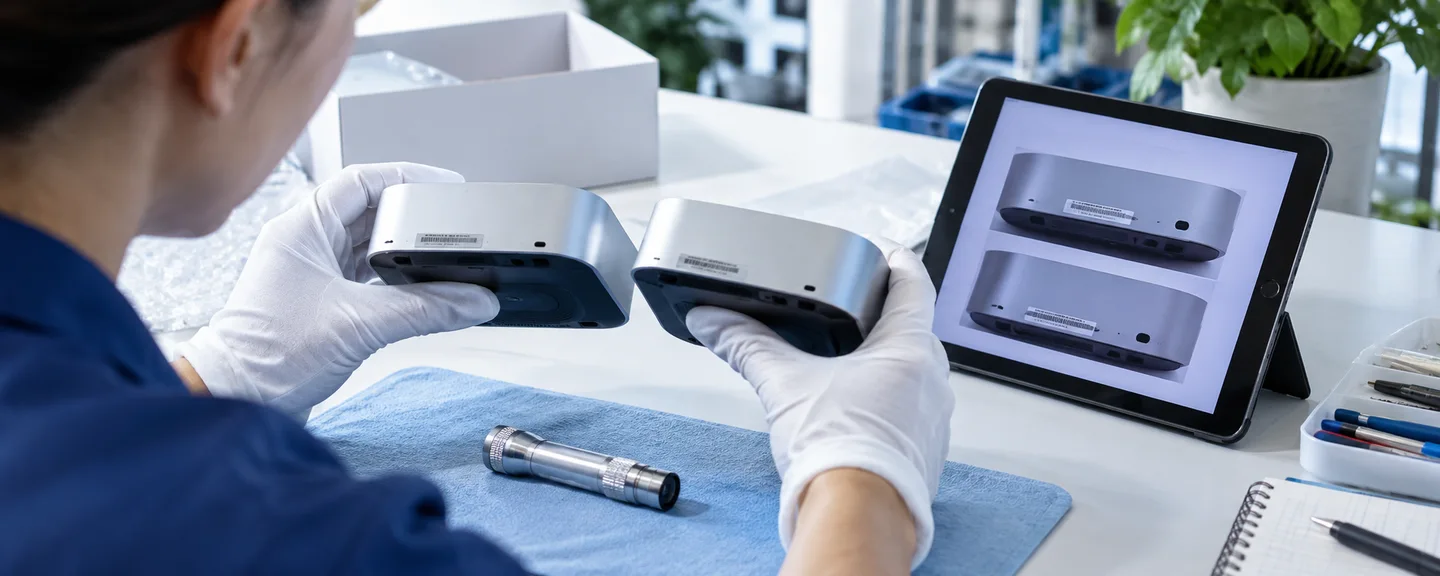
First steps: handle notifications to you and reports about others in parallel
Some AHR violations are determined based on buyer complaints or notices from rights owners, so when harassment is suspected, violations may show up in your own Account Health. Keep two tracks separate, "reporting the other party" and "responding to notifications you have received," and deal with your own deadlines first.
STEP 1. Identify your own deadlines
Check Performance (パフォーマンス) > Account Health (アカウント健全性) in Seller Central, along with your emails from Amazon. In addition to the deadlines in the quick reference table, prioritize the following, which are especially short.
| Procedure | Deadline (per official guidance) |
|---|---|
| Addressing a "Critical" violation | Your rating turns red with a score of 0, and Amazon states there is a 3-day grace period before suspension. However, if harmful activity such as fraud or deception is suspected, the account may be suspended immediately regardless of its score |
| Return requests that require manual authorization | Authorize within 48 hours (if you don't authorize, reply to the buyer with the reason within 48 hours) |
If violations of the same policy reach the limit within 180 days, your account may be suspended immediately. Under the current policy, which took effect on July 23, 2025, Amazon explains that the limit for high-severity violations may be as low as two. Even violations triggered by harassment could count toward that total if left unaddressed. We cover the order in which to respond in Checking and improving your Account Health Rating: where to start.
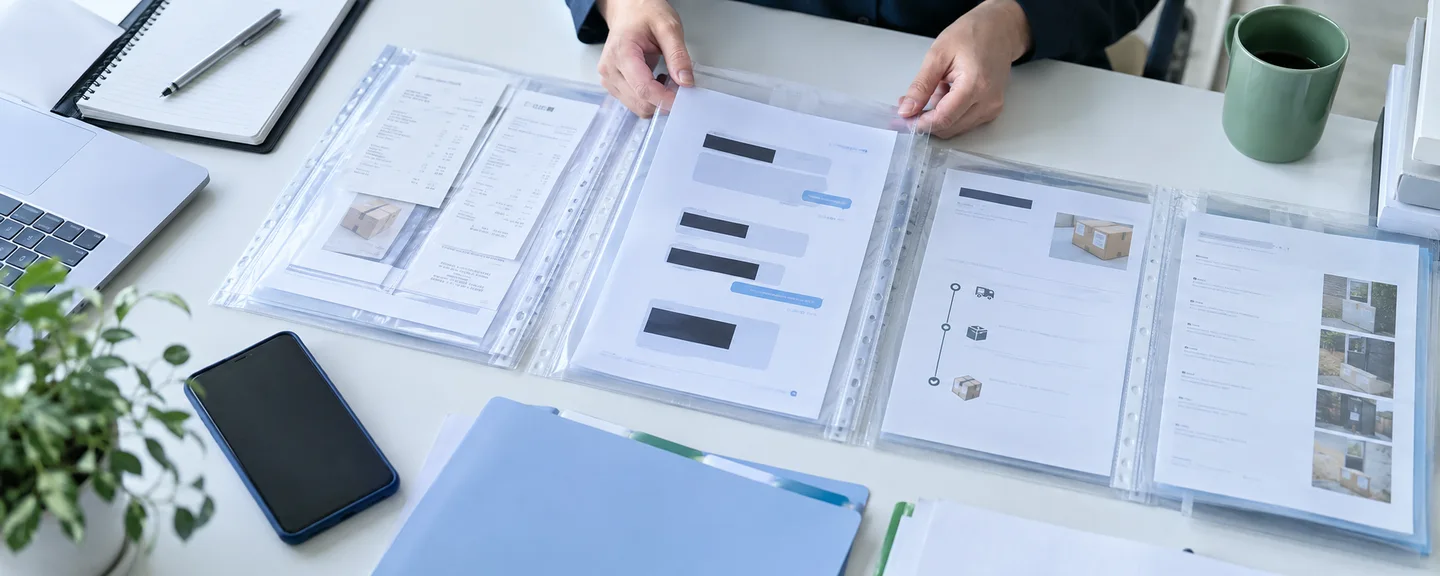
STEP 2. Save screens and records as unaltered originals
Take screenshots of the full screen without cropping, so the date, time and URL are visible. Amazon provides no official guidance on how such material is treated as evidence, so the basic approach is to make sure you can later verify when, where and what was displayed.
What to keep as originals
- The full text of notification emails (with subject, sender and date received visible)
- The Account Health page and the violation details screen
- Feedback Manager and review screens (posting date and text)
- Order numbers, order dates and times, status history, and the progress of cancellations and returns (don't save screens that show buyers' names, addresses or phone numbers)
- Screens of the product detail page before and after the change
- The full text of messages, plus screenshots and URLs of posts outside Amazon
Sellers are required to delete buyers' phone numbers once shipping is complete. Manage your records by order number, and don't keep more of buyers' personal information than you need.
If you add arrows or boxes to explain something, mark up a separate copy, not the original, and give it a file name that shows it has been annotated. Keep the original untouched in a separate folder. Never alter documents you submit to Amazon, such as invoices, in any way. Using a consistent file name format such as "date_incident_order number or ASIN" makes files easier to find later.




STEP 3. Put events into a timeline table
About six columns are enough: "Date and time," "Incident," "Affected item (order number / ASIN)," "Saved materials," "Your action" and "Amazon's response." When you note changes in sales, include the comparison period and other factors such as seasonal swings or price changes. Don't write down guesses about the other party's involvement.
STEP 4. Report each incident separately and keep a record of what you sent
The channel differs by incident, so report each one separately rather than bundling everything into one channel. If you save the text you sent, attachments, the date and time sent, and any responses, you'll know exactly what you told Amazon when you're asked for additional materials or when you seek advice.


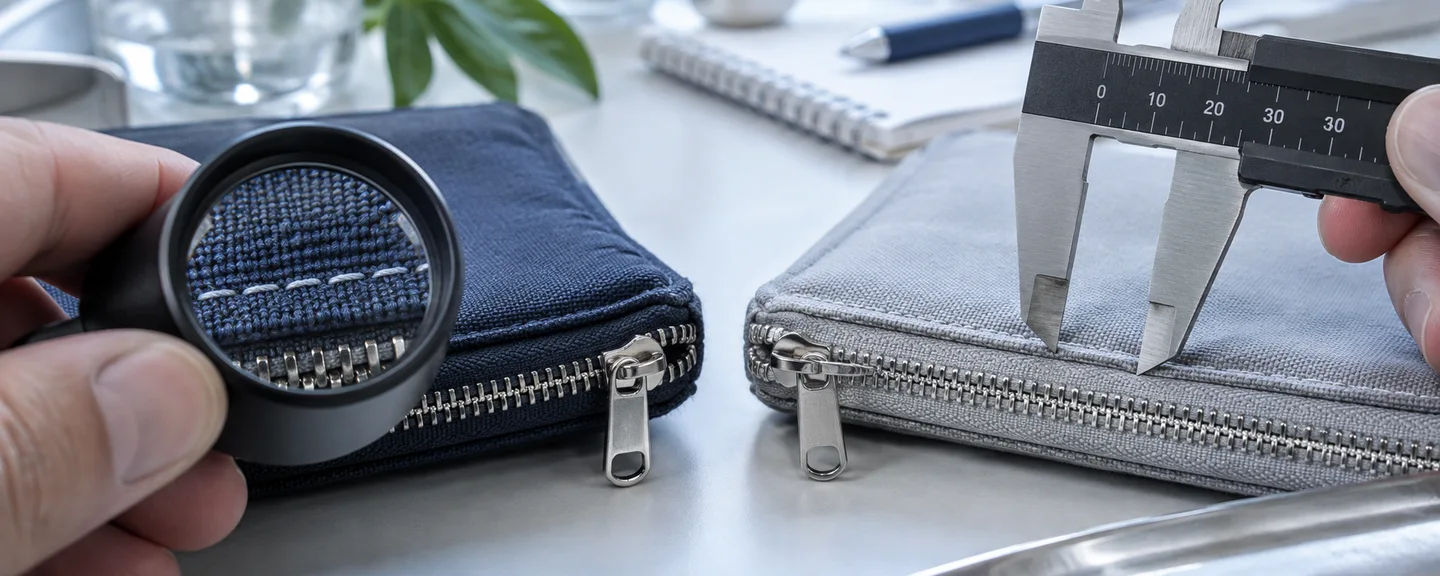

Handling unusual activity in orders, returns, feedback and reviews
The basic approach is to keep two things separate: continue to treat the buyer in front of you courteously as usual, and record any unusual patterns separately.
When a flood of pending orders arrives
A pending order is one whose payment method is still being verified, and the shipping address and contact details are not displayed. Even if a buyer contacts you directly, don't ship; direct them to Amazon customer service. Verification can take up to 21 days. We explain how to keep records and seek support in What to record and how to get help when pending orders surge.
When cancellation requests keep coming in by message
Amazon states that your cancellation rate is not negatively affected when a buyer submits a formal cancellation request or when Amazon automatically cancels an order after detecting buyer fraud. By contrast, it is affected when you cancel an order because a buyer asked you to by message, so if such requests keep coming, it's safer to direct buyers to the formal cancellation request process. For how the metric works, see also Reducing your pre-fulfillment cancel rate.



When unusual A-to-z Guarantee claims keep coming
A claim for an item that never arrived can proceed if the issue isn't resolved within 48 hours of the buyer's first message, so check the delivery status and respond early through Buyer-Seller Messages. You can check the status of claims under "Manage A-to-z Guarantee Claims" in the Performance menu, and if you disagree with a granted claim, you can request reconsideration within 30 calendar days. Save tracking numbers, delivery records and correspondence for each claim.
When a switched item or an item in a different condition is returned
With FBA, if you can prove that a buyer swapped the item for something else before returning it (including cases where the main item is missing or the box is empty), you can file a reimbursement claim. Help asks for items such as images and a description showing the difference, an image of the returned item's LPN label, and proof that the item came from your inventory (such as supplier invoices or serial numbers). Claims must be filed at least 45 and no more than 105 days after the refund or replacement, and you can check their status on the "Inventory issues and reimbursements" (在庫の問題と補てん) page.
For merchant-fulfilled returns, you may be able to charge a restocking fee depending on the circumstances. The table in Help includes examples such as a cap of 20% of the item price when an item is returned in its original condition for a buyer-initiated reason, and 50% when a non-media item is returned damaged or in a condition materially different from how it was shipped. However, this table is presented together with conditions such as "when accepting a return after the return window has closed," so you cannot simply deduct these amounts from every return made within the return window. Before making any deduction, check the conditions in the Help page on restocking fee guidelines (返品手数料の請求に関するガイドライン). You cannot charge a restocking fee on a return when the item you delivered was materially different from what was ordered.
Amazon.co.jp's help for buyers also explains that sellers may decline to issue a refund if a returned item is damaged or in a different condition from when it was delivered. Whichever fulfillment method you use, photograph the outer box and contents of every return when you receive it, order by order.

When unusual negative seller feedback keeps coming
Seller feedback can be left only by customers who bought from that seller, within 90 days of the order date and after 48 hours have passed since the estimated delivery date. Amazon lists negative feedback posted by a seller about a competitor's products as an example of feedback it removes. Feedback that complies with policy is generally not removed; removal applies to feedback such as the following.
- Contains obscene or inappropriate language, or hate speech
- Contains personally identifiable information such as email addresses, names or phone numbers
- Is about an item sold by a different seller
- Consists entirely of a product review (feedback that also comments on the seller's service is not removed)
Request removal using "Request review" (レビューを依頼) in the Action column of Feedback Manager, within 90 days of the feedback being submitted. Amazon states clearly that requesting removal through any channel other than Feedback Manager, such as Contact Us (お問い合わせ), may result in your account being suspended. For feedback you believe is abusive, you can request an additional review through "Report guideline and policy violations" (ガイドラインおよび規約違反の報告). We explain this in detail in How to request removal of seller feedback.
Rules for replying publicly to feedback
From Feedback Manager, you can post a public response to feedback you've received. Responses are also visible to prospective customers, so follow these points.
- Don't include personal information such as names, contact details or addresses, or payment information
- Buyers can't reply to your response, so don't ask questions
- Responses don't affect your feedback score, and they can be deleted but not edited
- Don't offer compensation or discounts in exchange for removing or changing feedback
A definitive claim such as "This is harassment by a competitor" can't be backed up and may unsettle prospective customers, so limit your response to a brief statement of the facts and what you did.


When unusual low-star customer reviews pile up
Customer reviews are opinions about the product itself and are a separate system from seller feedback. For products that receive many reviews from customers who didn't buy them within a short period, Amazon may take steps to display only reviews from verified purchasers.
Examples of reviews Amazon doesn't allow include negative reviews by a seller of a competitor's products and multiple negative reviews of the same product by a single customer. You can report a review that concerns you using "Report" under each review. Sellers may request removal only of reviews that violate the guidelines, and Amazon's official site for sellers also describes making requests from "Help" in the upper right of Seller Central (on-screen wording may change). Amazon does not edit reviews. At the same time, check whether your own methods of requesting reviews comply with policy. We summarize the key points in Product review warnings and reviewing how you request reviews.



Responding to product detail page changes and counterfeit or infringement complaints
When product information has been changed without permission
Offers from multiple sellers on the same product (several sellers listing on the same product detail page) are a normal part of how Amazon works, and should be treated separately from suspected unauthorized catalog changes.
For brand-registered ASINs, the information displayed is the information provided by sellers with a brand selling role, and information provided by approved users cannot be edited through Technical Support. Amazon directs sellers to report errors via "Account Health - Report Abuse or Violations" (アカウント健全性 - 不正または違反を報告). Another Help page says that store policy violations such as unauthorized updates to product detail pages can be submitted through the "Report Infringement" tool (権利侵害を報告するツール), and that you don't need to be the rights owner of the ASIN you are reporting. Check on your own account's screens which of these entry points are available to you.
Before reporting, save the product title, brand name, images and description from before and after the change, and write down the differences at a level of detail such as "the brand name has changed and no longer matches the wording on the actual packaging." Avoid retaliating by rewriting the brand or manufacturer name on an existing ASIN yourself. Help asks sellers not to change the trademark information on existing ASINs, and directs them to contact Technical Support with evidence about errors in the brand or manufacturer name (for brand-registered ASINs, report information provided by the brand through the violation reporting entry point mentioned above).



When buyers keep complaining that items are counterfeit
The Account Health Rating lists "buyer reports that an item is infringing or counterfeit" as an example of a "High" severity violation. Such reports may appear as violations on your account even if the other party's intent is unclear, so check the affected ASIN and the violation details on the Account Health page, gather documents that prove authenticity, such as supplier invoices, and respond as instructed. Record the complaint text, order number, and date and time in your timeline table. We explain how to prepare these documents in Organizing sourcing documents after a trademark or counterfeit complaint.
When you receive an infringement complaint or warning
Even if you believe the claim is false, simply saying so isn't a valid response. Check the type of right involved, the affected ASIN and the substance of the claim, then choose the response below that matches the facts.
| Situation | Officially recommended response |
|---|---|
| A warning about a product you have never listed | Reply to the notification and state that you haven't listed it |
| You have a relationship with the rights owner, such as a license or distributorship | Ask the rights owner to retract the complaint (contact details are included in the warning) |
| You believe the listing was removed in error on trademark or copyright grounds | Reply to the notification with the specific reasons you believe it was an error, along with invoices or order numbers that prove authenticity |
| You received multiple warnings | File a dispute with a list of the affected ASINs and one of the following: invoices, order numbers or a letter of authorization from the rights owner (forwarded emails are not accepted) |
| Your account was suspended | Appeal from the dashboard or reply to the suspension notification |
If the rights owner retracts the complaint, the violation is removed from the Account Health page. A retraction is a procedure carried out by the rights owner who filed the complaint, and it applies only to reports made within the past 365 days. As the party that received the warning, you either ask the rights owner to retract it or dispute it by replying to the notification. We explain how to prepare the supporting documents in Sorting out intellectual property warnings and preparing supporting documents.



Abuse of the notice system and notices Amazon doesn't accept
Amazon does not permit abuse of its notice system, such as repeatedly reporting sellers who are not infringing, and says that submitting inaccurate or false notices multiple times may result in the loss of submission privileges. It also lists the following among the "types of notices not accepted in the Amazon store."
- Breaches of exclusive distribution agreements or minimum advertised price (MAP) agreements
- Reports seeking removal of statements that a product is compatible with or fits a registered-trademark product
- Notices based on trademarks or patents not registered in the country where the report is made
- Notices concerning parallel imports in Japan and the United States
Whether a particular notice falls into these categories depends on the rights involved, so if it's hard to judge, check with a patent attorney or lawyer.


Where to report and seek advice: Amazon, the police and lawyers
How to write a violation report to Amazon
Report policy or legal violations by other sellers through "Report Abuse or Violations," accessed from Performance > Account Health. Select the violation type, enter the order number or ASIN if needed, and in the "Please enter the details of the issue" (問題の詳細を入力してください) field, include the store name or company name of the seller in question, the ASIN and product name, the marketplace, a description of the violation, and supporting materials (order numbers, related messages and so on) before submitting.
Below is a sample for reporting an unauthorized change to a product detail page (a hypothetical example, not a real case). Replace the text in parentheses with facts you have been able to verify yourself.
Reported party: (store name; if it can't be identified, say so)
Item: (ASIN) (product name) / Amazon.co.jp
Details: Since (date), the brand name on the detail page has changed from "(before)" to "(after)," and the main image has been replaced with an image of a different product. The actual packaging says "(before)," which does not match what is currently displayed.
Attachments: Screenshots before and after the change, photos of the actual packaging, supplier invoice
The Help page for "Report Abuse or Violations" says investigation results can't be disclosed for privacy reasons. For the store policy violation reporting tool, Amazon says you'll receive a follow-up on the outcome, but that won't necessarily tell you what action was taken against the other party. In either case, reporting alone does not guarantee removal or suspension. Even if you don't get a response, sending Technical Support large numbers of requests based on speculation is prohibited, because it prevents Amazon from supporting other sellers.
Reporting threatening or abusive messages
You can report abusive messages from buyers using "Report message" on the Buyer-Seller Messages page, in the Seller app or in the email you received. Not every report is investigated, but reports are used to identify suspicious messaging patterns. You don't need to reply to a message you have reported, and you should avoid replies that could provoke the sender. If you feel physically unsafe, put your safety first and contact the police.




Outside sources of help and their roles
| Where to go | Main areas handled | When to go / how to contact |
|---|---|---|
| Police | Acts that may be crimes; personal safety | Call 110 in an emergency; for non-emergencies, contact a police station or call #9110. The National Police Agency also has an online reporting portal for cyber incidents |
| Lawyer | Legal assessment, injunctions and damages, procedures for disclosure of sender information | When the harm continues or false statements have been posted outside Amazon. If you're unsure where to start, contact a bar association or the Japan Legal Support Center (Houterasu) |
| Illegal and Harmful Information Consultation Center (a program supported by the Ministry of Internal Affairs and Communications) | Advice on how to ask site administrators to remove content | Posts on social media or online forums |
Japan's Penal Code includes provisions on damage to credit and obstruction of business, intimidation, defamation and more, and the Unfair Competition Prevention Act defines making or spreading false statements that harm a competitor's business reputation as unfair competition. For posts outside Amazon, the Act on Measures by Information Distribution Platforms (formerly the Provider Liability Limitation Act, renamed in April 2025) provides a mechanism for requesting disclosure of sender information. However, whether false reports or a barrage of negative ratings fall under these laws is judged case by case, so don't decide for yourself what offense has been committed or whether something is illegal. Take your records to a lawyer.



A one-page summary to give your advisor
What to include in a one-page summary
- What is happening and when it started
- Your timeline table (date and time, incident, order number or ASIN)
- A list of saved materials and where the originals are stored
- Reports already submitted, with dates and times sent and any responses
- Violations shown on your account and their deadlines
- The impact on sales or operations (comparison period and other factors)
- What you want to ask your advisor
Under your agreement with Amazon, buyers' personal information is defined as confidential information. The general rule is not to disclose confidential information except where necessary to comply with the law, and even when sharing it with a government authority that has jurisdiction, you are required to keep disclosure to the minimum necessary and to state clearly that it is confidential. When consulting a lawyer or other advisor, don't hand over buyers' names, addresses, phone numbers and the like; limit what you share to the minimum necessary, such as order numbers, and discuss how to handle the information with the professional beforehand.


Retaliation can get you suspended: actions to avoid and the proper routes
As mentioned at the start, countermeasures are covered by the same provisions. The table below pairs common reactions with the proper routes you can use instead.
| Actions to avoid | Why they are a problem | Route to take instead |
|---|---|---|
| Writing negative reviews of the other party's products, or having people close to you write them | Reviews of competing products by sellers, and reviews posted by family members or employees, violate policy | Report them using "Report" |
| Placing fake orders on the other party's products | Prohibited under the Code of Conduct and the AHR ("Critical") as a deliberate act to harm other sellers. Requesting fake or fraudulent orders is itself prohibited | Record the impact and communicate it in a violation report |
| Posing as a brand's agent to report infringement | Reporting as an agent for your own benefit is prohibited and may lead to account termination | Report as the rights owner only if your company holds the rights |
| Continuing to sell through a different account | As a rule, you may have only one account per selling region. All of your selling accounts may be suspended | Pursue proper procedures, such as disputes and violation reports, with your existing account (use vacation settings if you want to pause listings temporarily) |
| Confronting buyers by phone or exposing them on social media | Buyers' personal information is confidential. Phone numbers may be used only to complete shipping labels | Buyer-Seller Messages, "Report message," consulting a professional |
| Gathering positive reviews to counter the attack | Requesting reviews in exchange for compensation and similar practices violate policy | Review your customer service and product quality |
If Amazon determines that you have manipulated reviews, you may face account suspension or termination, withheld disbursements, or legal action. Violations by third parties such as employees or outsourced providers are also subject to enforcement, even if you as the seller were unaware of them. In Japan, so-called stealth marketing has been treated as a violation of the Act against Unjustifiable Premiums and Misleading Representations since October 1, 2023, so review your promotions, including those run by outside providers.



Amazon states that sellers cannot contact other sellers through the "Ask a question" feature on a storefront. Also avoid protesting to the other party outside Amazon, as this can escalate the conflict or be seen as harassment itself; use the official reporting channels instead. For how to approach a warning about the Code of Conduct, see Responding to warnings about the Business Solutions Agreement and Code of Conduct.


Reviewing your operations: temporary protective measures and account security
If you pause listings with vacation settings
If you use the vacation setting under Settings (設定) > Account Info (アカウント設定) > Store status (ストアのステータス), your listings will stop appearing on product detail pages and in search results within an hour. However, there are the following limitations.
| What to check | Official explanation |
|---|---|
| FBA listings | Remain active even while you are on vacation |
| Return requests and buyer emails | Must still be answered within 24 hours while you are on vacation (STEP 1 gives 48 hours for return requests, but while on vacation it is safest to respond within the shorter 24-hour window) |
| Pending orders | Are not canceled automatically |
| Monthly subscription fee | Continues to be charged |
Vacation settings won't necessarily stop the harassment itself. Before you pause, sort out outstanding orders and inquiries and how to handle FBA inventory, and record the date, time and reason for the change.

Also consider unauthorized access and spoofed emails
Settings changes or listing edits you don't recognize may be the result of unauthorized access to your own account.
- Amazon does not ask for bank account numbers, card numbers, passwords or similar information by email
- Legitimate emails come from addresses ending in "@amazon.com," "@amazonsellerservices.com," "@sell.amazon.com" or "@amazon.co.jp" (however, the displayed sender can be spoofed, so don't treat this alone as proof that an email is genuine)
- Instead of clicking links in emails, go to Seller Central directly to check
- Report spoofed emails to the address listed in the Help page on identifying spam emails (スパムメールの見分け方)
- Set up two-step verification, and give each staff member only the user permissions they need
If you suspect unauthorized access, change your password, check your email settings, payment information, user permissions, store information and listings, and report it to Technical Support.



Brand Registry requirements and limits, and routine checks
If you sell products under your own brand, Amazon Brand Registry (Amazonブランド登録) is another option. It requires a registered or pending trademark or similar, and gives you free access to tools such as infringement reporting. However, enrolling doesn't guarantee protection from harassment, so consult a patent attorney or other professional on trademark decisions.
Weekly checklist
- Violations on the Account Health page and Performance Notifications
- New seller feedback and review trends for your main products
- How the detail pages of your main ASINs are displayed (brand name, images, description)
- The number of pending orders and cancellation requests
Saving screenshots during normal times makes it easier to show what changed and when, and also helps you catch your own mistakes early.



Frequently asked questions
Q. If it turns out a competitor was harassing me, will the violations on my account be removed automatically?
A. Amazon has published no such explanation. Each case is handled individually through the usual routes, such as disputing an incorrect determination or a retraction by the rights owner. Note that violations removed through an appeal that accepts the violation and shows, for example, that it was unintentional (rather than a dispute claiming the determination was wrong) may still count toward repeat violations for 180 days. If you believe the determination was wrong, file a dispute with the records that support your position.
Q. I reported a violation, but the other seller's listing is still up.
A. As a rule, Amazon does not disclose what action it takes against the other party. If you submitted a store policy violation through the "Report Infringement" tool, Amazon says you can check its status in your Brand Registry submission history. Don't send the same report repeatedly; if you've confirmed new facts, organize them and report them.
Q. I received an inquiry about a buyer's request for "disclosure of seller information." Is this harassment?
A. Under Japan's Act on the Protection of Consumers Who Use Digital Platforms for Transactions, buyers can, under certain conditions, ask Amazon to disclose a seller's information, and Amazon generally asks the seller for their views first. Requests made for improper purposes, such as damaging your reputation, are not covered. Review the history of the transaction and give your views as instructed, and consult a lawyer if you're unsure.
Q. Can I report the harassment even if I can't identify the seller behind it?
A. Violation reports ask you to enter the store name or company name of the seller in question in the details field, but if you can't identify them, don't guess. Instead, say so and include the facts you have confirmed (the ASIN, when you noticed the change, and the screenshots you saved).

Summary
When you suspect harassment, the fastest way to protect your account is not to identify the other party but to keep records and explain the situation through the official channels.
- Even with unusual events, first check whether normal system processes could be the cause
- Save screens and notifications as unaltered originals, with the date, time and URL visible
- Deal with your own deadlines first, such as the 3 days for a "Critical" violation, and report the other party in parallel
- Use the right channel for each issue: Feedback Manager for feedback, "Report" for reviews, violation reports for product pages and policy violations, and "Report message" for threats
- "Hitting back" through reviews of competing products, fake orders, reports posing as an agent or switching to another account can itself become grounds for suspending your account
- If you feel physically unsafe or face defamation outside Amazon, contact the police or a lawyer. Put your materials on one page, and share only the minimum buyer information needed
As a rule, Amazon doesn't disclose what action it takes against the other party, and the situation may not change right away. But building up a body of verified facts gives you material you can use both when explaining things to Amazon and when seeking outside advice. If you're unsure how to respond to a notification, consult a professional before the deadline passes.


*This article provides a general explanation. The appropriate response in individual cases depends on the circumstances.
Further reading
 A surge in pending Amazon orders: documenting suspicious orders and seeking support Read article →
  Requesting removal of Amazon seller feedback: eligible feedback and the official process Read article →
  Understanding Amazon intellectual property warnings: rights involved and supporting evidence Read article →