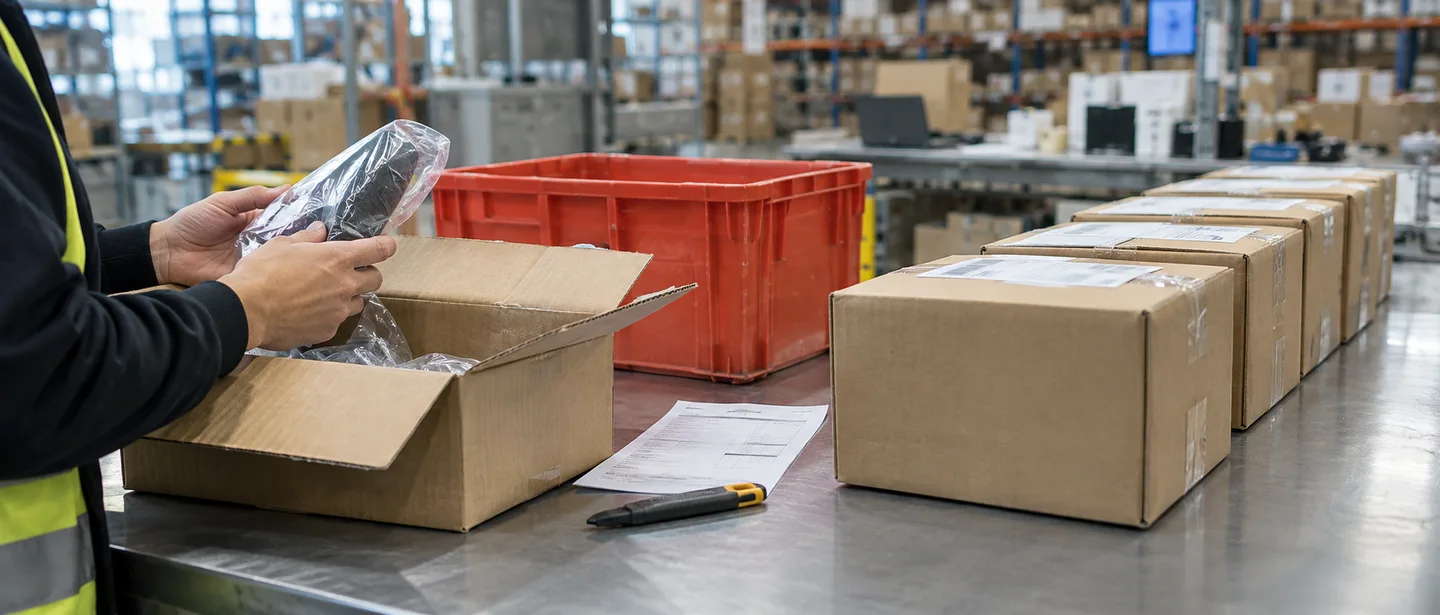
This article is for sellers who have been asked by Amazon whether they had sufficient reason for a refund or a payment to a buyer, and who aren't sure what to explain or how. We walk step by step through how to read the notice, how to sort out who actually issued each refund, where to gather records and how to organize them one order at a time, how to structure your explanation, and what internal rules help prevent a recurrence.
Reading the notice: four items to write down first
This article assumes Amazon has asked you for an explanation, framed as a question of whether your refunds or concessions had sufficient justification. We have not been able to find the exact phrase "refunds or payments without sufficient justification" in Amazon's public Help pages or policies, and the wording of the notice and the policy it cites may differ from one notice to another, so the starting point is to read the notice you received carefully. Please also note that this article is based on information as of September 2026, and Amazon's policies and screens may change.
You can find the notice in Seller Central under Performance (パフォーマンス) > Account Health (アカウント健全性), in Performance Notifications (パフォーマンス通知), and at your registered email address. As you read, write down the following four items.
Items to note down from the notice
- The name of the policy or agreement cited as the basis
- The order IDs, time period, and amounts identified
- The action requested (an explanation, submission of documents, correction of your operations, etc.) and the deadline
- The scope of the current restriction (a warning only, a suspension of selling privileges, or a hold on your funds)
Confirm what "payments" refers to
"Payments" may refer to Buyer Concessions (購入者への任意支払) in Seller Central. A concession is a legitimate feature for paying a buyer separately from a refund of the order amount, or instead of or in addition to a refund. On the other hand, the term may also cover compensation made outside Amazon, such as by bank transfer, and this can't be determined from public information. If the notice doesn't make it clear, contact Amazon to confirm which transactions are in question before you put together your explanation.

Refund and concession basics: the proper procedures and costs
The core of your explanation is whether your actions followed the proper procedures. First, get a clear picture of how refunds and concessions work.
| Item | Order refund | Buyer concession |
|---|---|---|
| Purpose | Returns all or part of the order amount | Pays items such as return shipping, separately from any refund of the order amount |
| How / types | From Refund Order (注文を払い戻す) in Manage Orders, choose the Full refund (全額返金) or Partial refund (一部返金) tab | Two types: Return shipping concession (返品配送料の任意支払) and Other concession (その他の任意支払) |
| Refund reason | Choose from 12 options (required) | Selection is required even when issuing only a concession |
| Limit | Up to the full order amount | Return shipping: up to 1.25 times the original shipping charge. Other: up to ¥12,000, calculated as the total payable amount minus the return shipping portion |
| Cost to the seller | The referral fee is returned, but a refund administration fee (the lower of 10% of the refunded referral fee or ¥500, excluding tax) is deducted per item (media products such as books, music, and video are handled differently) | No fee settlement; the full amount is debited from your selling account |
| Effect on refund rate | Orders in which items were fully refunded affect your refund rate | Not counted toward your refund rate |
The Seller memo (出品者メモ) on the refund screen is an internal record that is not shown to the buyer, and it accepts up to 255 characters. Amazon's Help explains that noting the reason for the return or exchange and what you agreed with the buyer lets you review your refund handling later. When you're asked for an explanation, this memo and the refund reason you selected are the most readily available records of your judgment at the time.
Who issued the refund? Sorting orders into seven channels
Refunds and payments are issued not only by sellers' own actions but also by automated rules you set up yourself and by Amazon's own decisions. Don't lump all the orders in the notice together as "refunds I issued"; sort them by the channel through which each was issued.
| Channel | Decided / issued by | Where to check | How to dispute or seek reimbursement, and deadlines |
|---|---|---|---|
| 1. Manual refunds | Seller | Order details; "Refund" in Transactions | Refunds you issue yourself are not eligible for SAFE-T |
| 2. Refunds under returnless resolution rules | Rules set by the seller | "Resolutions" tab in Return Settings | Needs to be explained as part of your own operations |
| 3. Refunds on FBA orders | Amazon | Transactions | If you disagree with the refund decision, dispute it within 30 days of the notice. For returnless refunds, you can request reimbursement |
| 4. Refunds and concessions on Seller Fulfilled Prime or Easy Ship orders | Amazon (at its sole discretion) | Transactions | SAFE-T: file within 60 days of the refund being issued. Responses to requests for more information and appeals of decisions are each due within 7 days |
| 5. Refunds from A-to-z Guarantee claims | Amazon (claim review) | "A-to-z Guarantee refund" in Transactions; Performance > A-to-z Guarantee Claims (Amazonマーケットプレイス保証申請) | For granted claims, request a reconsideration within 30 calendar days |
| 6. Refunds from chargebacks | Card issuer's process | "Chargeback refund" in Transactions | Respond within 7 days of the notification date |
| 7. Concessions | Seller | Order details; "Other" in Payments overview (ペイメントの概要) | Check whether they were within the limits |
SAFE-T (Seller Assurance for E-commerce Transactions) is a program for requesting reimbursement of refunds issued by Amazon, filed from Manage SAFE-T Claims (SAFE-T申請の管理) under the Orders tab. You can file one claim per order, up to ¥500,000 per order, and FBA orders and orders with a chargeback or A-to-z Guarantee claim are not eligible. Please check Help for the range of eligible orders.
The fulfillment method alone, such as "it was FBA" or "it was Seller Fulfilled Prime," doesn't let you declare the allegation wrong. Even for orders Amazon refunded, you still need to check the facts of the underlying transaction, such as how the return was accepted and what your listing said. Sorting is a way to define the scope of what you need to explain.

Gather your records and build a "refund history sheet"
Once your orders are sorted, gather the supporting records for each one. Payments-related screens are a mix of old and new versions, and their names and locations may change.
STEP 1. Check the refund details in Manage Orders
Search for the order ID in Manage Orders (注文管理). If a negative amount appears in the order details, the refund has been completed. At the same time, copy down, to the extent you can see them, the refund reason selected at the time of the refund, the Seller memo, and any messages to the buyer.
STEP 2. Filter Transactions by type
On the older Transactions (トランザクション) screen, you can filter by type, such as "Refund," "Chargeback refund," "A-to-z Guarantee refund," and "Other," as well as by order ID and time period, and download the results. On the newer screen, open Manage transactions (トランザクションの管理) from the link on the balance summary card, filter by order ID, payment ID, and time period, and check the breakdown with View details (詳細の表示). The older Transactions screen is said to show only the past 24 months, so download the periods you need early.
STEP 3. Get the full picture of the period with Payments reports
Under the Reports tab > Payments, you can see an overview such as your order and refund totals, as well as the disbursement, fees, and adjustments for a specific order, and you can download a report covering all transactions in a selected period. This forms the basis for tallying refunds in the flagged period by channel.
Depending on the restriction, you may lose access to some screens or reports, so as soon as you receive a notice, download the transactions and Payments reports for the relevant period first. If you're having trouble logging in at all, see also what to check when you can't log in.
STEP 4. Save your returns and message history
On the Manage Returns (返品管理) page, a flag shows whether a return request was automatically authorized by Amazon. Return reason codes determine who bears the return shipping cost for Seller Fulfilled Prime items (for Clothing & Fashion Accessories, Luggage & Travel Accessories, and Shoes & Bags, the seller bears it regardless of the reason), so check them carefully, especially for orders where you deducted shipping from the refund amount. Save any necessary correspondence with buyers early as well.
Items to summarize in one row per order, with a sample entry
Organizing the records you've gathered into a sheet with one row per order lets you see both the overall pattern and each individual explanation at a glance. Below are sample items and a sample entry based on a hypothetical example, not a real case.
| Item | Sample entry (hypothetical) | Main source |
|---|---|---|
| Order ID, order date, channel | (Fictitious ID), [date], manual refund | Manage Orders; the sorting in the previous section |
| Correspondence with the buyer | Buyer reported a defect 2 days after ordering; return instructions provided | Buyer-Seller Messages |
| Return request and reason code | Yes; "Defective or does not work properly" | Manage Returns |
| Date return received and condition | Received 6 days after the order; inspection confirmed malfunction | Inspection records |
| Date issued and amount | Day after receipt; full item price and shipping | Order details, Transactions |
| Refund reason selected | Customer return | Order details, etc. |
| Seller memo | Full refund because inspection confirmed malfunction. Return shipping covered by concession | Order details |
| Concession | Return shipping paid via "Return shipping concession" (within limit) | Transactions |
| Relation to reviews or feedback | No mention or request | Message history |
Don't fill in unknown items with guesses; write "No record." Where the notice and your records don't match, spell out specifically which item on which order differs and how. The sheet is material for your explanation; follow the notice or Amazon's guidance on whether it needs to be submitted and in what format.

Where permitted refunds end and violations begin
Amazon's official Help presents refunds without requiring a return, partial refunds, and concessions as legitimate features, and does not treat refunds themselves as violations. No thresholds for the number or amount of refunds that would be considered a problem have been published. On the other hand, the policies give examples of violations where refunds or compensation are tied to some other purpose.
Examples of refunds described in policies and Help
- Offering a refund to resolve a buyer's problem
- Issuing a refund after receiving the return and checking its condition
- Partial refunds for damage or a condition different from the listing (contacting the buyer before the refund)
- Refunds that deduct shipping when the buyer simply no longer wants the item, and bearing shipping costs in line with the return reason code
- Returnless resolution rules and concessions within the limits
Refunds and compensation cited in policies as examples of violations
- Asking a buyer to update or remove a review in exchange for a refund
- Providing a refund or compensation in return for a posted review (including through payment methods outside Amazon)
- Offering "a full refund if you buy and write a review"
- Directing buyers to an external email address or similar and processing refunds there
- Accepting orders you paid for yourself or orders discounted through outside channels (manipulating sales rank)
- Refunds from A-to-z Guarantee claims reaching an excessive number or amount (Amazon decides what is excessive)
Even if a buyer has written a review, you can issue an ordinary refund for a product problem or a return by following the normal procedure, without mentioning the review. Review-related violations are treated the same regardless of channel, whether Buyer-Seller Messages, direct contact, or outside services and social media, and they are subject to enforcement even if an employee or outside contractor carried them out without the seller's knowledge. We cover reviewing your review-related practices in detail in responding to a product review warning, and checking your orders and promotions in responding to a sales rank manipulation allegation.
If you issued refunds or compensation outside Amazon
The Amazon Services Business Solutions Agreement requires that any payment to a buyer in connection with a transaction be made through Amazon. If you compensated buyers directly, such as by bank transfer, it's impossible to say which enforcement action any individual transfer might lead to, but the premise is to organize the facts without hiding anything.
- Identify the period, number of cases, amounts, payment channels, and reasons, linked to order IDs
- Keep records of the transfers, such as transfer receipts, exactly as they are, without alteration
- Stop making payments outside Amazon and consolidate everything into refunds and concessions in Manage Orders
- Record the date you consolidated and how you informed your staff
Please consult a tax accountant or lawyer about the accounting and tax treatment and your legal relationship with the buyers.
How to structure your explanation or appeal
Amazon's official Help lists points for writing an appeal: write factually, clearly, and concisely; avoid emotional language; identify the root cause and describe the actions taken along with what they were, when they were implemented, and the related documents; and highlight the important parts of your supporting materials. The focus of your explanation depends on the results of your sorting.
If the flagged orders include discrepancies or errors
If there are discrepancies, such as refunds issued by Amazon's decision being included or the amounts in the notice not matching your records, show which records you checked each order ID against. Rather than summing it up as "it's all a mistake," you'll keep your whole explanation more credible by describing specifically what you were able to confirm and, if your own operations have room for improvement, noting that as well. Below is a sample based on a hypothetical example, not a real case.
We reviewed the [number] orders identified in your notice by transaction type. Of these, [number] were "A-to-z Guarantee refunds," [number] were "Chargeback refunds," and [number] were refunds we issued manually. For the [number] manual refunds, we have compiled the date the return was received, the inspection results, the refund reason, and the Seller memo for each order ID in the attached list.
If there was a problem with your own refund practices
If there was a problem with your operations, such as issuing refunds and concessions without any decision criteria, not keeping records, or compensating buyers outside Amazon, summarize it in this order: root cause, corrective actions, and preventive measures. Below is a sample based on a hypothetical example, not a real case.
After reviewing the refunds and concessions in the relevant period order by order, we found several transactions for which we could not explain the reasoning from our records. The root cause was that we had not defined decision criteria for refunds and concessions or the authority of the staff handling them, and selecting refund reasons and filling in the Seller memo were left to individual staff members.
As corrective actions, on [date] we documented our decision criteria, establishing that refunds involving a return are issued only after confirming receipt and inspection of the item, that buyers are contacted in advance before any partial refund, and that concessions require a manager's approval.
As preventive measures, we now record the reason and what was verified in the Seller memo for every refund, and each month a manager tallies transactions by type and reviews them.
These samples are only a framework. Describing measures or reviews you haven't carried out as if they were already in place would be a false explanation, so write only what you actually did, the dates you did it, and the supporting documents.
Submit an appeal of a suspension from Account Health > Reactivate your account (出品用アカウントの再開) at the top of the page, and submit additional information from View Account Health requests (アカウント健全性の要請を見る). Help says a response can take up to about 2 days, but this is only a guideline and does not promise reinstatement. If you're at the warning stage, follow the steps shown in the notice or the violation details. For how to write it, see also how to structure a plan of action, and for the process after a suspension, the process from account suspension to a reinstatement appeal.
What not to do
- Rewriting records after the fact to make them look contemporaneous: You can edit the Seller memo at any time, but presenting later additions as records from the time is a false explanation. Make any additions clearly show the date and reason.
- Altering documents or leaving out inconvenient facts: If fraud, deception, or similar conduct is suspected, your account may be suspended immediately regardless of your Account Health score.
- Creating a new account to keep selling: The Seller Code of Conduct allows only one account per region where you sell, unless you have a legitimate business need and all your accounts are in good standing. Creating an account to get around a suspension or restriction is not permitted and only makes the problem bigger.
- Overlooking the deadline for each channel: Deadlines differ by channel, as shown in the sorting table, so write the due dates into your list while you're sorting.
- Stopping all refunds across the board in response to the allegation: Refunds are a legitimate procedure. Delays cause other problems; for example, if you don't authorize a return request that requires manual authorization within 48 hours, the buyer becomes able to file an A-to-z Guarantee claim. Even if you issue a full refund after a claim is filed, it still counts toward your Order Defect Rate, so handling things before a claim is filed is what matters.
Preventing a recurrence: refund rules and monthly checks
To prevent a recurrence, you need a system that doesn't leave refund and concession decisions to individual staff members' instincts. Sellers are required to apply a return policy equal to or better than Amazon's return policy, so create internal rules within limits that don't disadvantage buyers.
Sample internal rules for refunds and concessions
- For orders involving a return, issue the refund after confirming receipt of the item and its condition (Help recommends refunding within 2 business days of receipt)
- For partial refunds, tell the buyer the reason and amount before issuing the refund
- Choose the refund reason that matches what actually happened, and write the basis for your decision in the Seller memo
- For concessions, check the type and limit, and require a manager's approval above a set amount
- Communicate with buyers through Buyer-Seller Messages, and don't include email addresses or other outside contact details
- Regularly review the price ranges and scope of your returnless resolution rules
Monthly checklist
- Using the filters on the older Transactions screen or your downloaded reports, compare the number and amount of each type from STEP 2 with the previous month
- Whether the breakdown of refund reasons is skewed
- The trend in your Order Defect Rate (which must be kept below 1% over 60 days)
- Whether you downloaded and saved your transactions and Payments reports
Given the refund administration fee and the fact that you bear the full cost of concessions, rethinking a "just refund it" approach also helps protect your profits. We explain the flow from a return request to confirming the refund in how to organize the returns process, and how to check your metrics in how to improve your Order Defect Rate.

Frequently asked questions
Q. I refunded a buyer without requiring a return, with good intentions. Is that alone a violation?
A. Refunding without requiring a return is a legitimate method, presented as a "returnless resolution." However, gather the refund reason, Seller memo, and correspondence so you can explain your reasoning, and also check that there is no connection to reviews and no payment made outside Amazon.
Q. It was an FBA order, and Amazon issued the refund. Do I not need to explain anything?
A. For FBA orders, Amazon decides on and processes returns and refunds, and part or all of the refund amount is debited from your selling account. However, the fulfillment method alone doesn't prove the allegation is wrong, so check the orders in question. See the sorting table for reimbursement of returnless refunds and the deadlines for disputes.
Q. A buyer told me they'll leave a low rating unless I give them a refund.
A. Don't give in to the demand; you can report it through Report abuse or violations (不正または違反の報告) on the Account Health dashboard. Amazon indicates that if you go along with it, you as the seller may also be held responsible for a policy violation. If there's a problem with the product, handle the refund through the normal procedure, separately from the rating issue.
Q. How long should I keep refund records?
A. The older Transactions screen is said to show only the past 24 months. In addition, taxpayers obligated to retain records for income tax or corporate tax purposes must, under Japan's Electronic Books Preservation Act, keep transaction information from electronic transactions as electronic data, subject to certain requirements. Check the specific retention period and method with a tax accountant, and at the very least, download and keep the records for the period flagged in the notice.
Summary
When you're asked to justify refunds or payments, the starting point is not to push back with general arguments, but to check the flagged items in the notice against your own records one by one.
- Note down the policy name, flagged orders, requested action, and deadline from the notice, and confirm what "payments" means
- Sort the flagged orders into your own refunds, automated rules, Amazon refunds, A-to-z Guarantee claims, chargebacks, and concessions
- Gather the records from each screen and compile them into a sheet with one row per order
- If there are links to reviews or payments outside Amazon, identify them without hiding anything and correct your practices
- Write your explanation concisely, covering the facts, root cause, corrective actions, and preventive measures, with implementation dates and supporting documents
If you're unsure how to organize your records or approach your explanation, consider summarizing your situation and consulting a specialist.
Need help with refund or payment allegations?
We'll assess your prospects for reinstatement at no cost. Consultations are free, as often as you need.
 Free consultation, 24/7
 *This article provides a general explanation. The appropriate response in individual cases depends on the circumstances.