A batch of "Pending" orders you don't recognize has piled up in Seller Central within a short time, and your product now shows as out of stock. Or your FBA inventory is tied up and not moving. This article is for sellers in that situation. We explain how pending status works, how to tell legitimate holds apart, what to check before canceling on your own, how to build records around order IDs, and which support channels to contact, in what order.
What "Pending" means: orders that can't ship until payment and other checks are complete
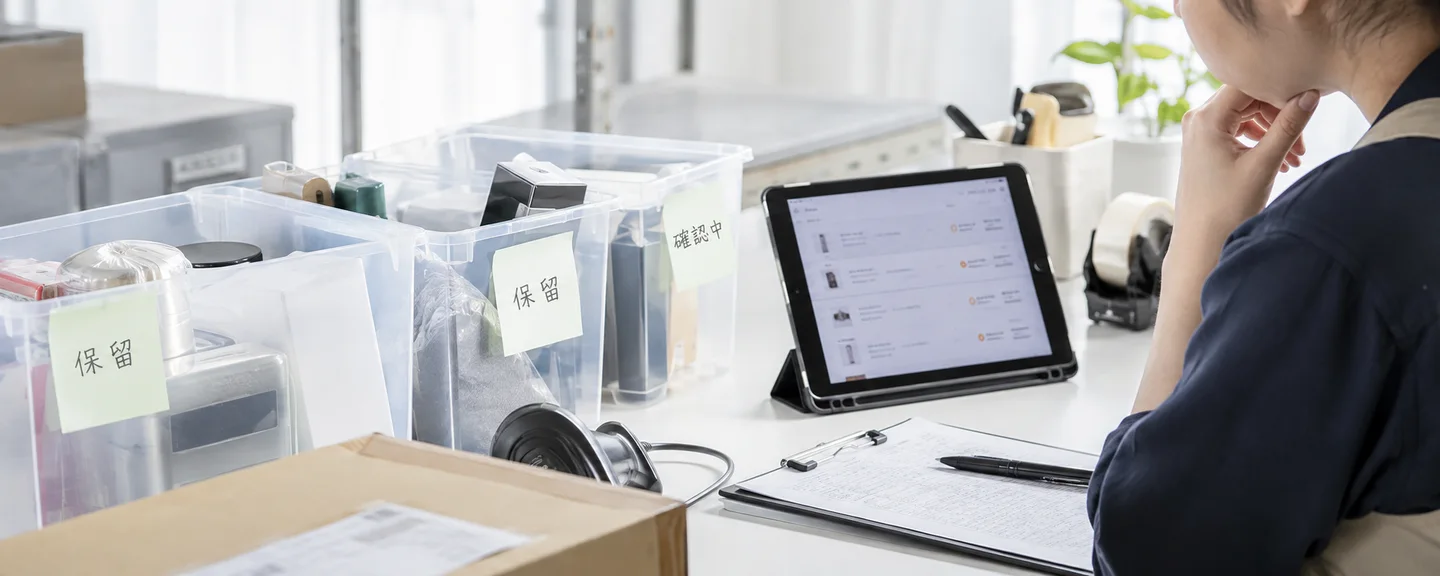
The "Pending" (保留中) order status mainly refers to orders where the buyer's payment method has not yet been verified or the payment process is not complete, and these orders are treated as not yet ready to ship. Because of payment and other checks, processing can take up to 21 days. Orders can also show as Pending for reasons other than payment, such as pre-orders or orders awaiting business purchase approval (covered below).
Large numbers of pending orders suspected to be malicious are sometimes called "pending-order attacks" (注文保留テロ), but this is not an official Amazon term, and Amazon has not published the methods used or the number of cases. This article is based on Seller Central Help and other sources as of September 2026. Policies and screen names can change, so please also check your actual screens and Help pages.
What you can and can't see for pending orders
| Category | Details |
|---|---|
| Visible | Order ID, order date, SKU, ASIN, product name, price, quantity |
| Not shown until payment is processed | Buyer's name, shipping address |
| Generally not disclosed to sellers | The payment method the buyer chose |
At the Pending stage, there is no way to find out who placed the order, so build your records around the order ID and the order date and time.
Screens to check
Check pending orders on the Pending tab of Orders > Manage Orders (注文 → 注文管理), and FBA orders on the View FBA orders (FBA注文を表示) tab. By default, orders from the past 7 days are shown. The basic way to understand the situation is to follow each pending order, one by one, to see which status it changes to next (for seller-fulfilled orders, "Unshipped" (未出荷) or "Canceled" (キャンセル済み); for FBA orders, statuses such as "Payment Complete" (支払い完了)).
Before you assume it's an attack: separate out legitimate holds
A sudden increase in pending orders is not, by itself, enough to conclude that you are being harassed. The main reasons Amazon gives for pending status are listed below; the second column gives examples of what sellers can check.
| Main reasons Amazon gives | Examples of what to check |
|---|---|
| The buyer's credit card has not been authorized | Whether the orders are spread out like your usual orders rather than concentrated on specific SKUs |
| Prepayment such as convenience store, ATM, online banking, e-money, or PayPay has not been completed | Whether the orders later change to "Unshipped," or go straight from Pending to Canceled |
| A multi-item FBA order whose items are not all available, or an FBA order with a scheduled delivery date and time that has not yet shipped | Whether it is an FBA order, and whether the same order includes other items |
| Pre-order items, Amazon Subscribe & Save | Whether the item is a pre-order item, or one that could be purchased through Subscribe & Save |
| Amazon Business orders delivered to a commercial address (adjusting for delivery within business hours) | Whether the delivery address is a business location. Whether it resolves in a much shorter time than a typical pending hold |
| Business or sole proprietor purchases awaiting approval on the buyer's side | Whether the item is aimed at businesses. Whether the time until cancellation matches the approval deadline (up to 7 or 14 days) |
Purchases by businesses and sole proprietors may take up to 7 days from the order date to be approved (up to 14 days for medium and large Business Prime buyers), and orders not approved within that period are canceled automatically. Even if a batch of orders goes to Pending and is later canceled, that may simply be the result of the approval process.
Orders are also canceled automatically when a buyer who chose prepayment does not pay by the deadline (the number of days differs between the seller and buyer Help pages). Sellers can't tell from their screens why an order was canceled (an expired payment deadline or a buyer cancellation), so in your records and inquiries, write down the fact that "the order changed from Pending to Canceled" along with the date and time.
Patterns that may be suspicious (hypothetical examples)
The following are examples of patterns that are hard to explain with legitimate reasons. They are hypothetical examples rather than actual cases, and even if your situation matches them, you can't conclude that malice is involved.
- Orders for the same quantity of the same SKU keep coming in every few minutes within a short time window
- Almost the same quantity as your seller-fulfilled inventory goes to Pending, and the item shows as out of stock
- Every order stays Pending, then they all change to Canceled together a few days later
- When inventory comes back, similar orders come in again for the same product
Look beyond the number of orders and check whether "clustered times," "skew in SKUs and quantities," "the time until cancellation," and "repetition" all line up. You can also use these four points when explaining the situation to support.

The impact differs for seller-fulfilled and FBA orders: check your inventory and search visibility
| Item | Seller-fulfilled | FBA |
|---|---|---|
| Inventory | Inventory is allocated even while orders are Pending, and your inventory count goes down | Quantities awaiting payment verification may be held as "Reserved" (入出荷作業中) for up to 21 days |
| Display | When orders equal to your inventory count come in, the item may show as "Out of stock" | When all units are reserved, the item may temporarily disappear from search results |
| If orders are canceled | Check on your inventory management screen that the inventory count has been restored | Units return to Available (販売可能) |
| Cancellation Rate | Applies | Does not apply |
Seller-fulfilled: inventory is allocated even while orders are Pending
Amazon advises that when you receive a pending order, you should check your inventory and either set the item aside or, if necessary, cancel the order. Canceling has consequences (explained below), and the order may be legitimate, so the basic approach is to keep the inventory reserved until the pending status is resolved.
FBA: don't delete the listing even if your available quantity drops to 0
You can see a breakdown of the quantities reserved in FBA in the reserved_customerorders column (Reserved – awaiting shipment, 入出荷作業中-出荷待ち) of the Reserved Inventory Report (入出荷作業中在庫レポート). Amazon says you can send in additional inventory if you want to maintain search visibility, and advises against closing or deleting the listing.
Before canceling on your own: the impact on your Cancellation Rate and listing removal
Even if you want to clear the out-of-stock display, think carefully before canceling orders yourself. The Cancellation Rate is the percentage of seller-canceled orders out of all orders over a 7-day period, and it applies only to seller-fulfilled orders. Amazon recommends keeping it below 2.5%, and if you exceed that, your seller-fulfilled listings may be deactivated. You can check the figure on the Account Health (アカウント健全性) page under Shipping Performance (出荷パフォーマンス) > View details (詳細を表示) > the Pre-fulfillment Cancel Rate (出荷前キャンセル率) tab.
| How the order was canceled | Impact on Cancellation Rate (per Help) |
|---|---|
| Pending orders canceled by the buyer directly on Amazon | Not counted |
| Orders canceled by Amazon after payment verification failed | No negative impact |
| Orders canceled automatically by Amazon after it detected fraudulent activity by the buyer | No negative impact |
| Orders canceled by the seller due to being out of stock, a setting error, or similar reasons | Counted |
| Orders canceled automatically by Amazon because no shipping confirmation was sent | Included |
This suggests that pending orders Amazon cancels because they remain unpaid do not directly hurt the seller's metrics (though this is not stated explicitly). Waiting while you record how things progress is also an option worth considering.
Check whether sellers can cancel pending orders
The Help pages are inconsistent. One page says that if an item is out of stock or similar, you can choose "Cancel order" (注文キャンセル) from the actions on the Pending tab (no refund required), while another says the cancel button becomes available once payment has been authorized. Whether such cancellations count toward the Cancellation Rate is also not stated, although by definition they appear to fall under "all orders canceled by the seller." In addition, listings with a history of seller-canceled orders in the past 30 days, or listings where the seller canceled two orders in a row, may be removed. Before canceling on your own, check with Technical Support. For how to review your inventory management, see Measures against the pre-fulfillment cancel rate.
When a buyer contacts you, or an order changes to "Unshipped"
If a buyer contacts you about a cancellation or anything else while the order is Pending, direct them to Amazon Customer Service. An order that has changed to "Unshipped" has had its payment confirmed, so process it as usual. Under the Amazon Services Business Solutions Agreement, do not cancel the transaction unless, for example, you had conditions posted at the time of the order. For cancellations at the buyer's request, respond to those submitted through "Request a cancellation" (キャンセルをリクエスト); agreeing to a request sent only by message will affect your Cancellation Rate.
Buyer cancellation requests made after an order changes to Unshipped can be checked in the is-buyer-requested-cancellation column if you turn on "Buyer requested cancellation" (購入者がキャンセルをリクエストしました) under "Add or remove columns" (項目を追加または削除する) in the order report.
How to record suspicious orders: build around order IDs and times
Make it part of your daily order check
Add the following tasks to the order check required at least once every business day under the agreement mentioned above.
- Copy the order ID, order date and time, SKU, and quantity from the Pending tab (for FBA, the View FBA orders tab) into your record sheet, and save the screen in a form that shows the date and time
- As a supplement, also download the report from the All Orders (全注文) tab under Orders > Order Reports (注文 → 注文レポート), save it with the download date in the file name, and check whether the pending orders appear in it
- Compare with the previous day's records and update any orders whose status has changed
- Check your inventory count, whether the item shows as out of stock or appears in search, and, for FBA, the reserved quantity
- If you have been in contact with support, add the case ID and a summary of the reply
According to Help, pending orders do not appear in either the order report or the FBM Unshipped Orders Report (FBM未出荷注文レポート). The All Orders Report includes two years of past orders regardless of status, but it is unclear whether pending orders appear in it, so use the Pending tab as the basis of your records. Downloading requires the "Edit Transactions" (トランザクションの編集) permission.
Record sheet columns and sample entries
The following are example columns for a record sheet. The sample entries are hypothetical, for illustration only, and are not actual orders.
| Item | Sample entry (hypothetical) | Main source |
|---|---|---|
| Order ID, order date and time | ○○○-○○○○○○○-○○○○○○○ / Month ○, Day ○, ○:○○ | Manage Orders (Pending tab). The All Orders Report only as a supplement, if the orders appear in it |
| SKU, ASIN, quantity, fulfillment method | SKU-A (placeholder), 1 unit, seller-fulfilled | Same as above |
| Status history | Pending → Canceled (checked on Month ○, Day ○) | Results of daily checks |
| Inventory and display | Inventory 0, shown as out of stock | Inventory management, product page |
| Inquiries | Case ID, summary of reply | Case history |
Even if you have dozens of similar orders, don't lump them together as "many"; record how each one progresses individually.

How to seek help and report: support channels and the order to use them
We could not find a dedicated channel in the publicly available Help pages for reporting large numbers of suspicious orders, so consider the following steps in this order.
Once sales are affected by the out-of-stock display or items disappearing from search, create the STEP 1 case before canceling anything yourself. That way, you can keep adding later developments to the same case.
STEP 1. Contact Technical Support in a single case
Create a case from "Contact Us" (お問い合わせ) in Seller Central and provide the time period, the affected SKUs, a list of order IDs, and the impact all together. Amazon's guidelines say, among other things, to create one case per issue, to flag it as urgent if it is urgent, and not to open a new case for the same issue while it is under review; cases that don't follow these rules may be closed. Provide any additional information in the same case. For how to present your issue, also see Organizing your inquiry to Technical Support.
The following is a sample inquiry. It is hypothetical, not an actual case, so replace the ○ parts to match your own records.
From Month ○, Day ○ to Month ○, Day ○, pending orders have been concentrated on SKU "○○." All of them came in within short time windows for the same quantity, stayed Pending, and changed to Canceled a few days later. The order IDs, order dates and times, and status changes are shown in the attached list. During this period, inventory was allocated to these orders and the item showed as out of stock, so we were unable to sell normally. Please review these orders and advise us on the steps we should take as the seller (including whether we can cancel pending orders and what preventive settings we can use).
Amazon has not published what it does after investigating, so don't assume that "reporting it will restore my metrics" or "I'll be compensated."
STEP 2. If your metrics are worsening or suspension is a risk, contact Account Health Support
Professional sellers can enter a phone number via the "Contact Us" button on the Account Health page to receive a call from an Account Health Support specialist (available every day of the year). Individual sellers are not eligible for this channel, so check the Help and appeal procedures and seek advice through the STEP 1 case. For the information to have ready before you contact them, see A guide to contacting Account Health Support.
STEP 3. If your listings are deactivated, file an appeal
If your seller-fulfilled listings are deactivated because you did not meet the Cancellation Rate requirement, file an appeal from the Account Health page and submit a Plan of Action (POA). If a Cancellation Rate policy quiz (5 questions) appears in a banner before deactivation, passing it within 72 hours means you do not need a plan of action and your listings will not be deactivated. For what happens after a suspension, see The full picture from account suspension to reinstatement request.
STEP 4. If you suspect another seller is involved
The Seller Code of Conduct lists deliberate actions that harm other sellers or their listings as an example of unfair activity. Amazon says violations by other sellers can be reported through "Report Abuse" (不正または違反を報告), and store policy violations, including violations of the Code of Conduct, through the "Report Infringement" (権利侵害を報告する) tool. However, both assume you can identify the seller or ASIN being reported, so it is unclear whether they are suitable when you don't know who placed the orders. Don't name a specific seller based on guesswork; if you're unsure, check through the STEP 1 case. For preparing for harassment in general, see Recording and reporting suspected harassment.
STEP 5. If the actual damage to your business is significant, contact the police or a lawyer
Article 233 of Japan's Penal Code makes it a punishable offense to obstruct another person's business by deception, among other acts, but whether specific orders fall under this depends on the facts. The National Police Agency has set up a nationwide online reporting portal for cyber incidents through e-Gov electronic applications, and advises contacting your nearest police station or similar office to file a damage report. Prepare your records and consider consulting the police or a lawyer as well.

What not to do
Even when you are the one being harmed, handling it the wrong way can put you at a disadvantage.
- Shipping pending orders: Amazon advises not to ship them even if the buyer contacts you directly. Amazon bears the risk of non-payment only for orders that appear in the FBM Unshipped Orders Report or orders for which you can send a shipping confirmation from the Manage Orders page.
- Choosing "Buyer canceled" when canceling because an item is out of stock: Help states clearly that choosing this reason when the cancellation was not at the buyer's request will affect your Cancellation Rate, and contacting buyers to get them to submit a cancellation request is not allowed either.
- Placing orders in retaliation, or placing your own test orders to see how the tactic works: Harassing other sellers and manipulating sales rankings are given as examples of "Critical" issues, the most serious level in Account Health assessments (How to check your Account Health score).
- Trying to get around restrictions, such as by opening another account to keep selling: Under the Seller Code of Conduct, you may have only one account per region where you sell, unless you have a legitimate business need and all of your accounts are in good standing. Opening another account to avoid a suspension or restriction violates the rules and is not allowed. If fraudulent or harmful activity is suspected, including attempts to circumvent Amazon's systems, your account may be suspended immediately regardless of your score.
Settings and practices to prepare for the next wave of pending orders
There doesn't appear to be a way to prevent large numbers of pending orders completely, but some settings can reduce the impact. Choose among them with their side effects in mind.
| Measure | Where / how to set it | Notes |
|---|---|---|
| Disable convenience store payment for your entire account | "Payment method settings" (支払い方法の設定) under Settings > Account Info (設定 → 出品用アカウント情報) (only for Professional sellers permitted to use convenience store payment; log in with the administrator account) | Legitimate buyers can no longer choose it either. Orders placed before you disable it still need to be handled. Check whether it also applies to other prepayment methods such as PayPay, or to FBA orders |
| Disable convenience store payment by SKU | The payment method options on the product listing page, or enter "cvs" in "optional-payment-type-exclusion" in your inventory file | Takes about 15 minutes to take effect. Check whether it works for FBA SKUs |
| Set a daily order limit | The edit screen for "Handling time" (出荷作業日数) under "General Settings" (一般設定) in Shipping Settings | Does not apply to Seller Fulfilled Prime and certain other orders |
| Check pending orders before switching to vacation mode | Settings > Account Settings > Store Status (設定 → アカウント設定 → ストアのステータス) | Stopping your listings does not automatically cancel pending orders |
"Payment method settings" shows only the payment methods you are permitted to use, so if you are not permitted to use convenience store payment, you won't see this option. In practice, it makes sense to limit disabling to the SKUs where pending orders are concentrated.
The order limit does not stop orders. It adds one day to the handling time for orders above the limit, to prevent an impact on your Late Shipment Rate when you receive more orders than you can process. Whether pending orders count toward the limit is not stated, so confirm its effectiveness with Technical Support. For setting up your shipping operations for when pending orders all clear at once, also see Ways to improve your Late Shipment Rate.

Frequently asked questions
Q. Do orders that are automatically canceled while still Pending affect my Cancellation Rate?
A. According to Amazon, orders it cancels after payment verification fails, and pending orders canceled by the buyer directly on Amazon, do not affect it. Automatic cancellations due to an expired payment deadline or similar reasons appear to fall under the former, though this is not stated explicitly. Cancellations by the seller appear to be included.
Q. Can Amazon tell me who placed the orders?
A. The buyer's name and shipping address are not shown for pending orders, and Amazon explains that it does not disclose the results of investigations into reports made through "Report Abuse," in order to protect privacy. The realistic approach is to focus on recording the facts and explaining them through the proper channels.
Q. Does Amazon take any action against buyers who repeatedly fail to pay?
A. The buyer Help pages say that if cancellations for non-payment by the deadline happen repeatedly, the buyer's account may be closed. However, Amazon does not publish how it handles individual cases, and sellers will not necessarily be told the outcome.
Q. If my Cancellation Rate goes up because of pending orders, can those orders be excluded?
A. Amazon has not published whether they are excluded from the metric. Check through the STEP 1 case with a list of order IDs and how each progressed attached, and if suspension is a risk, also use the STEP 2 channel.
Summary
Large numbers of pending orders take away sales opportunities, but a rushed response can end up hurting your metrics and your account.
- Pending mainly means payment verification is not complete. First, determine whether a legitimate reason, such as prepayment, business approval, or a pre-order, can explain it
- The impact shows up differently: seller-fulfilled orders allocate inventory, while FBA orders hold units as Reserved. Don't delete FBA listings
- Cancellations by Amazon after payment verification fails are said not to affect the Cancellation Rate, and the same appears to apply to automatic cancellations for expired payment deadlines. Check with Technical Support before canceling on your own
- Build your records around order IDs and order dates and times, and keep them updated by making the Pending tab check part of your daily order check
- Contact Technical Support in a single case. If suspension is involved, use Account Health Support; if the actual damage is significant, also consider the police or a lawyer
Need help with abusive pending orders or harassment?
We'll assess your prospects for reinstatement at no cost. Consultations are free, as often as you need.
 Free consultation, 24/7
 *This article provides a general explanation. The appropriate response in individual cases depends on the circumstances.
Further reading
 Suspected harassment on Amazon: keeping records, reporting and reviewing operations Read article →
  Addressing Amazon's pre-fulfillment cancellation rate: inventory and order-processing checks Read article →
  Improving Amazon's Late Shipment Rate: identifying delays and reviewing dispatch procedures Read article →