This article is for sellers whose listings have been removed, or have stopped appearing in search, over suspected trademark infringement. We walk step by step through the clues that tell you whether a rights owner filed a complaint or Amazon detected the issue, how to check what your listing displays, how to verify the rights involved, how to prepare your documents, and how all of this affects your account health.
How listings get blocked over suspected trademark infringement
Amazon prohibits listings that infringe the intellectual property rights of rights owners, and the rules are summarized in the Help page "Amazon Intellectual Property Policy" (Amazon知的財産権ポリシー). This article is based on Help content and replies from Amazon staff on the Seller Forums as of September 2026. Policies and on-screen labels can change, so please also check the latest Help content.
A trademark shows whose product it is
A trademark, such as a brand name or logo, identifies the source of a product, and on Amazon it most often appears in the product title or the brand name. Listing another company's product is not prohibited in itself. Amazon's policy explains that the unauthorized use of a trademark on a product detail page is generally infringing when it is likely to cause confusion about the source of the product (whether something is legally infringing is determined case by case). The policy lists two situations in which third-party trademarks can generally be used: listing genuine products, and using a trademarked word in its ordinary dictionary sense (how to describe compatible products is covered later).
Counterfeits, look-alike products, and unknowing infringement
Counterfeiting is a form of trademark infringement in which a registered trademark, or a mark that is nearly identical to it, is placed on a product that the rights owner did not supply. A similar product that doesn't use a registered trademark is not a counterfeit, but it may still violate other rights, such as design rights, or laws against unfair competition. For rights other than trademarks, also see how to review a design right infringement warning and responding to a copyright infringement complaint.
Enforcement action can be taken even if you infringed without realizing it, and Amazon states that it may close the accounts of repeat infringers.
Using notifications and screens to tell who blocked your listing
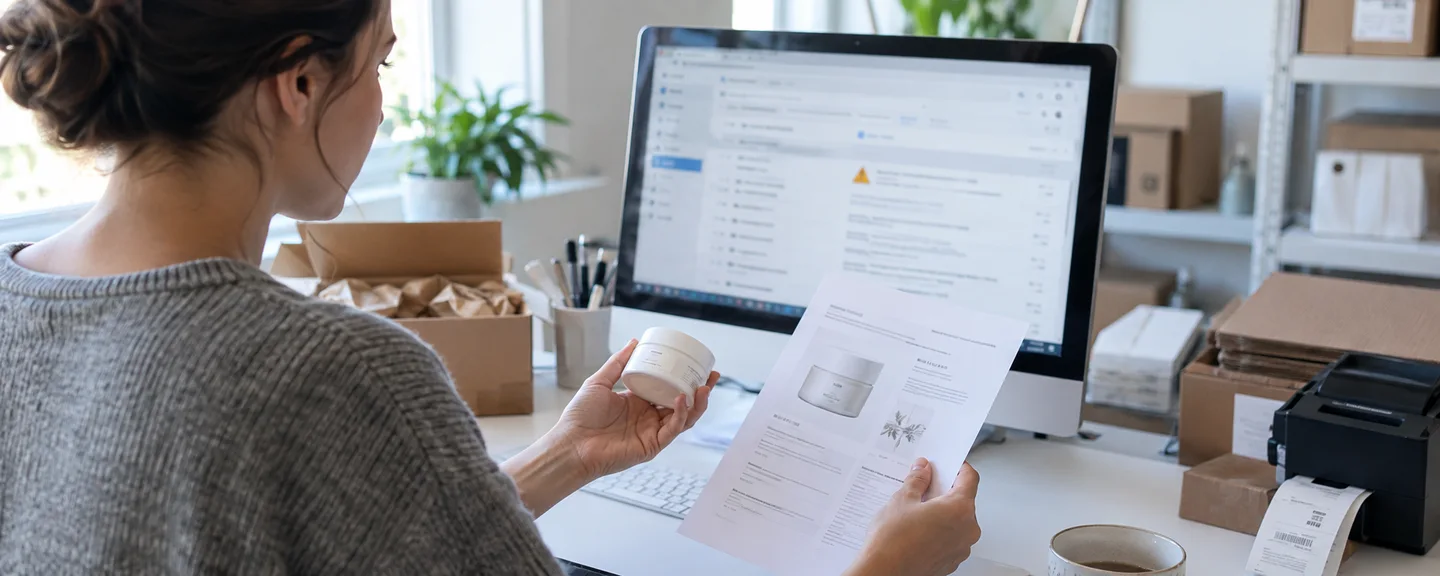
STEP 1. Find the affected listing on the Account Health page
Check the issue under Product Policy Compliance (商品規約の遵守) on the Performance (パフォーマンス) > Account Health (アカウント健全性) page. If it doesn't appear there, look for inactive listings in Manage Inventory (在庫管理) and for details of the removal in Performance Notifications (パフォーマンス通知). Amazon staff on the forums also point sellers to filing an appeal from Intellectual Property Complaints (知的財産に関する苦情).
STEP 2. Write down the key details from the notification
Write down what the notification says under the following items, and record "not stated" for anything it doesn't mention. The same applies if "Trademark misuse" (商標の悪用) appears on the Account Health page: don't draw conclusions from the name alone, and write down the details in the same way.
Items to note from the notification
- The affected ASIN/SKU and product title
- The brand name cited and the type of right (trademark, copyright, design, etc.)
- The rights owner's name and contact information
- Information identifying the right, such as the trademark number
- What was flagged (the product itself, the packaging, images, or text)
- The date of the notification, and the action or documents requested
STEP 3. Match your case to one of three patterns
The table below is our own way of organizing cases, not an official Amazon classification. Because you can't always tell the difference from the labels alone, if you're unsure, reply to the notification and ask whether it came from a rights owner's complaint.
| Pattern | Clues | What to fix | Documents to submit |
|---|---|---|---|
| (1) Rights owner complaint | The warning includes the rights owner's contact information | The content that was flagged | Your reasons the complaint is mistaken, plus invoices or similar (if you have a contractual relationship, a request to retract) |
| (2) Detected by Amazon | The listing becomes "Search Suppressed" (検索対象外). Rights owner contact information isn't necessarily included, and in some cases you can't tell it apart from (1) by the display alone | Wording in the product title, images, and so on | Fix the wording first (submit documents if asked) |
| (3) Suspected inauthentic or counterfeit product | You're asked to prove where you sourced the product | Supplier and inventory management | Invoices that meet the requirements |
Pattern (2) can occur even without a complaint from a rights owner, as a result of Amazon's monitoring through machine learning, automation, and expert review.
In pattern (1), rights owners can report at three levels: "the entire ASIN," "only a specific seller's offer," or "the use of the trademark on the product detail page." A seller-level report leaves the page and the ASIN in place, so the way your listing disappeared is a clue to the level of the report.

Checking what your listing page displays
Whichever pattern applies, check what your listings display, including your other listings for the same brand.
| Where to check | What to look for |
|---|---|
| Brand field | Does it match the brand name permanently displayed on the product and packaging? Have you listed a branded product as "Generic" (ノーブランド品)? (The two cannot be changed from one to the other) |
| Product title | Does it include another company's trademark that doesn't represent the product you're selling? |
| Bullet points and product description | Is there wording that suggests "similarity" to another brand? If the product is compatible, do you clearly state "compatible" or "replacement"? |
| Images | Do they contain logos that don't represent the product you're selling, Amazon logos or marks, or your own trademark applied to an unbranded product with a sticker or similar? |
| Source of images and text | Are you using photos or text from third-party websites without permission? |
| Store name | Does it contain a third party's trademark? |
Describe "compatibility," not "similarity"
Amazon asks sellers to use brand names in a factual, non-misleading way to describe "compatibility" (generally allowed) rather than "similarity" (not allowed). Amazon staff on the forums also recommend wording such as "compatible with ~" or "for ~." Below is a hypothetical example for a replacement filter for Brand A vacuum cleaners (not a real product). You may still be flagged even with this wording; if that happens, review the wording and consider moving the compatibility information into the bullet points.
| Location | Wording to revise | Example rewrite |
|---|---|---|
| Product title | Brand A-style replacement filter | Replacement filter (compatible with Brand A model 〇〇) |
| Brand field | Brand A | Generic, or your own brand name permanently displayed on the product |
| Bullet points | Same quality as genuine Brand A | This is a compatible product. It is not a genuine Brand A product |
| Images | Images containing the Brand A logo | Your own photos of the product by itself |
If another company's brand name comes at the start of the product title, shoppers may take the item for that company's product, so place it toward the end, together with "compatible with" or "for." The examples in the official policy likewise show an unbranded compatible cable described as "compatible with ~" as "Active" (出品中), and a branded product listed with the brand field left blank as "Inactive" (停止中).

Verifying the rights involved from three angles
Angle 1. Look up the trademark number on J-PlatPat
If the notification includes a trademark number, use Trademark Number Search on J-PlatPat, the free Japan Platform for Patent Information (特許情報プラットフォーム), to check whether it is registered, who owns it, and which goods it designates. If there is no number, use Trademark Search with the brand name. Also confirm that the type of right stated in the notification matches the actual registration (there are reports on the forums of the number turning out to be a design registration number).
Under Japan's Trademark Act, the trademark owner has the exclusive right to use the registered trademark for the designated goods and services (Article 25), and use of similar trademarks or on similar goods is also deemed infringement (Article 37, item 1). "Use" also includes affixing a mark to information about goods, such as advertising, and providing it by electromagnetic means (such as the internet) (Article 2, paragraph 3, item 8). On the other hand, there are areas the trademark right does not reach, such as a trademark that indicates the common name or use of goods in a commonly used manner (Article 26, paragraph 1). Don't decide for yourself whether these apply; check with a patent attorney or a lawyer.
Angle 2. Is the right registered in Japan?
Amazon's Help for rights owners states that it does not accept notices based on trademarks or patents that are not registered in the country where the notice is filed. However, even if you can't find the right on J-PlatPat, you may have misread the number or used different search criteria, so don't conclude from that alone that the complaint is invalid. Record the date, criteria, and results of your search, and either state them as facts in your reply to the notification or check with a patent attorney.
Angle 3. Is the complaint actually about intellectual property?
The same Help page states that Amazon does not accept the following as intellectual property notices: violations of exclusive distribution agreements or minimum advertised price (MAP) agreements, requests to remove listings that clearly describe compatibility or fit, and notices about parallel imports in the US and Japan. It also does not allow brand impersonation or repeated reports against sellers who are not infringing, treating them as "abuse of the notice system," and may revoke the privileges of submitters who send inaccurate or false notices more than once. However, there's no way to know how any individual complaint will be handled. Even if you think one of these applies, reply to the notification with facts, such as your J-PlatPat search results and sourcing documents.
Note that parallel imports should be listed separately from regular items by selecting "JP Parallel Import" under "Selling format (parallel import)" (販売形態(並行輸入品)), and in some categories listing certain brands is prohibited. Even though Amazon says it does not accept notices about parallel imports, a trademark issue may still arise depending on the specifications, labeling, condition, and so on, so don't assume that a product is fine just because it is a parallel import.
"Selling genuine products" and "using trademarks without any problems" are separate issues. If the scope of a right is in dispute, don't reach a conclusion on your own as a seller; consult a patent attorney or lawyer.
Response steps by how your listing was blocked
If Amazon's detection made your listing search suppressed
If "Suspected intellectual property violations" (知的財産権侵害の疑い) appears on the Account Health page and your listing has been suppressed from search, the official Help for that case covers trademark rights. The steps are as follows.
- Search for the affected ASIN in Manage Inventory
- Review every field under "Edit details" (詳細の編集), correct any trademarks that don't represent the product you're selling and any logos in images, then click "Save" (保存) (if the product is an accessory for a trademarked product, also check that compatibility is described in line with the policy. Even if you didn't provide the product information, review the "Vital Info" (重要情報), "Images" (画像), and "Description" (説明) tabs)
- If you can't find the ASIN, it has been deleted, so correct the wording and images, relist the product, and contact Technical Support
- Wait 24 hours for review and reactivation, and if the listing is still inactive, contact Amazon from Product Policy Compliance
For suspected infringement of intellectual property rights other than trademarks, contact Technical Support directly. For help preparing, see organizing your inquiry to Technical Support.
If your listing was removed after a rights owner's complaint
Amazon provides the following guidance for each situation (the rights owner's contact information is included in the warning).
| Situation | What to do |
|---|---|
| You were warned about a product you have never listed | Reply to the notification and say so (Amazon will investigate whether it was an error) |
| You have a relationship with the rights owner, such as a license, manufacturing, or distribution agreement | Contact the rights owner and ask them to retract the complaint |
| You believe the rights owner or Amazon removed your listing in error | Reply to the notification with the specific reasons you believe it was an error, along with invoices or order numbers that show authenticity |
The three situations in the table apply when the complaint is mistaken or when you have a contractual relationship. If the complaint is accurate (for example, you used a trademark without permission or listed something that is not the rights owner's product), you have no grounds to ask for a retraction or to claim an error. Stop selling the affected listing, correct your other listings for the same brand as well, and then file an appeal (reconsideration) that sets out the cause (such as insufficient supplier verification or insufficient checks) and your measures to prevent it from happening again. Don't file a dispute that contradicts the facts.
When asking the rights owner to retract a complaint
Amazon staff explain that the retraction must be submitted to Amazon directly by the rights owner. When you reach out, state only the facts, briefly, and avoid any language that applies pressure or hints at legal action. Below is a sample message from a seller with a distribution agreement (a hypothetical example, not a real case).
To the Intellectual Property Team at Brand A,
We are 〇〇 Co., Ltd., and we operate the store "〇〇" on Amazon.co.jp. On [month] [day], we received a notification from Amazon stating that your company had filed a trademark infringement complaint regarding our listing for ASIN "B0XXXXXXXX."
We have a distribution agreement with your company, and we purchase the product in question directly from you. We have attached a copy of the agreement and our invoice. After reviewing them, we would be grateful if you could contact Amazon directly to retract the complaint.
It's also a good idea to discuss having them issue a Letter of Authorization (LOA) that meets the requirements, so you're prepared if Amazon asks for one.
If you have received multiple warnings
If you have several warnings and are confident your products are genuine, file a dispute from Seller Central with a list of the affected ASINs and at least one of the following: invoices or order numbers that show authenticity, or a written authorization from the rights owner (forwarded emails are not accepted). How to organize your warnings as a whole is also covered in how to organize intellectual property warnings.
If you're told your product is suspected of being inauthentic or counterfeit
The key is to show proof of purchase with invoices that meet the requirements in the next section and include the supplier's contact information. How to organize these materials is covered in organizing sourcing documents when you're accused of trademark infringement or counterfeiting.
Preparing documents and your appeal
If you work backward from "what isn't accepted," it's easier to catch in advance the gaps that would get your documents rejected.
| Item | Invoice | Letter of Authorization (LOA) |
|---|---|---|
| When to use it | To show the product is authentic | To show you have permission to use a trademark when Amazon has determined you're using it without approval |
| Main requirements | Issue date within 365 days before you received the notification; quantities covering your sales over the past 365 days and your inventory on hand; details that identify the ASIN (product name, model number, etc.); the supplier's contact information | Five items: licensor, licensee, what is granted, geographic scope, and duration; the rights-owning company's letterhead; the signature of an authorized signatory, a company seal, or similar |
| Format | An unaltered original as a PDF or image (.jpg/.png/.gif) | PDF, scanned image, Word format, or a screenshot of an email sent from the rights-owning company's domain (forwarded emails are not accepted. Check the conditions for each format in the Help page "Letter of Authorization" (認可書)) |
| Examples not accepted | Quotes or pro forma invoices, documents issued by the seller, altered documents, editable formats such as .xlsx or .docx | Invoices, distribution/reseller agreements, receipts, delivery notes, purchase orders or quotes, and so on |
You may black out prices on invoices, but everything else must remain legible. The supplier must be verifiable through government or trusted third-party information. Invoices and distribution agreements cannot substitute for an LOA.
Keep your appeal short, specific, and factual
Amazon's guidelines ask you to write your appeal clearly, concisely, and factually, without emotional language. Identify the root cause (such as unverifiable suppliers, inventory management, or quality control), show the actions you took along with what they were, when you took them, and supporting documents, and provide evidence for every affected ASIN. Highlight ASINs and supplier names in your documents, such as by circling them, but limit yourself to marking them; don't rewrite or delete anything (other than prices). For how to write it, also see how to put together a plan of action.
Impact on your account and the 180-day window
In the Account Health Rating (AHR), a valid infringement notice submitted by a rights owner is given as an example of "High" severity, and a counterfeit confirmed through a test buy as an example of the most severe level, "Critical." Even one "Critical" violation can lead to suspension (with a three-day grace period after notification). The score runs from 0 to 1,000, with 200 or higher considered "Healthy." Deductions per violation are normally 2 to 8 points and can double when you repeatedly violate the same policy.
If violations of the same policy reach the limit within 180 days, your account may be suspended immediately. Under the policy effective July 23, 2025, the limit varies with the severity of the violation and may be as low as two for high-severity violations. Amazon explains that because infringement policies are high severity, their repeat threshold is lower, but we have not been able to confirm the specific limit for intellectual property violations. You can check for repeat violations by the label in the "Account Health Rating impact" (アカウント健全性の評価の影響) column in Product Policy Compliance. This is covered in detail in how to check your Account Health score.
Deleting a listing doesn't clear the violation
Closing a listing or deleting it from your inventory does not remove the violation from the Account Health page. A violation is removed in cases such as the following.
- A dispute confirmed that the violation was made in error
- An appeal (reconsideration) found that it was unintentional and should be excused
- The rights owner retracted the complaint
- You took the corrective action required for that type of violation, such as removing infringing wording or images (closing a listing or deleting it from inventory doesn't count)
- 180 days have passed since it was added (it remains if your account was suspended because of the AHR)
Even a violation removed through an appeal (reconsideration) may still count toward the repeat threshold for 180 days if you did not dispute the facts.
Also watch out for FBA inventory and repeat blocks
For products suspected of intellectual property infringement, you can't create a removal or disposal order for your FBA inventory; you first need to resolve the issue on the Account Health page. In response to reports of listings being blocked again for the same reason after being reinstated, Amazon staff have pointed to the possibility of a new review triggered by the rights owner reporting again.
Items to keep in your internal violation log
- ASIN/SKU, notification date, and the wording of the notification
- Pattern (rights owner complaint, Amazon detection, or authenticity) and the rights owner's name
- What you corrected, when you corrected it, and the documents you submitted
- The response you chose (dispute, appeal, or retraction request) and the outcome
- The date the 180 days will have passed
Where to appeal after a suspension and how to submit additional information
If your account was suspended because of a rights owner's complaint, submit your response and supporting documents via "Reactivate your selling account" (出品用アカウントの再開) at the top of the Account Health page and click "Submit" (送信), or reply to the suspension notice. Amazon says it may take up to about two days to respond to an appeal, and if you're asked for more information, submit it from "View Account Health requests" (アカウント健全性の要請を見る). The overall process is laid out in an overview of the path from account suspension to reinstatement.

What not to do
- Opening a new account to keep selling: Creating another account to avoid a suspension or warnings violates Amazon's policies. Don't do it.
- Tweaking your wording to avoid detection: Writing brand names with altered characters or code words may be treated as circumventing Amazon's systems, and your account may be suspended regardless of your score.
- Forging or altering invoices or LOAs: Altered documents are not accepted, and your account may be suspended on suspicion of deceptive activity.
- Relisting the same content without fixing what's displayed: Your listing may be blocked again for the same reason, which can lead to repeat violations.
- Protesting to the rights owner in harsh language: Whether to retract a complaint is the rights owner's decision.
Frequently asked questions
Q. My listing was removed even though I source and sell genuine products.
A. Even genuine products can be blocked because of what the listing displays, such as the brand field or images. Check what your listing displays, and if the issue stems from a rights owner's complaint, reply to the notification with your reasons for believing it's an error, along with invoices or similar documents.
Q. I asked the rights owner to retract the complaint, but they haven't replied.
A. It's the rights owner who decides on a retraction and submits it to Amazon. If you believe the complaint is mistaken, don't just wait for a reply; reply to the notification with the specific reasons you believe it's an error, along with invoices or order numbers that show authenticity. Keep a record of your correspondence, too.
Q. The notification doesn't say what type of infringement it is.
A. Check what your listing displays based on the ASIN and brand name, and for anything you're unsure about, reply to the notification or, if you are a Professional seller, contact Account Health Support from the Account Health dashboard.
Q. I was accused of trademark infringement even though it's my own brand's product.
A. Check that the brand field matches the brand name permanently displayed on the product and packaging, and use J-PlatPat to look up the owner and designated goods of the trademark in the notification, as well as the application or registration status of your own trademark. Note that one of the requirements for Amazon Brand Registry is having a pending or registered trademark in Japan.
Summary
- Use the notification and your screens to determine which of the three patterns applies, and if you're unsure, reply to the notification to confirm
- Check the brand field, product title, bullet points, and images, and describe "compatibility" (not "similarity") factually
- Verify the trademark number on J-PlatPat, and if the complaint is accurate, show your corrections and measures to prevent recurrence
- Work backward from what isn't accepted when preparing documents, and don't confuse invoices with LOAs
- Deleting a listing doesn't clear the violation. Keep records for 180 days and eliminate the underlying cause

Before rushing to change your wording or relist your products, first check the notification and the facts, and if you're unsure, consider consulting a professional early on.
Need help with listing removal for potential trademark infringement?
We'll assess your prospects for reinstatement at no cost. Consultations are free, as often as you need.
 Free consultation, 24/7
 *This article provides a general explanation. The appropriate response in individual cases depends on the circumstances.
Further reading
 Responding to Amazon copyright complaints: identifying content and checking permissions Read article →
  Amazon trademark and counterfeit allegations: organizing sourcing evidence and rights information Read article →
  Understanding Amazon intellectual property warnings: rights involved and supporting evidence Read article →