Seller Central is showing "Additional information required," you've received an alert or email about Japan's Installment Sales Act, or you've been told a problem was found after the review. If that sounds like you, this article walks through how the acquirer review works, the 19 fields you fill in and their formats, the documents to cross-check before you submit, and how to approach a suspension or a hold on your funds.
What is the Installment Sales Act review? The reviewer is the card payment acquirer
Japan's Installment Sales Act (割賦販売法) is the law that sets the rules for transactions such as credit card payments. On its policy page in Help, "Compliance with the Installment Sales Act and Other Laws and Regulations" (割賦販売法その他の法令の遵守), Amazon explains that sellers on Amazon.co.jp are "merchants" under this law (stores that accept card payments), that they are obligated to manage card numbers and related data properly and to prevent fraudulent use, and that they must be reviewed by an acquirer on how well they comply.
In Amazon's Help, the acquirer is referred to as the "merchant acquiring company (acquirer)" (加盟店契約会社(アクワイアラー)). Legally, it is a "credit card number handling contract concluding business operator" (クレジットカード番号等取扱契約締結事業者) and is required to be registered with the Ministry of Economy, Trade and Industry (Article 35-17-2 of the Installment Sales Act). The review is carried out by the acquirer that Amazon has a contract with (its name is not disclosed).
This article is based on Amazon's Help and Amazon's seller services pages as of September 2026, along with the text of the Installment Sales Act and its Enforcement Regulations. Screens and input formats can change, so please check the latest Help pages as well.
Reviews happen both before and after the contract
The Installment Sales Act requires acquirers to investigate their merchants (known as "merchant reviews") (Article 35-17-8). Read together with the Enforcement Regulations, the process looks like this:
- Before the contract, the acquirer checks whether there is a risk of problems with managing card numbers and related data or with preventing fraudulent use, and does not sign the contract if the merchant may not meet the standards
- After the contract, the acquirer continues to review the merchant periodically or as needed. It conducts an individual review when, for example, it learns of a change in basic details such as name or address or in the products handled, when it finds from complaints or other information that unfair solicitation has occurred, or when a data leak or fraudulent use has occurred
- If the measures for managing card numbers and related data or for preventing fraudulent use do not meet the standards (or may not meet them), the acquirer instructs the merchant to take compliant measures within a reasonable period, and terminates the contract if the merchant does not follow the instructions or is unlikely to meet the standards (if a leak or fraudulent use has occurred, it also gives instructions to prevent a recurrence)
In other words, it isn't over once you submit your information; reviews continue after the contract as well. Note that Amazon has not disclosed how legal "instructions" or "termination" are communicated to sellers through its screens or notifications.

Why you're asked for your date of birth and disciplinary history
Some sellers are taken aback at being asked for the representative's date of birth, home address, and even whether they've been subject to administrative action. Of these, the date of birth and disciplinary history correspond to items the acquirer investigates under the law. Here is how the eight review items set out in Article 133-5 of the Enforcement Regulations of the Installment Sales Act line up with Amazon's input fields (the mapping is our own analysis):
| Review item under the ministerial ordinance (summary) | Corresponding Amazon input field or policy provision |
|---|---|
| (1) Basic details of the merchant | Business type, corporate number, registered company name, head office address and phone number, representative's name, date of birth, address, and phone number, etc. |
| (2) Products and services sold | Question 1 (whether you plan to sell health foods, supplements, or beauty products) appears to be relevant |
| (3) Measures for managing card numbers and related data and preventing fraudulent use | No input field. The policy requires compliance with security standards (where applicable) and cooperation with investigations in the event of a leak |
| (4) Whether certain unfair solicitation practices under the Act on Specified Commercial Transactions or the Consumer Contract Act have occurred, and their details | Question 2 (administrative action under the Act on Specified Commercial Transactions, or a losing judgment in a civil lawsuit based on a violation of the Consumer Contract Act, within the last five years) |
| (5)–(8) Systems to prevent unfair practices, the status of complaints and the system for handling them, etc. | No input field. The policy requires compliance with laws and regulations, including the Act on Specified Commercial Transactions and the Consumer Contract Act |
The ordinance states that (1) must include, for individuals, name, date of birth, address, and phone number, and for corporations, name, address, phone number, corporate number, and the representative's name and date of birth. For (4), the acquirer is to check things such as whether the merchant received administrative action under the Act on Specified Commercial Transactions in the five years before the review date, and the "within the last five years" in Question 2 appears to correspond to this.
Most of the input fields correspond to "(1) basic details" and "(4) disciplinary history, etc." among the items the acquirer is legally required to check. Amazon also explains that the address and phone number of a corporation's representative are information needed for the acquirer's review. The starting point is to think of it as "providing what the law requires, accurately and exactly as it appears in official documents."
From the first notice to the end of the review
Normally, the required information is provided when you register your selling account. If it hasn't been completed, or if a seller who is already selling is asked to provide it, the process goes as follows.
STEP1. Check the message and where the request came from
If the process isn't complete, the Seller Central home page shows "Additional information required" (追加情報の入力が必要です). You apply from the alert card (アラートカード) on the home page, and click "Agree and submit" (同意して提出する) to open the application form. The alert card looks different for new and existing sellers. If you received an email, you can also proceed from the link in it. If you're unsure about the sender, don't use the link in the email; instead, log in to Seller Central directly and check whether the same request appears in an alert card on the home page or in Performance Notifications (パフォーマンス通知). How to tell review-related emails apart is covered in how to read review emails.
STEP2. Answer the two questions
- Question 1: Do you plan to sell health foods, supplements, or beauty products? (If you have no such plans at present, answer "No")
- Question 2: Within the last five years, have you received administrative action under the Act on Specified Commercial Transactions, or been sued in a civil lawsuit based on a violation of the Consumer Contract Act and received a losing judgment?
Amazon gives examples: health foods are "foods that help promote health and are not pharmaceuticals" (e.g., supplements, protein), and beauty products are "goods or devices intended for beauty purposes, excluding cosmetics" (e.g., hair removal cream, facial beauty devices, diet products). Once you click "Submit" (送信) on the question page, you can't go back, so check the products you plan to sell and your history of administrative action and lawsuits beforehand.
STEP3. Enter your information and check the "Compliance status"
Corporations enter "Company information" (会社情報), "Representative information" (代表者情報), and "Store information" (店舗情報); sole proprietors enter "Representative information" and "Store information," then submit. If you can see the "Compliance status" (コンプライアンスのステータス) display after submitting, your information has been provided. Make a note of the date you confirmed it.
STEP4. Wait for the review result
According to Amazon, the review generally takes about two days from when you provide the information. As a rule, there is no notification when the review is complete; you are contacted only if there is a problem. Help says you'll be contacted by "email," while the seller services page says a message will be sent to "Performance Notifications," so check both. If there are no problems, Amazon says you can go ahead and start listing.
How things work during the review depends on your situation. Existing sellers can keep selling during the review, but new sellers may be temporarily unable to list, and even if you finish creating listings, they won't appear on product pages until the review is complete. You can still work on creating listings, setting up shipping, and preparing FBA shipments during the review. If nothing changes, see also what to check when a review isn't moving forward.
The 19 input fields and formatting rules
There are 19 input fields (some are grouped together in the table). Some fields don't need to be entered if the information is already registered, and mistakes in the input format can make the review take longer.
| Field | Corporation | Sole proprietor | Format and notes |
|---|---|---|---|
| Business type | Required | Required | "Corporation" if you have legal entity status such as a kabushiki kaisha or godo kaisha; otherwise "Sole proprietor" |
| Corporate number | Required | Not required | 13 half-width digits. You can look it up on the National Tax Agency's Corporate Number Publication Site |
| Registered company name and furigana | Required | Not required | Exactly as shown in the commercial register |
| Head office address (postal code and address) | Required | Not required | Exactly as shown in the commercial register |
| Head office phone number | Required | Not required | Start with 090, 03, etc. |
| Representative's date of birth | Required | Required | Western calendar, in the format "1969/09/15" |
| Representative's name and furigana | Required | Required | For corporations, exactly as shown in the commercial register |
| Representative's phone number | Required | Required | If giving a personal number is difficult, the company representative's direct line |
| Representative's address (postal code and address) | Required | Required | Register your current address |
| Store name, store address (postal code), store location, store phone number | Required | Required | For sole proprietors, the store name is the trade name (see below) |
| Question 1 and Question 2 | Required | Required | You can't go back after clicking "Submit" |
The formats for postal codes (7 half-width digits, no hyphen; business-specific postal codes are not accepted), phone numbers (half-width, no hyphens, no +81), addresses (full-width), and furigana (full-width katakana) are the same for all head office, representative, and store fields. Verify postal codes with Japan Post's postal code search before entering them.
Cross-check four documents before submitting
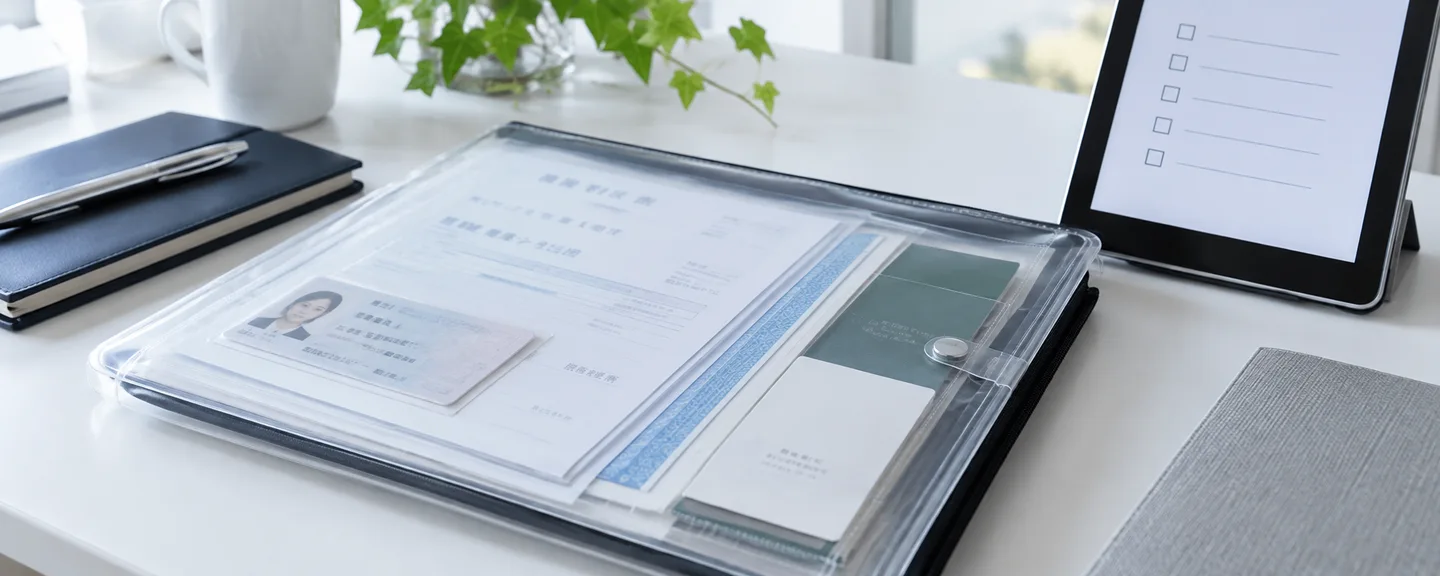
Once you submit the representative information, you can't correct it later. Before submitting, lay out (1) the certificate of registered matters (for corporations), (2) your final tax return (for a sole proprietor's trade name), (3) your registration information in Seller Central, and (4) the seller information on your product pages (the disclosure under the Act on Specified Commercial Transactions), and confirm that each field matches. There is also a note telling you to provide the latest, correct information regardless of the details on the credit card registered with Amazon or what you've registered with third parties (restrictions caused by your card are covered in how to check card-related restrictions).
Corporations: match the register. If it's outdated, fix the registration
Amazon instructs corporations to always enter company and representative information exactly as it appears in the certified copy of the register (now called the certificate of registered matters). If the register contains errors or is outdated, provide accurate, up-to-date information and promptly update the registration. For the representative's address, you're asked to register your "current address," and to update the registration if it doesn't yet reflect that address.
Sole proprietors: keep the trade name and personal details separate
In "Store information," enter the trade name on your final tax return or the trade name you use to run your store; in "Representative information," enter your personal details. Amazon hasn't officially explained what to enter if you have no trade name, so if you're unsure, check with Amazon Seller Support before entering it.
Make the seller information on product pages match too
The seller information on product pages must show your business name (for corporations, the registered name; for individuals, the legal name in the family register), phone number, the address where you actually conduct business, the name of the person responsible for operations, your store name, and so on, and must always be kept up to date. You can change it from the gear icon at the top right of Seller Central → "Account Info" (出品用アカウント情報) → the "Seller Information" (出品者情報) page.

Final check before submitting
- Did you verify your 13-digit corporate number on the Corporate Number Publication Site?
- Do the company name, head office address, and representative's name match the certificate of registered matters?
- Is the representative's address your current address?
- Does the store name match your trade name?
- Did you confirm your answers to the questions against the products you plan to sell and your past history?
- Have you avoided hyphens, +81, Japanese era dates, half-width katakana, half-width characters in addresses, and business-specific postal codes?
If you notice a mistake before submitting the representative information, you can correct it with the "Back" (戻る) button at the bottom of the page. If you've already submitted, Amazon says to wait for the review result and make sure accurate information is registered at the time of the next review.
Dealing with problem notices, suspensions, and holds on your funds
Assume the reasons won't be disclosed
Amazon explains, in effect, that the specific results and criteria of the acquirer's review are not public and Amazon itself doesn't know them, so it cannot answer questions about the review. Rather than trying to find out the reason, it's more realistic to spend your time on what you can check on your own side.
Measures set out in the policy
If, as a result of its review, the acquirer stops processing card payments for a seller, Amazon may take measures including temporarily suspending listings, permanently revoking selling privileges, and withholding or forfeiting funds. The same applies if you provide false information, among other cases. The same page also includes a clause in which the seller represents and warrants that it is not an antisocial force, and a separate policy provides that selling privileges may be permanently revoked, among other measures, if any such involvement comes to light.
In addition, at the time of writing, this policy page is not on the list of "Policies included in the Account Health Rating" (アカウント健全性の評価に含まれるポリシー). Amazon says it may suspend an account regardless of the rating if fraud, false information, illegal activity, or the like is suspected. Even if your Account Health Rating shows no problems, that is no reason to feel safe about this review (for how to read the screen, see how to check your Account Health score).

Five things you can check and act on yourself
- Read your emails and Performance Notifications, and write down what action is required and by when
- Compare the information you submitted with the four documents and check for errors or outdated details
- If any information has changed, update your registration, Seller Central, and seller information
- Review your disclosures and sales practices related to the Act on Specified Commercial Transactions and the Consumer Contract Act, as well as your records of how you handled complaints
- If the notification explains how to appeal, follow those instructions
Appeals and funds after a suspension
For a typical suspension, you appeal from "Reactivate your account" (出品用アカウントの再開) at the top of the Account Health (アカウント健全性) page, and submit additional information from "View Account Health requests" (アカウント健全性の要請を見る). However, we couldn't confirm whether the same steps apply to a suspension resulting from the Installment Sales Act review, and even if they do, the acquirer's decision won't necessarily change. The overall process is explained in from account suspension to reinstatement request.
Under the general policy, funds are withheld for 90 days in principle (this can be extended), but it's unconfirmed whether the same treatment applies to holds resulting from this review. Give priority to the guidance in the notification you received, and see also how to check your funds after a suspension.
Sample message for asking about the procedure
Even if the reason isn't disclosed, you can ask how to proceed. The following is a hypothetical example for a case where you received a problem notice and reviewed your registration information (it is not a real case).
I received a Performance Notification dated [month/day] regarding the Installment Sales Act. When I reviewed the information I had submitted, I found that the representative's address was still my address before I moved. I have completed the update of the registration to my current address and updated my registration information in Seller Central. If there is a procedure for resubmitting the correct information, please let me know how to do so and the deadline. I understand that you may not be able to answer questions about the review itself.

What not to do
- Open another account to keep selling: Creating another account to get around a suspension or a review result is not allowed. If the accounts are found to be related, they may all be suspended, including the new one (see also how account relationships work).
- Register under someone else's name or with information that isn't true: Borrowing the name of a family member or acquaintance who doesn't actually run the business, using an old address to match your registered card, or giving untrue answers to the questions may count as providing false information and lead to suspension or to funds being withheld or forfeited.
- Alter documents: Altering a certificate of registered matters or a tax return counts as providing false information. If the details are outdated, correct the registration or filings through the proper procedures.
- Ignore notifications: Under the policy, you must submit information by the deadline Amazon sets. The number of days isn't published, so check the deadline right away in the notification you received or on Seller Central.
- Handle buyers' card information yourself: Do not ask for or store card numbers outside Amazon.
Under the Business Solutions Agreement as well, sellers are obligated to keep their legal name, address, phone number, and other information accurate, complete, and valid at all times, and the Seller Code of Conduct lists "never provide false information about yourself" as one of its principles.
Where your information goes, and preparing for after the review
Who it's shared with, and the merchant information exchange system (JDM)
The information you submit is shared with the acquirers Amazon contracts with, other payment method providers, the Japan Consumer Credit Association, and member companies of the merchant information exchange system (JDM), and sellers are treated as having agreed to this. Through JDM, information is jointly used, including the fact that a merchant review took place, the fact that measures were taken because standards weren't met (including contract termination), and the merchant's name, address, date of birth, and so on; it is retained for a period not exceeding five years from the registration date or other relevant date. To request disclosure, contact the Merchant Information Exchange Center of the Japan Consumer Credit Association. However, it is not public whether a particular seller will be registered or whether it will affect card payments on other e-commerce marketplaces or your own website, so it can't be said with certainty that you'll be "unable to accept cards anywhere."
Reflect changes as they happen
Periodic reviews after the contract are to be conducted at an "appropriate frequency," and neither the law nor Amazon's guidance specifies how often. If your address or other details are going to change, Amazon says you should enter your current information and can provide the updated information at the next periodic review. However, once something actually changes, update your registration, your Seller Central registration details, and your seller information each time, and keep a record of the date and what changed.
Frequently asked questions
Q. I don't sell supplements now, but I might in the future. How should I answer Question 1?
A. Amazon advises answering "No" if you have no such plans at present. How sales plans affect the review isn't public, so don't change your answer based on guesses about what will help or hurt you; simply answer based on your plans at the time you submit.
Q. My registration hides the representative director's address.
A. Since October 1, 2024, the "measure to withhold the addresses of representative directors, etc." has allowed kabushiki kaisha to show a representative director's address only down to the city, ward, town, or village level on certificates of registered matters and similar documents. Amazon asks you to register your "current address" as the representative's address, yet the same FAQ also explains that "the address of a company's representative is information that is public in the commercial register," and it doesn't address how to handle cases where this withholding measure is used. Because representative information can't be corrected after submission, check with Amazon Seller Support before entering it to confirm which address you should use.
Q. I've switched from sole proprietor to a corporation (incorporation).
A. The fields you need to fill in themselves change, such as business type, corporate number, and registered company name. Amazon hasn't officially explained the procedure for this switch, so ask Amazon Seller Support how to change your registration information in Seller Central and whether you need to submit the Installment Sales Act information again. Don't forget to update the seller information on your product pages (such as your business name) as well.
Q. It's been more than two days since I submitted, and I haven't heard anything.
A. Amazon says you won't be contacted if there are no problems, but not hearing anything isn't proof that the review is complete. Check the "Compliance status" display and whether there are any new messages in your email or Performance Notifications. If you're a new seller and your listings still don't appear on product pages after you've created them, the review may not be finished, so contact Seller Support through Seller Central to ask about the status.

Summary
- The review is conducted by the acquirer Amazon contracts with. Most input fields correspond to items the acquirer is required by law to check
- Enter information exactly as it appears in your commercial register or tax return, check the formats, then submit. Representative information can't be corrected once submitted
- As a rule, there's no notification when the review is complete, and it takes about two days. Check your email and Performance Notifications for any problem notices
- The reasons won't be disclosed. Review your registration information according to the instructions and deadline in the notification
- Reviews continue after the initial review. When something changes, update your registration, Seller Central, and seller information together
If you don't understand what a notification says or what the problem is, consider organizing your situation and consulting a specialist early.
Need help with a review or restriction under Japan's Installment Sales Act?
We'll assess your prospects for reinstatement at no cost. Consultations are free, as often as you need.
 Free consultation, 24/7
 *This article provides a general explanation. The appropriate response in individual cases depends on the circumstances.
Further reading
 Checking funds after an Amazon suspension: holds, disbursement requests and video interviews Read article →
  From Amazon account suspension to an appeal: reviewing the notice and planning your response Read article →
  Preparing additional documents for Amazon identity verification: matching evidence to the request Read article →