This article is for sellers whose merchant fulfillment (出品者出荷, also called self-ship) listings have been suspended or restricted through an Account Health or Performance Notification in Seller Central, leaving them unable to sell products they ship themselves. We cover how to tell what's actually stopped, the causes, what to do right after the notification, appeals and plans of action, and what to check after you're reinstated.
What "merchant fulfillment disabled" means: start by checking the notification's wording and scope
Amazon's official Help doesn't use one consistent name for the actions that can stop merchant fulfillment (出品者出荷, also called self-ship). Wording such as "merchant-fulfilled listings suspended" or "sales of self-ship orders restricted" varies from page to page, and so does the scope of what actually stops.
Amazon hasn't published an official sample of the notification wording. Rather than going by the general impression the words give, break down exactly what your notification says into the following four items.
Four things to pull out of your notification
- Scope: an individual listing (ASIN), a product category, all merchant-fulfilled listings, or the whole account
- Reason: a metric such as the Late Shipment Rate, a policy such as how shipment confirmations are handled, or a delivery-performance review
- Action required: submitting a plan of action, submitting information, waiting for a review to finish, and so on
- How and when to submit: where to send it, the procedure, and any stated deadline
Quick-reference scope chart: telling how far things have stopped, in five levels
What triggers a suspension determines both its scope and the route back to reinstatement. Based on what Help says, here they are ordered from narrowest to broadest.
| Scope | Main trigger | What Help says | Path to reinstatement |
|---|---|---|---|
| 1. Individual listing (ASIN) | A listing with repeated seller-caused cancellations (examples given: your cancellation history over the past 30 days, or two cancellations in a row) | The listing is removed and shows as "Inactive" in Manage Inventory | Updating the price via "Edit Details" reactivates it |
| 2. Product category | A category where the Valid Tracking Rate has fallen below 95% | Merchant fulfillment eligibility for that category may be suspended (the policy page describes it as a restriction on "non-FBA" listings) | Via the appeal button next to the affected category |
| 3. All merchant-fulfilled listings | Late Shipment Rate, Cancellation Rate, or Order Defect Rate fails to meet the target | Your merchant-fulfilled listings may be suspended (US Help also mentions deactivating only the worst-offending listings). The Japanese Help doesn't specify how FBA listings are treated | Submit a plan of action through the appeal for the relevant metric |
| 4. Merchant fulfillment account under review | Amazon is verifying your recent merchant-fulfilled delivery performance | Within 30 days. All listings, or just your merchant-fulfilled listings, may be paused, and receiving payments may also be temporarily restricted | Reactivated automatically once delivery is confirmed; you can appeal to speed this up |
| 5. Entire account | Insufficient proof of delivery during a review, failure to meet metrics or policies, and similar reasons | Your selling account itself is suspended | Appeal via "Reactivate your selling account" at the top of the Account Health page |
Checking the scope on screen
- Manage Inventory (在庫管理): listings under the "Inactive" tab (listings removed for cancellations show an orange icon; filter by "Pending" under the reason for inactivity to find them)
- Account Health (アカウント健全性): each metric under Shipping Performance, the banner at the top of the page, and the appeal button
- Performance Notifications (パフォーマンス通知): the details of the action taken and the listing removal details
- Payments (支払い): any indication of a hold or your next scheduled payment
Record what you see, including for FBA listings, along with the date, so you can be specific in your appeal about the scope of reinstatement you're requesting.
Similar-looking but separate mechanisms
The following three are separate mechanisms from a merchant fulfillment suspension. Seller Fulfilled Prime (マケプレプライム) eligibility is lost if you fall below its requirements (such as a valid tracking number rate of 94% or higher over the past 7 days), but you can keep selling. Expedited shipping programs (お急ぎ便関連プログラム) have separate requirements (such as a Valid Tracking Rate of 94% or higher on program-eligible orders over 30 days); once revoked, they are unavailable for at least 7 days and are restored automatically once your performance improves. The On-Time Delivery Rate and Return Dissatisfaction Rate currently carry no penalty in Japan for missing the target, according to Help.
The metrics and policies behind a suspension
The Late Shipment Rate, Cancellation Rate, and Valid Tracking Rate apply only to merchant-fulfilled orders. The Order Defect Rate isn't limited to merchant-fulfilled orders, but a temporary suspension of merchant-fulfilled listings is listed among the possible actions for it.
| Metric | Period | Target (as Help states it) | What to know about how it's counted |
|---|---|---|---|
| Late Shipment Rate | 10 or 30 days | 4% or below (US Help says under 4%) | The share of orders whose shipment confirmation was sent after the expected ship date |
| Cancellation Rate (shown on screen as Pre-fulfillment Cancel Rate, 出荷前キャンセル率) | 7 days | Under 2.5% | Includes orders auto-canceled because no shipment confirmation was sent; excludes cancellations the buyer requested themselves |
| Order Defect Rate | 60 days | Under 1% | Orders with negative feedback, an A-to-z Guarantee claim that wasn't denied, or a credit-card chargeback |
| Valid Tracking Rate | 30 days (per category) | May lead to suspension if under 95% | Excludes packages where the order value is under ¥1,000 per package (before tax, shipping included), and domestic shipments of oversized items via designated carriers |
Because Help's wording is inconsistent about borderline cases ("or below" versus "under," for example), you can't say for certain how they're handled, so keep some margin below the target. Check your Late Shipment Rate over both the 10-day and 30-day windows, since which one is used for enforcement isn't disclosed.
The Valid Tracking Rate shown on screen reflects figures from 10 days earlier, and it takes 72 hours for a corrected tracking number to be reflected in the report and the metric.
If a "quiz" appears before a suspension
When there is a risk of suspension for the Late Shipment Rate, Cancellation Rate, or Order Defect Rate, eligible sellers see a five-question quiz in a banner on the Account Health page. The Cancellation Rate and Order Defect Rate Help pages explain that if you pass within 72 hours, no plan of action is required and your listings won't be suspended (the Late Shipment Rate page doesn't state a deadline).
Policies, besides the metrics, that can lead to merchant fulfillment restrictions
| Policy | The conduct at issue | The action Help describes |
|---|---|---|
| Premature Confirmation of Shipment Abuse (PCSA) | Sending a shipment confirmation before handing the package to the carrier | An email warning if a pattern appears across your shipments as a whole; if it isn't resolved, sales of self-ship orders may be restricted |
| Drop Shipping | Having a third party ship a product you bought from them directly to the buyer, or putting a name or contact information other than your own on the packing slip or similar documents | Listings using merchant fulfillment may be restricted |
| Dangerous Goods | Violating the transport regulations you must follow as the shipper of record | Suspension of merchant-fulfilled or Amazon-fulfilled listings, account suspension, and similar actions |
| Pricing | Setting an excessive shipping charge on a product | Actions such as temporarily suspending the shipping option (added in a 2021 policy change) |
We cover mismatches between shipment confirmations and actual dispatch in what to review when your shipment confirmation and actual dispatch don't match up, and the conditions for using an outside logistics provider in reviewing your drop shipping operations.
What to do right after you receive the notification
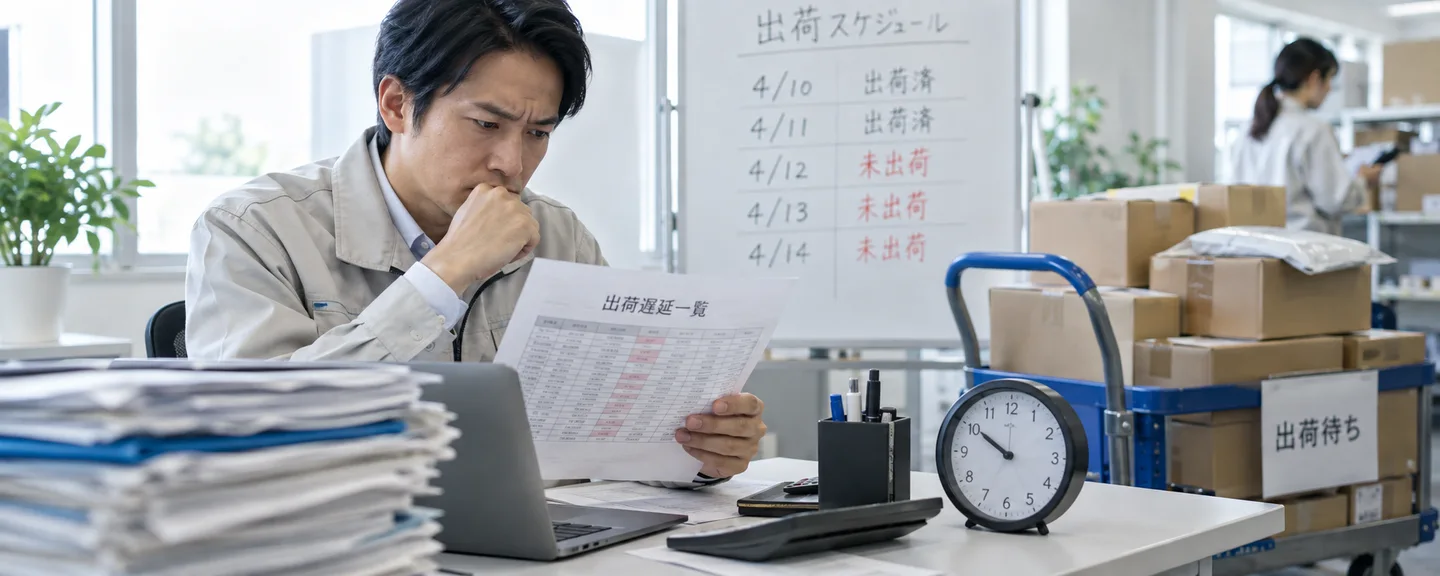
Before you file an appeal, get the orders in front of you under control.
STEP1. Ship your open orders and send shipment confirmations
If you've received a warning or suspension notice for your Late Shipment Rate, Help's guidance is to ship every open order first and send a shipment confirmation for every order. Send the confirmation after you hand the package to the carrier, within 4 hours of pickup (also within 4 hours of drop-off if you use a mailbox). Sending confirmations in a batch before handing packages over counts as PCSA. Orders with no shipment confirmation within 7 business days of the expected ship date are auto-canceled; even if you already shipped them, you won't be paid, and they still count toward your Cancellation Rate.
STEP2. Consider Vacation Settings for periods when you can't ship
Under Settings (設定) → Account Info (アカウント設定) → Store Status (ストアのステータス), Vacation Settings let you set your listing status to Inactive. Your listings disappear from search results and elsewhere within an hour, while your FBA listings stay active. Pending orders aren't canceled automatically, you still need to respond to return requests and buyer emails within 24 hours even while inactive, and your monthly subscription fee still applies.
Vacation Settings don't lift a suspension Amazon has put in place. They're useful when only some categories or listings have stopped and your remaining merchant-fulfilled listings are at risk of generating new delays or cancellations. If all of your merchant-fulfilled listings are already suspended, prioritize working through the orders you've already received.
STEP3. Pull the orders behind the numbers from your reports
From "View Details" under Shipping Performance on the Account Health page, you can select "Download Report" on the tab for each metric. Check the Order Defect Rate from Customer Service Performance instead. Times in the Late Shipment Rate report are shown in UTC, so add 9 hours to get Japan time. List the orders you pull out with the following fields.
- Order date and expected ship date
- When the package was picked up, and when the shipment confirmation was sent
- Carrier, tracking number, and whether there's a scan record
- If canceled, the reason (out of stock, a pricing error, etc.)
- Who was responsible that day, and how many orders shipped
We cover how to sort out cancellation reasons in addressing your Pre-fulfillment Cancel Rate.
STEP4. Check anything unclear with support
Professional sellers can enter a phone number via Contact Us / Call Me Now (お問い合わせ/今すぐ電話がほしい) on the Account Health page to get a call back from an Account Health specialist (available every day). If you're not a Professional seller, use Help and Seller Forums resources instead. It's also worth checking that the phone number for Emergency Notifications under Notification Preferences (通知設定) is up to date.
If your status becomes "Merchant Fulfillment Account Under Review"
Separately from a metrics-based suspension, Amazon may place your selling account "Under Review" to protect buyers and verify the delivery of your recent merchant-fulfilled orders. This lasts up to 30 days, may come with restricted selling privileges, and can also temporarily restrict receiving payments (though sales proceeds are said to stay in your account). Factors Amazon cites include a short selling history, multiple buyers claiming non-receipt, missing or invalid tracking information, changes in your selling pattern such as a sudden jump in sales, higher-risk products such as electronics, and insufficient business information; a combination of several of these can trigger a review.
You're advised to keep shipping unshipped orders even while under review, and once proof of delivery is confirmed, your suspended listings and payments are reactivated.
Information you can submit to speed up a review (Help's examples)
- Confirmation that your recent merchant-fulfilled tracking information is accurate
- Evidence of delivery (such as buyer confirmation of receipt or proof of delivery)
- URLs of other stores where you sell similar products and can prove delivery, or the address of a physical store
- Information that identifies your business (such as a company website; not required)
- If shipping was delayed by a logistics problem, the reason and supporting evidence
Submit evidence such as tracking records and delivery confirmations as-is, without altering them. Altered materials can be treated as a false statement and may lead to more severe action. Submit through "Appeal" on the Account Health tab, or by following the instructions in the notification email you received when the review started, to the address it gives. For a hold on payments, also see how to check your funds after a suspension.

The appeal and plan of action for reinstatement
For metrics-based suspensions, Help describes reinstatement through an appeal. For the Late Shipment Rate, Cancellation Rate and Order Defect Rate, the appeal involves submitting a plan of action.
| Trigger | Where to start the appeal (as Help describes it; subject to change) | What to submit, and what happens next |
|---|---|---|
| Late Shipment Rate | "Submit an Account Health appeal" | A plan of action |
| Cancellation Rate, Order Defect Rate | "Submit an appeal" | A plan of action |
| Valid Tracking Rate | "Submit an appeal," next to the affected category | If approved, merchant fulfillment for that category is reinstated |
If you can't find the button, check the steps described in your notification.
Example causes and directions for review
For appeals, Amazon advises writing factually and concisely, identifying the root cause, showing the actions you took together with their dates and supporting documents, and highlighting the key parts of your materials. Below, we combine Help's example causes (for the Late Shipment Rate and Order Defect Rate) with points commonly reviewed for the Cancellation Rate and Valid Tracking Rate.
| Metric | Example cause | Direction for review |
|---|---|---|
| Late Shipment Rate | A surge in orders from media exposure or similar | Set a longer handling time (リードタイム, lead time); consider using FBA for busy periods |
| Late Shipment Rate | Forgetting to register an extended holiday; weather such as typhoons or heavy snow | Notify buyers in advance, and adjust handling time ahead of time |
| Late Shipment Rate | The buyer chose a delivery date later than the expected ship date | Enable Requested Delivery Date (お届け日時指定) (if it's disabled, shipping beyond your set number of days counts as late) |
| Order Defect Rate | A-to-z Guarantee claims from listing on the wrong catalog page, an incorrect condition setting, or not responding to return or pre-shipment cancellation requests | Set up a verification step before listing, and a procedure for handling return and cancellation requests |
| Cancellation Rate | Stockouts from delayed inventory syncing with other sales channels, pricing errors, or auto-cancellation from a forgotten shipment confirmation | Set a schedule for updating stock counts, check prices before listing, and check daily for any missed shipment confirmations |
| Valid Tracking Rate | Using a shipping method with no tracking number, or entering the wrong tracking number or carrier | Switch to a trackable shipping method; enter tracking numbers in half-width characters with no hyphens, and check for scan records |
For a more detailed review of the Late Shipment Rate and Order Defect Rate, see ways to improve your Late Shipment Rate and how to review your Order Defect Rate.
Sample plan of action (a hypothetical example)
Below is a sample outline for a hypothetical situation where a surge in orders pushed the Late Shipment Rate above the target (this is not an actual case). Replace it with your own facts, dates, and figures.
[Cause] Of the ◯ late-shipped orders during the period in question, ◯ were concentrated between ◯/◯ and ◯/◯, when orders for a specific product surged. The root cause was leaving handling time at 1 day while receiving orders that exceeded our one-day packing capacity.
[Actions taken] We shipped every open order and sent shipment confirmations. On ◯/◯ we changed the handling time for that product to match actual conditions. We set a procedure to confirm the tracking number and send the shipment confirmation within 4 hours of pickup, and assigned who is responsible for sending it and when it's checked.
[Preventive measures] Every morning we check unshipped orders and their expected ship dates, and adjust handling time whenever demand is expected to exceed our capacity.
[Attachments] Screenshot of the handling-time change (◯/◯); list of delayed orders (order date, expected ship date, pickup date/time, shipment confirmation date/time)
For details on how to structure it, see how to put together a plan of action.
What not to do
- Sending a shipment confirmation before pickup to game the numbers: Sending a shipment confirmation before you hand the package to the carrier, in order to meet the Late Shipment Rate target, is Premature Confirmation of Shipment Abuse (PCSA, 出荷通知の事前送信) — something Amazon lists as an example of what not to do.
- Buying a product from Amazon or another seller and having it shipped straight to the buyer to cover a stockout: This is prohibited without exception under the Drop Shipping policy and can lead to restrictions on your merchant fulfillment (even when you use an outside logistics provider, there are conditions, such as making sure you alone are identifiable as the seller of record).
- Pressuring a buyer for feedback, or offering something in return: Requesting feedback itself is allowed, but pressure or incentives are prohibited even when you're trying to speed up a review.
- Continuing merchant fulfillment on a different account: Under the Seller Code of Conduct (出品者行動規範), you may keep only one account per selling region, unless you have a legitimate business reason for a second account and all of your accounts are in good standing. Continuing to sell on another account to avoid a suspension doesn't meet that condition and violates the policy.
- Switching to FBA as a workaround instead of fixing the cause: Using FBA is one of Help's own suggestions for addressing late shipments, but it's not a procedure for reinstating suspended merchant-fulfilled listings, and it doesn't substitute for a plan of action. We couldn't find official information explaining how moving a suspended product to FBA is handled, so Professional sellers should check with Account Health support beforehand, and keep improving your metrics and filing your appeal as separate tracks.
Operating after reinstatement: avoiding the same suspension again
The Business Solutions Agreement itself also requires shipping by the expected ship date, checking order information at least once every business day, and including a packing slip with each order. If you're unsure how to interpret the agreement, check with a lawyer or other professional.
Match how often you check to the calculation period of each metric.
What to check every day
- Unshipped orders and their expected ship dates, and the banner on the Account Health page
- Your Cancellation Rate (7 days) and Late Shipment Rate (10 days) figures (during slow periods, a single order can swing the rate a lot)
- Whether shipment confirmations are going out within 4 hours of pickup, after you hand the package to the carrier
- Whether tracking numbers are entered in half-width alphanumeric characters with no hyphens (fix errors via "Edit Shipping Information" under Manage Orders, before the estimated delivery date passes; it's safest to correct any mistake as soon as you notice it)
What to check once a week
- The trend in your Late Shipment Rate (30 days)
- Your Valid Tracking Rate by category, and any tracking numbers with no scan record
- Negative feedback and A-to-z Guarantee claims as they occur (the Order Defect Rate window is 60 days)
- Your handling time and any planned Vacation Settings for extended time off or a busy season
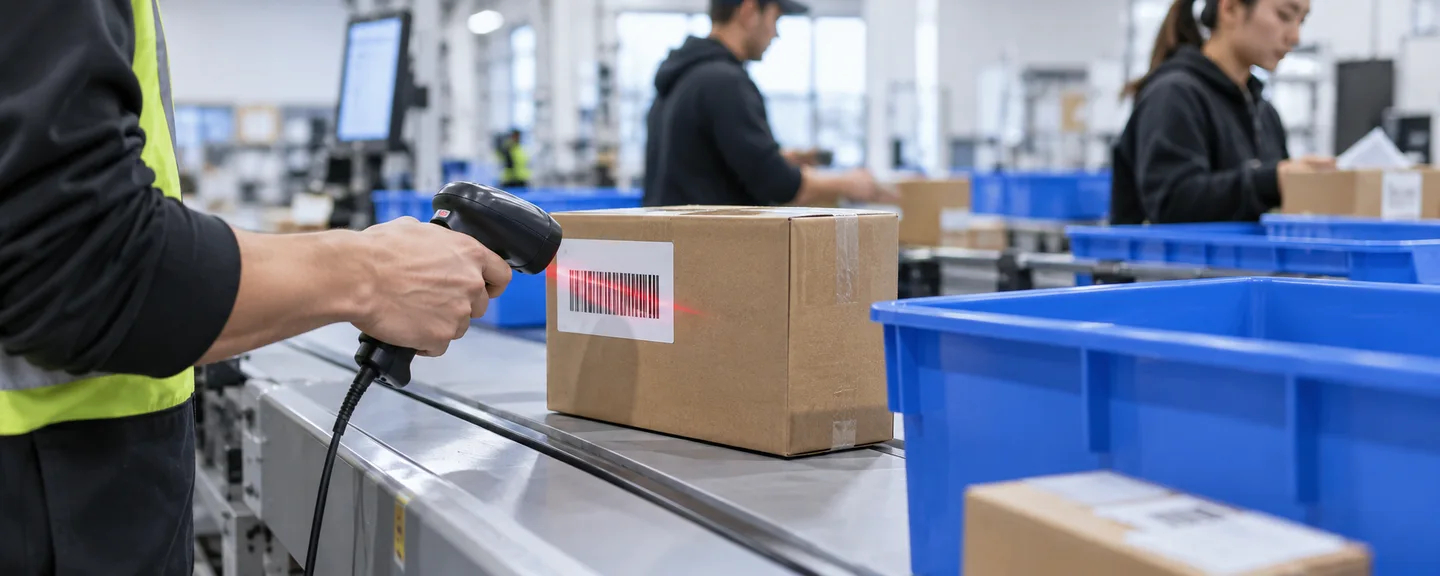
For eligible services such as Japan Post, Yamato Transport, and Sagawa Express, entering an incorrect tracking number blocks the shipment confirmation from going through. If you buy a shipping label through Amazon's Buy Shipping Services, you don't need to send a separate shipment confirmation, and tracking information is registered automatically. Hand the package to the carrier promptly after printing the label — a delay can create the same kind of problem as Premature Confirmation of Shipment Abuse (PCSA). We cover checking tracking numbers in how to improve your Valid Tracking Rate.
Enrolling in the Automated Fulfillment Program (AFP, 自動出荷設定プログラム) is said to exempt regular orders from the Late Shipment Rate and any action based on it. Check whether you can meet the requirements (such as enabling Automated Handling Time) and consider whether it's a fit.
Frequently asked questions
Q. If merchant fulfillment is suspended, will my FBA products stop selling too?
A. A Valid Tracking Rate suspension is described as a restriction on "non-FBA" listings, but the Japanese Help doesn't specify how FBA is treated for suspensions based on the other metrics. A review can sometimes stop all of your listings, so check Manage Inventory to be sure.
Q. What if my appeal isn't approved and I'm asked for more information?
A. If your Valid Tracking Rate appeal is denied, Help says you'll receive an email requesting additional information. Check exactly what's being asked for, and submit whatever was missing the first time, such as a list of the orders involved or a record of the settings you changed. Don't resend the same text — revise it to directly address the feedback.
Q. My Account Health Rating is green, but merchant fulfillment was suspended anyway.
A. Shipping-related metrics aren't on the list of policies covered by the Account Health Rating, and Help states explicitly that not every policy is included in the rating. Check each Shipping Performance metric separately from your rating's color.
Q. How long does reinstatement take?
A. The only merchant fulfillment suspension for which Help states a time frame is the account-under-review status (within 30 days). We couldn't find an official estimate for how long a metrics-based suspension takes to review. Because whether you're reinstated is decided by Amazon's review, keep processing orders and organizing your records while you wait.
Summary
"Disabled," "suspended," and "restricted" merchant fulfillment can each mean anything from a single listing to your entire account, and the path back to reinstatement differs by action.
- Use the notification and your screens to confirm the scope, the reason, and the action required
- Ship your open orders and send shipment confirmations first, then pull the orders behind the numbers from your reports
- Build your plan of action around the root cause and the specific actions you took, each with a date
- Don't take shortcuts, such as sending shipment confirmations before pickup or switching accounts, to game the numbers or dodge a suspension
This article is based on Seller Central Help and the Business Solutions Agreement as of September 2026. Policies and on-screen labels can change, so please also check the latest Help content and your actual screens.
If you're unsure how to read your notification or which direction to take with your appeal, consider organizing the details and consulting a specialist sooner rather than later.
Need help with disabled seller-fulfilled selling privileges?
We'll assess your prospects for reinstatement at no cost. Consultations are free, as often as you need.
 Free consultation, 24/7
 *This article provides a general explanation. The appropriate response in individual cases depends on the circumstances.
Further reading
 When Amazon shipment confirmations do not match dispatch: reviewing orders and procedures Read article →
  Improving Amazon's Valid Tracking Rate: carriers, tracking numbers and shipment confirmations Read article →
  Addressing Amazon's pre-fulfillment cancellation rate: inventory and order-processing checks Read article →