This article is for sellers who have had a buyer point out signs that a product listed as new had been opened or used, or who have seen a condition-related violation on the Account Health (アカウント健全性) page. It lays out the standards for each condition, how to judge whether an item can be listed as "new," how to write condition descriptions, how to build an inspection process, and how to respond to a violation.
What counts as a "condition error": when the listing and the actual item don't match
Condition is specified by the seller for each listing. The Help page "Condition Guidelines" (コンディションガイドライン) states that these rules apply in addition to your contract and the Seller Central agreements, that Amazon may remove a listing if it cannot confirm compliance, and that sellers should carefully evaluate a product before assigning its condition.
"Product Condition Guidelines" is one of the policies covered by the Account Health Rating (アカウント健全性の評価, AHR), and some violations are determined based on buyer complaints.
The wording of the notification isn't always the same. Check the policy name and the ASIN shown under Account Health (アカウント健全性) > Product Policy Compliance (商品規約の遵守) to see exactly what has been flagged. This article reflects information as of September 2026. Policies and screens can change, so please confirm the latest details in Help.

Condition categories and how they're judged
Condition is divided into "New" and four used grades (Like New, Very Good, Good, and Acceptable); items that don't meet the standard are "Unfit for sale." In addition, items with added value such as an autograph or out-of-print status can be listed as "Collectible" if that value is described in detail. Here is a summary of the table in the Common Guidelines that apply to many categories (Common Guideline 1 covers Sports & Outdoors, Toys & Hobbies, DIY & Tools, and others; Common Guideline 2 covers Electronics, Computers & Accessories, Camera, and others).
| Condition | Extent of use | Dirt/damage | Included items/parts |
|---|---|---|---|
| New | Unopened and unused | None at all | Everything included |
| Used – Like New | Minimal (not visibly used) | None at all | Everything included |
| Used – Very Good | Minimal | Minor | Functions almost the same as when new, even if some parts are missing |
| Used – Good | Significant | Considerable | Works fine even with some parts missing or replaced |
| Used – Acceptable | Significant | Considerable | Some limits on use, such as needing work before use because a consumable part hasn't been replaced |
| Unfit for sale | — | Damage that interferes with use | Cannot be used on its own due to missing or unreplaced parts |
Note that in Common Guideline 1 categories, whether the manufacturer's original box is present and matches the product is also one of the criteria, and for "Acceptable," you can list the item even if the box is missing or mismatched. Check the table on the "Condition Guidelines" Help page for the details of each grade.
When different criteria point to different grades, go with the worst one
When the applicable grade differs across criteria such as extent of use, dirt or damage, included items (including the instruction manual), parts, the original box, and warranty, the rule is to choose the worst applicable condition and describe the details in the condition description. Uploading photos that convey the item's condition is also recommended. Even if the unit itself has no damage, if a single accessory is missing, the accessory criterion decides the grade.
Warranty on used items, and conditions you can't list
In Common Guideline 1 and 2 categories, if the manufacturer's warranty on a used item has expired, a minimum 30-day working guarantee is required, and returns must be accepted if the item stops working within 30 days. Notes for categories such as PC Software, Video Games, Baby & Maternity, and Kindle Accessories require you to select "Used" if there is no warranty card or the warranty period has expired, and to state that fact, along with any missing accessories, in the condition description.
Items with clear functional problems, unsanitary items such as those with mold or corrosion, items that need repair, reproductions or counterfeits, product samples, and expired items or items without enough time left before expiry cannot be listed in any category.
Three gates that decide whether you can list an item as "New"
"Unopened" doesn't automatically mean "new." Whether you can list an item as new depends on three things: sourcing, warranty, and condition. Check them in this order before listing.
Gate 1. Where you sourced it and what type of product it is
The following products cannot be listed as "New" even if their condition is good.
- Items sourced from an individual (other than a sole proprietor)
- Promotional items, prize items, or free gifts (if you list these, choose the applicable used condition and state that fact in the condition description)
- Products Amazon itself sells as Amazon.co.jp exclusives (except where Amazon has granted special approval)
Note that Japan's Secondhand Articles Business Act (古物営業法) treats even unused items as "secondhand articles" if they were traded for the purpose of use, and it requires a license from the Prefectural Public Safety Commission to operate a secondhand goods business. Whether something is a "secondhand article" under the law and how Amazon classifies condition are separate standards. Check with your local police station about whether your sourcing method requires a license.
Gate 2. The status of the manufacturer's warranty
For a product that comes with a manufacturer's warranty, if it doesn't carry the same warranty (such as the same warranty period) you would get buying from an authorized dealer, it cannot be listed as new. This applies to items whose warranty period has already started or already expired. Since an unused item's warranty period can already have started, check whether there's a warranty card and what it says at the time you source the product.
Gate 3. Condition, including the outer box and accessories
Help cites an incorrect condition setting as a leading cause of a worse Order Defect Rate and of guarantee claims. It states that listing an item with slight damage to its packaging as new and noting the damage in the description, or listing a defective or B-grade item sourced overseas as a genuine new product, will not be accepted as new or genuine. You're also asked not to keep an item listed as new while using a disclaimer in the description to cover for a missing part or a difference from the product detail page, such as "New, but the lens cap is missing." If something is missing, choose the applicable used condition and note the missing item in the condition description.
Category-specific examples where an item can't be new even if unused
| Category | Example to watch for | How to handle it |
|---|---|---|
| Camera | No manufacturer's original box, or selling a lens kit split into body and lens | List as "Used – Good" or "Used – Acceptable" and state that the box is missing or that it's part of a set |
| Cell Phones & Smartphones | Unused items that only had an electrical safety check and a factory reset | "Used – Like New" or lower; screen scratches are "Good" or lower, cracks are "Acceptable" |
| Books | Writing on the cover or pages | Cannot be listed as new. If accessories are missing (such as a CD that comes with a book) or the book isn't bound, list it as "Used – Acceptable" and note it (listings other than "Acceptable," or without this noted, may be taken down) |
| CDs, DVDs, PC software, etc. | Shrink-wrap already opened | Falls under "Used – Like New" even if it looks unopened |
| Clothing & Shoes | Repackaged items | Assumes the item is unused with all tags intact; on top of that, repackaged items must be placed in a plain white box or a clear plastic bag |
| Computers & Accessories | Missing a specification or included item stated on the catalog page | Cannot be listed on the same product page |
Watches, Beauty, Pet Supplies, Clothing & Accessories, Shoes & Bags, Jewelry, Drugstore, and Food & Beverage are categories where only new items may be sold. All everyday-use, consumable, and topical products (Beauty, Food & Beverage, Health Care, and so on) must be listed as new, with no history of use and properly packaged and sealed in the original packaging. Items carrying a security tag or sticker attached by another retailer cannot be sold.
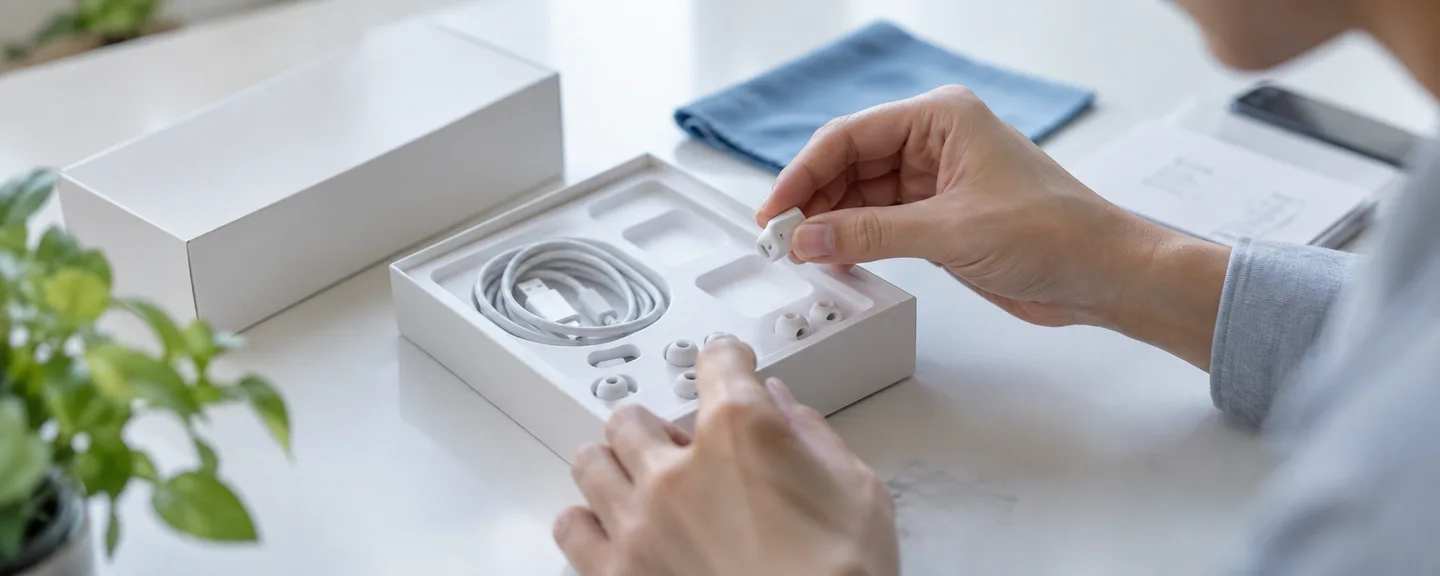
Listing display rules: the condition description and the product detail page
Condition is information you specify for each listing (offer), not something you write on the product detail page. Because other sellers also use the same product detail page, it's prohibited to include condition, stock, or price in the product title, description, or images. On top of that, every listing must match the product on the product detail page exactly.
The condition description is displayed as a comment on the Other Sellers on Amazon screen. How it's displayed can differ depending on the category or the page's specifications, so check Help for details. A buyer canceling after placing an order because they saw the used-item condition details is cited as one cause of pre-fulfillment cancellations.
Note that Japan's Act against Unjustifiable Premiums and Misleading Representations (景品表示法) prohibits representations that make quality or other attributes appear markedly better than they actually are (misleading representations regarding superiority). Check with a professional such as an attorney about whether a specific representation falls under this rule.
What to include in the condition description
- Describe the location, size, and number of any scratches or dirt specifically (don't just write "shows signs of use")
- State what is and isn't included (outer box, instruction manual, warranty card, and so on)
- State the status of the manufacturer's warranty and the content of your own working guarantee as the seller
- When listing a CD, DVD, or video game with a bonus item, state the bonus (without this, the product title may be changed to "no bonus" without warning)
- For parallel-imported goods, explain why the item is a parallel import and describe your own warranty as the seller (list it under a separate ASIN distinguished by sales format)
Below is a sample description assuming you're listing an electronics item as "Used – Very Good." Rewrite it to match the actual condition of your item.
Working condition confirmed. There is one shallow scratch, about 1cm long, on the top of the unit (see photo 2). The instruction manual, power cable, and remote control are included. Because the manufacturer's warranty period has ended, we will accept a return if the item stops working properly within 30 days of arrival.
Correcting a listing, creating a separate one, and pausing sales
To correct the condition or description on a seller-fulfilled listing, go to Manage Inventory (在庫管理), open "Edit details" for the product, then open the "Edit Product Info" page to make your changes (check the screen itself for the exact location and wording of the condition field). For FBA inventory, if you have doubts about its condition, have it returned so you can re-inspect it yourself.
If you want to list the same product in a different condition as well, copy the registered product information to create a new listing. If you want to pause a listing, go to Manage All Inventory (全在庫の管理), open "Edit details" for the product, and choose "Close Listing"; this sets the listing to "Inactive" while keeping its sales history. "Delete product and listings" cannot be undone, and to sell again you must wait 24 hours before re-registering.
Building an inspection process: four points from receiving to returns
A condition error is hard to prevent through staff attentiveness alone, so it helps to decide in advance what to check and how to keep records at each of four points: receiving, listing registration, storage and shipping, and returns.
STEP 1. Check with an inspection sheet when items arrive
Here's an example inspection sheet that translates the guideline criteria into specific things to look at on the floor.
| What to check | Where/how to check | Signs it can't be new |
|---|---|---|
| Extent of use | Signs of opening, protective film, signs of power-on or a factory reset | Opened for a functionality check or reset |
| Dirt/damage | Corners and sides of the outer box, surface of the unit | Dents, tears, or scuffs on the outer box |
| Included items/parts | Check against the manufacturer's accessory list | Even one item is missing |
| Seals/packaging | Shrink-wrap, seal stickers, tape | Signs of opening or re-sealing |
| Original box | Whether it's present, model number match | No box, or it's in a different box |
| Warranty | Whether there's a warranty card, purchase date/retailer filled in | The warranty period has already started or already expired |
| Sourcing | Issuer of the invoice/delivery slip | Sourced from an individual (other than a sole proprietor) |
| Other retailers' tags/stickers | Price tags, electronic security tags, stickers | Carries another retailer's tag or sticker (cannot be sold at all for everyday-use, consumable, or topical products) |
Making "If even one item falls short of the new-condition standard, don't list it as new; if in doubt, choose a lower condition" your one-line inspection rule keeps judgments consistent even as staff change.
STEP 2. Cross-check the listing registration and keep records
Have someone other than the person who registered the listing confirm that the inspection sheet's determination matches the condition selected on the listing screen, and that no bonus items or accessories were left off. If you run the business alone, you can also compare after letting some time pass. When bulk-registering with an inventory file, pulling out just the condition column to check it can reduce oversights.
What to keep in your inspection records
- The inspection date and who performed it
- The SKU/ASIN and the condition you determined
- The basis for that determination (photos of the outer box, accessories, warranty card, etc.)
- The source and the invoice/delivery slip number
- Who cross-checked the listing registration
STEP 3. Maintain condition through storage and before shipping
Even if an item was new on arrival, if the outer box gets damaged from stacking or humidity during storage, it may no longer meet the new-condition standard. Keep new and used inventory on separate shelves, and check the outer box again before shipping. For FBA, make sure the product label matches the actual product and its condition. If you've received a notification about a shipment problem, also see how to check notifications about FBA shipment problems.
STEP 4. Re-inspect returned items before putting them back into stock
Before relisting a seller-fulfilled return, use the criteria for what counts as "opened" in the buyer-facing Help page "Return conditions for items shipped by Amazon.co.jp" as a reference for your own inspection items.
Signs of a return that shouldn't go back into new inventory
- The manufacturer's original packaging has been opened or damaged
- It has been repackaged in a way that looks intentionally damaged
- The product tag has been removed, or a part's plastic wrapping has been opened
- Wires or similar fasteners that secure cables have come loose
- Any other sign that the item has been used
If even one of these applies, don't put the item back into new inventory; re-evaluate it as used or hold off on selling it. Keeping photos of the item's condition at shipping and again at return also helps you decide on a return processing fee (up to 20% of the item price for a buyer-caused return in the same condition as shipped, or up to 50% for non-media items that are damaged or significantly different; you cannot charge a fee if the returned item was significantly different from what was ordered).
With FBA, a return determined to be sellable is put back into inventory and may be shipped for the next order. The return process is covered in an overview of the returns process.

Narrowing down a complaint: your own process, or FBA/commingled inventory
When a condition-related complaint comes in, narrow down the cause in this order.
- Whether the condition and description you chose at listing matched the guidelines and the actual item
- Whether there are any gaps in the receiving, inspection, storage, and return records for the relevant inventory
- For FBA, request a check of the inventory's condition at the fulfillment center (a bin check)
- If you ship using commingled inventory (a shipping method that doesn't distinguish your stock of the same product from other sellers' stock), consider that the complaint may not be about a product you actually sold
The Voice of the Customer (購入者からの評価) page lets you check customer satisfaction and buyer comments for each product. Its root-cause categories (such as "Product condition issues" and "Opened condition") help you spot which products are drawing the same complaints.
Even for FBA orders, a low rating stays in place and isn't removed if the comment is about condition. Inventory that doesn't comply with the guidelines may have its handling decided by Amazon, including refusal of receipt or disposal.
For seller-fulfilled orders, because the Amazon Marketplace Transaction Guarantee also covers the item's condition at receipt, a mistake can affect your Order Defect Rate too, through low ratings and guarantee claims. For how to read this metric, see how to review your Order Defect Rate, and if cancellations are increasing, also see countermeasures for a high pre-fulfillment cancel rate.
Key points for responding once a violation appears
A buyer report that "the item received was expired, or was the wrong condition (for example, a used item was listed as new)" is given as an example of a "Low" severity violation under the AHR, and the threshold for repeat violations is also set relatively high. However, if violations of the same policy reach that threshold within 180 days, they are treated as a Critical violation, your rating turns red with a score of 0, and your account may be suspended if you don't respond within the three-day response window. A single violation typically deducts 2 to 8 points. How the scoring works is explained in how to check your Account Health score.
If your listing is removed, check the issue on the Product Policy Compliance (商品規約の遵守) tab; if it doesn't appear there, check Manage Inventory (在庫管理) for inactive listings and Performance Notifications (パフォーマンス通知) for the details of the removal. From there, either file an appeal or correct the listing in line with the guidelines.
Two options for filing an appeal
| Situation | Option to choose | Examples of evidence you can submit |
|---|---|---|
| You corrected the condition or product description to comply with the policy | "I understand the policy and I am aware of the violation." | The correction you made, updated training materials, images of the product packaging or quality checks |
| You believe the violation was issued in error | "I understand the policy and I have evidence or documentation to submit for review confirming compliance with the policy." | A screenshot of the product description including the point the buyer misunderstood, a screenshot of a product manual that complies with the policy |
Unlike the Plan of Action for an account suspension (see how to put together a Plan of Action), appeals for this type of violation do not accept a Performance Improvement Plan. The same goes for images of the inventory page or the order's product detail page submitted as evidence, and for bin-check cases that haven't finished being reviewed. The basic approach is to state the cause, the correction you made, and your prevention measures accurately and concisely. If FBA is thought to be the cause, request a bin check via "Get support" > "My issue isn't listed" (using the same ASIN/SKU as the one the violation applies to is recommended), and attach only the completed case ID as evidence.
Even if your appeal is accepted and the violation is removed, it may still count toward the 180-day repeat-violation threshold if you didn't dispute the fact of the violation itself. What to do after receiving a notification is covered in detail in responding to a "suspected used item" notification.

What not to do
- Choosing an option that doesn't match the facts just to finish quickly: A mismatch between your explanation and the facts can undermine the credibility of your appeal.
- Using images of the inventory page or the order detail page as evidence: For condition-violation appeals, it's explicitly stated that "images of the inventory page or the order's product detail page" are not accepted.
- Opening a new account to keep selling: Unless you have a legitimate business reason, you're allowed only one account per region you sell in. Opening a new account to avoid a suspension violates the terms and makes the problem worse.
Frequently asked questions
Q. Can I still get a condition violation even if I ship with FBA?
A. Yes, that can happen. If FBA inventory is thought to be the cause, request a bin check before you appeal and attach the completed case ID.
Q. Do I need a Plan of Action to appeal a condition violation?
A. No, you don't. For this type of violation, a Performance Improvement Plan is not accepted as part of the appeal. Choose the option that matches the facts, and attach images or other materials that back up the correction and prevention measures you took.
Q. If the severity is "Low," is it fine to leave it unaddressed?
A. We don't recommend leaving it. If violations of the same policy reach the threshold within 180 days, it can lead to a suspension.
Q. Do I need a secondhand dealer's license?
A. It depends on how you source your products, so check with your local police station. If you do hold a license, you're advised to display your secondhand dealer's license number and similar information in your seller information. Japan's Secondhand Articles Business Act also requires secondhand dealers who accept transaction offers online to display their license number and certain other details.
Summary
While each individual condition violation carries a relatively low severity, repeated violations can lead to a risk of suspension.
- When criteria point to different grades, go with the worst one
- Whether you can list as new depends on sourcing, the manufacturer's warranty, and condition; damage or missing items cannot be papered over in the description
- Condition is specified on the listing side, and descriptions should be specific down to location, size, and included accessories
- Inspect and keep records at four points, from receiving through returns
- If a violation appears, appeal with the option that matches the facts
When you're unsure about a product, the basic approach is to choose the lower condition and keep records. If you're unsure how to proceed, also consider consulting a professional.
Need help with a used-condition violation?
We'll assess your prospects for reinstatement at no cost. We also accept consultations about warnings before a suspension. Consultations are free, as often as you need.
 Free consultation, 24/7
 *This article provides a general explanation. The appropriate response in individual cases depends on the circumstances.
Further reading
 Navigating Amazon returns: from the request to return shipping and refund checks Read article →
  Amazon Seller Agreement and Code of Conduct warnings: identifying conduct deemed a policy violation and corrective steps Read article →
  Reviewing your Amazon Account Health Rating: warnings and improvement priorities Read article →