This article is for sellers who received an Amazon notice suggesting that a product listed as new may actually be used, resulting in a listing removal or a violation shown on their account. We work through it in order: where the policy involved fits in, how to check whether a product actually met the conditions for "New," where to look for the points at which a product's condition can change, how to choose between the two appeal options, and how to build a habit of keeping inspection records.
What a "suspected used" notice actually flags: the Condition Guidelines and Account Health
The Product Condition Guidelines (商品のコンディションガイドライン) are one of the policies covered by the Account Health Rating (アカウント健全性の評価, AHR). When a product is flagged as used, in addition to measures such as removal of the listing, it may also be shown as a violation on the Account Health (アカウント健全性) page in Seller Central and affect your score. Which measures are taken differs from notice to notice.
Because the wording of notices can vary case by case, this article explains things based on the violation name shown in the notice, the affected ASIN/SKU, and the response it requests. This article is based on official Help content and other information as of September 2026; policies and on-screen details are subject to change.
Severity is typically "Low" — but that's no reason to leave it alone
Violation severity has four levels — Critical, High, Medium, and Low — and a buyer report of incorrect condition, such as a used item listed as new, is given as an example of "Low." At the same time, as of July 23, 2025, the rule on repeat violations was expanded to cover every policy included in the AHR, and reaching the limit within 180 days can lead to immediate account suspension. The specific limit for condition violations has not been made public. Rather than waiting it out just because the severity is "Low," it's important to check the cause behind each individual case. How the score itself works is covered in how to check your Account Health score.
Some notices start with a report from a buyer or someone else
Some violations are determined based on complaints from buyers or notices from rights owners. Misrepresenting a product's condition is also treated as one of the store policy violations that can be reported through the "Report Infringement" tool (権利侵害を報告するツール), even by someone who is not the rights owner of the ASIN being reported. What triggers an individual notice, and how many reports it takes before action is taken, is not made public. Rather than guessing who reported you, check your own product and records first.
What to check first: gathering the facts from the notice and your screens
Before deciding how to respond, gather the facts on which product was flagged, when, and for what reason. There are mainly three places to check.
| Where to check | What to look for | Notes |
|---|---|---|
| Notification Center (通知管理センター) and email | Violation name, affected ASIN/SKU, requested response, any stated deadline | Only shows notices from the past 30 days. Save them as a PDF or similar. |
| Account Health > Product Policy Compliance (商品規約の遵守) | List of violations, the "Impact" column (whether a repeat-violation label appears), next steps | Appeals are also filed from here |
| Voice of the Customer (購入者からの評価) | The customer-satisfaction health of the affected product, and buyer comments | Reflects returns, warranty claims, reviews and other buyer input. Can take several weeks for changes to show an effect |
Help explains that the Voice of the Customer page can be used to identify what buyers are unhappy about. Writing down which part of the product each comment refers to — the outer box, seals, accessories, the warranty card, the item itself, and so on — makes it easier to cross-check against the self-inspection table below.
Note that for seller feedback, a low rating on an FBA order that relates to Amazon's own fulfillment may be eligible for a strikethrough, but comments about product condition are excluded from that.
What to write down when you receive a notice
- The date you received the notice, and the date the violation appeared
- The violation name and the affected ASIN, SKU, and listed condition
- The shipping method (seller-fulfilled or FBA)
- The specific condition described in the buyer's comment
- Whether you have other inventory from the same supplier or sourced around the same time
Telling similar-looking notices apart: what you need to prepare differs
Even when a notice is about "product condition," the policy it falls under changes what documentation you need. Look at the violation name in the notice and work out first which of the following it is.
| Type of notice | How it's treated in official materials | What to check / prepare |
|---|---|---|
| Condition notice (e.g., a used item listed as new) | A buyer report of this kind is given as an example of "Low" severity. The appeal uses a form where you pick one of two options | Your listed condition setting, your sourcing and inspection records, and, for FBA, the result of a bin check |
| Suspected inauthenticity (counterfeit) | A buyer report that a product infringes rights or is counterfeit is given as an example of "High" severity | Your sourcing route and invoices, and other documents showing the product is genuine |
| Worsening Order Defect Rate | An incorrect condition setting is listed as one example of what raises the defect rate | The orders that affected the metric, and the content of the negative feedback or warranty claims |
The two easiest to mix up are a condition notice and an authenticity notice. The former asks whether the item is in a state that can legitimately be listed as new; the latter asks whether it's a genuine product. If it's an authenticity issue, also check how to respond to an authenticity review; for a worsening metric, see how to review your Order Defect Rate; and for the background on a return, see organizing your return process.
Self-check: did the product actually meet the conditions for "New"?
The first assumption worth questioning is "I sourced it unopened, so it must be new." The Condition Guidelines specifically list products that "cannot be listed as 'New,'" and some of them cannot be treated as new even when unopened. The table below combines that list with examples given in Help pages on the Order Defect Rate, warranty claims, and parallel imports. Go through it line by line for the affected ASIN.
| Item to check | What to look at | Treatment if it applies |
|---|---|---|
| Where you sourced it | Was it sourced from an individual (other than a sole proprietor)? | Cannot be listed as "New" |
| Manufacturer warranty | Do you get warranty coverage equivalent to a purchase from an authorized reseller (warranty start/end date, etc.)? | A product without equivalent warranty coverage cannot be listed as "New" |
| Type of product | Is it a promotional item, prize item, or free gift, or an Amazon.co.jp exclusive? | The former can be listed, but not as new. The latter cannot be listed as new unless Amazon has approved it |
| Outer box / accessories | Are you making up for damage to the outer box or missing accessories with a note in the description while still listing it as "New"? | Help states explicitly that a note in the description does not make up for this |
| Quality / import route | Are you listing defective or B-grade stock sourced overseas, or parallel imports not backed by the authorized domestic reseller or manufacturer, on the catalog page for the genuine product? | Not accepted as new or genuine. List parallel imports on a separate product detail page, labeled "parallel import," with the reason for the parallel-import status stated in the condition description (some categories and brands prohibit or restrict this) |
Help gives concrete examples involving the outer box and accessories. Listing a new item with a damaged outer box as "New" and noting the damage in the description, or a discrepancy such as "new, but the lens cap is missing," are both cases where a note in the description is not considered sufficient to make up for it. If you've been operating on that assumption, check whether you have other listings handled the same way.
Note that Amazon's conditions for "New" and the legal category of "secondhand articles" are separate standards. Japan's Secondhand Articles Dealer Act (古物営業法) defines secondhand articles to include unused items that were "traded for the purpose of use," so if you source unused items that have previously been sold, you may also need to check how they're treated under the law. Confirm with your local police station whether you need a secondhand dealer's license, and consult a lawyer or other professional on whether your labeling complies with the law.
Once you've established whether your listing was in error, your appeal option follows from that. The basics of setting condition at listing time are covered in reviewing your new/used condition settings.

Tracing where a product's condition can change: from sourcing to returns
Even when your listing setting is correct, a product can end up looking "used" by the time it reaches the buyer. Match up a record you can use to explain what happened at each point between sourcing and resale.
| Point | Example of how condition changes or an error creeps in | Record worth keeping |
|---|---|---|
| Sourcing / receiving | Missing damage to the outer box or missing accessories | Purchase invoices/delivery notes, photos taken on receipt |
| Inspection / listing | Wrong condition selected, new and used stock not distinguished by SKU | Inspection checklist, SKU-to-condition mapping |
| Storage / FBA shipment | Soiling or crushing during storage, mislabeling | Photos taken when labeling, shipment records |
| Shipping (seller-fulfilled) | Damage during packing, signs of having been opened for inspection | Pre-shipment photos, packing procedures |
| Return / resale | An opened item, or an item swapped for something else, comes back | Return inspection records, inventory movement records |
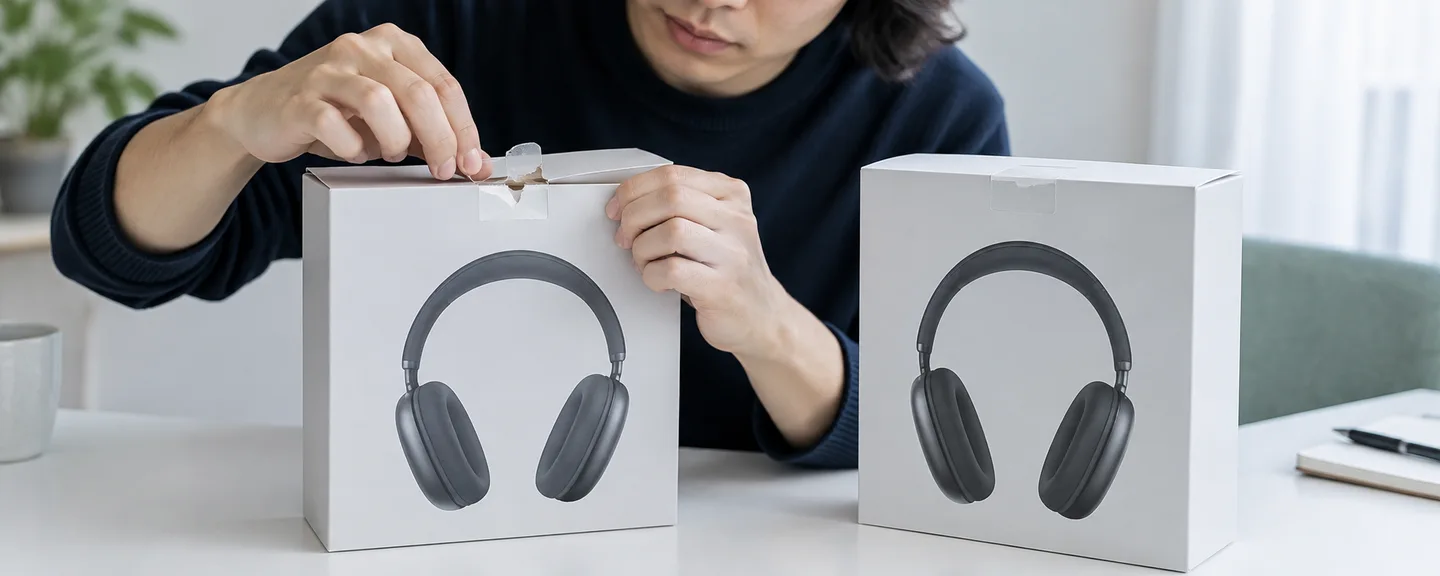
Be careful about any practice of opening packaging for inspection. Under the return rules aimed at buyers, opening the manufacturer's packaging, removing product tags, and unwrapping the plastic wrap on individual parts are all treated as making an item "opened." Check the current text of the Condition Guidelines on whether an item opened for inspection can still be listed as new, and if you're unsure, consider not treating it as new.
What you can check when an item is fulfilled by FBA
For FBA, Amazon also handles returns, and under the rules for Amazon.co.jp buyers, even a buyer's-choice return is, as a general rule, accepted with a refund of 50% of the item price (including tax) once the item has been opened. That said, the refund percentage and the conditions under which a return is excluded altogether can vary by product, so check the conditions for your specific product on the latest buyer-facing Help page. In addition, the criteria used to decide whether a returned item goes back into sellable inventory can't be determined from the notice or your screens alone. Use the following to confirm the facts.
- Inventory Ledger report (在庫元帳レポート): Lets you look back up to 18 months of inventory movements, including receipts, sales, returns, and adjustments. Check the timing and pattern of returns for the affected SKU.
- Bin check (ビンチェック): A mechanism for asking Amazon to check the condition of your FBA inventory. The steps are explained in STEP 3 of the next section, "Choosing your appeal."
- Product label: The label must match the product's FNSKU, product name, and condition. Cross-check against your shipment records to make sure nothing was mixed up.
As of March 31, 2026, resellers other than the Brand Registry brand owner are required to use Amazon-applied product labels (see also responding to an FBA shipment-defect notice). It's also stated that for products suspected of an AHR-covered policy violation, you cannot create a return or dispose-of-inventory request, and you need to resolve the Account Health issue first. Check the Manage Inventory (在庫管理) screen to see whether that restriction is actually in effect for the product in question.

Choosing your appeal: working backward from the two options
For appeals against a product-condition violation, Amazon guides you to choose from the following two options, and a plan of action (パフォーマンス改善計画) is not accepted. Follow the exact wording shown on your own screen.
| Option | When to choose it | What to mainly prepare |
|---|---|---|
| ① "I understand the policy and am aware of the violation." | Your listing was in error and you corrected it in line with the policy | Details of the correction and evidence of preventive measures (updated training materials, product packaging, quality-check photos, etc.) |
| ② "I understand the policy and have evidence or documentation to submit for review confirming compliance with the policy." | You believe the violation was issued in error | Documentation showing your listing was correct. If FBA is thought to be the cause, the resolved case ID from your bin check |
STEP 1. Decide which option matches the facts
Which one to choose follows from the result of your self-check. Even if you choose ① and the violation is removed from your list, it can still count toward the 180-day repeat-violation limit as a violation you didn't dispute. So don't choose ① just to get it over with quickly when there wasn't actually an error. Even when you do choose ①, first identify whether you have other inventory in the same condition, so you don't repeat the same violation within 180 days. Conversely, avoid choosing ② when there actually was an error, since that runs against the Seller Code of Conduct's (出品者行動規範) prohibition on misleading conduct.
STEP 2. If you choose ①, put together your correction and preventive measures
Correct the condition and product description on the affected listing, and check whether the same condition applies to inventory under other SKUs or ASINs. For FBA inventory, the product label has to match the condition, so don't just rewrite the listing information — also check how the warehouse inventory itself should be handled (whether it needs to be returned or relabeled). You may not always be able to create a return request, so follow the on-screen guidance, and for anything unclear, see organizing a consultation with Technical Support.
You're guided to describe your preventive measures "accurately and concisely." Whether there's an input field for this, and its format, can vary by screen, so prepare a short summary in case one is required. Below is a sample explanation that is a hypothetical example, not a real case. Rewrite it to match your own facts.
For the affected SKU, we listed an item with a scuff on the outer box as "New" and noted the scuff in the condition description. The cause was a mistaken belief that a note in the description was sufficient, and the absence of an outer-box check item in our receiving inspection.
We have corrected the condition on the affected SKU and inspected the entire remaining inventory from the same purchase.
We have added a full outer-box check and photo record to our receiving inspection standards, and recorded the revision date and the person responsible. The revised standards document and inspection photos are attached.
STEP 3. If you choose ②, match the type of evidence to your claim
If you think the FBA team made an error, request a bin check before filing your appeal. You're advised to submit the request under "Get Support" > "My issue is not listed," for the same ASIN/SKU as the violation. For your appeal, attach only the resolved case ID as evidence, and submit it from Product Policy Compliance.
For seller-fulfilled orders and other cases where you believe the complaint is mistaken, choose documentation that shows your listed condition and description were correct at the time — for example, a screenshot of the product description, one of the examples given in Help. Note, though, that images from your inventory page or from an order's product detail page are explicitly stated not to be accepted as evidence, so confirm exactly what each screen shows before attaching anything. If you have pre-shipment photos or sourcing records, organize those too as documentation showing the facts.
What to check before you submit
- Are you using an image from your inventory page or an order's product detail page as evidence?
- For a bin check, have you attached only a case ID whose review is complete?
- Are the photos and documents you're attaching unaltered, and is it clear what each one shows?
For how to keep a record of what you submitted and when, see checking your documentation and submission record before you file. Review periods and when you can relist vary by case, so proceed while checking the notice and the Product Policy Compliance page.
Building inspection records into your daily routine
The "quality-check photos" and "updated training materials" cited as evidence of preventive measures are more reliable when they're a natural by-product of your everyday work, rather than something you assemble after the fact.
Decide in advance when to photograph and what to capture
- On receipt: all sides of the outer box, the condition of any seal or wrapping, the full set of accessories, and the serial number
- Before shipping / before FBA delivery: how the applied label matches the condition, and the item's appearance before packing
- When receiving a return (seller-fulfilled): whether it's been opened, any missing accessories, and any signs of use
Save photos exactly as taken, without cropping or editing them. Keep a revision date on your inspection standards document, so it can serve directly as your "updated training materials."
Make your log traceable
Below is a sample set of fields for a log. Matching your photo file names to these fields also makes them easier to find later.
| Field | Example content |
|---|---|
| Record date / process | Receiving inspection / pre-shipment check / return received |
| ASIN / SKU / condition | The affected product and the condition registered for it |
| Supplier and documentation | Supplier category (corporation, sole proprietor, etc.) and invoice number |
| Findings | Damage to the outer box, seal status, accessories, whether a warranty card was present |
| Photo file name | A consistent format such as "date_SKU_process_sequence number" |
| Person responsible and notes | Who checked it, and any point they were unsure about, with their conclusion |
Also decide your rules for returned inventory, notices, and retention periods
For seller-fulfilled orders, record the condition of a returned item before deciding its listing condition. For FBA, use the Inventory Ledger report to keep track of which SKUs see a lot of returns. Because the Notification Center only shows a limited period, save your notices as PDFs or similar too, and organize them by ASIN/SKU alongside your inspection photos. Document retention periods are also set by law — for example, a company's books and transaction documents must generally be kept for seven years, and a secondhand dealer's transaction records for three years from the last entry. Check the period that applies to your business with a tax accountant or similar professional, and it's easier to manage if you keep inspection records for roughly the same period as your sourcing documents.
The purpose of an inspection record is to be able to tell a third party, after the fact, which product was checked, when, by whom, and in what condition. Prioritize using the same fields every time over the format itself.

What not to do
- Choosing an option that doesn't match the facts: As explained in STEP 1, either direction can work against you later.
- Altering or repurposing photos or documents: This can be treated as falsified documentation, and if fraudulent or false conduct is suspected, your account can be suspended regardless of your score.
- Relisting without correcting the condition: Moving it to a different SKU or page doesn't remove the underlying cause.
- Continuing to sell under a new account: The Seller Code of Conduct does not allow selling under a new account to get around a measure. Holding multiple accounts comes with conditions, and operating them without authorization can also affect other, related accounts. Check the current wording of the Seller Code of Conduct Help page for details.
Frequently asked questions
Q. I source unopened, new products. Can I still be flagged?
A. Yes. Items sourced from an individual (other than a sole proprietor), or items that don't come with warranty coverage equivalent to a purchase from an authorized reseller, cannot be listed as "New" even when unopened. Check the self-inspection table above.
Q. Can a listing be removed based on a report from just one buyer?
A. How many reports it takes before action is taken is not made public. Rather than guessing at the number, cross-check the buyer's comment against your own records. If you believe the determination is wrong, open the relevant violation and follow the instructions to get in touch.
Q. Will simply relisting the item as used resolve this?
A. If your listing was in error, correcting it is a prerequisite for option ①, but a violation is removed only in cases such as when the appeal is approved, so correcting it alone doesn't necessarily make the notice go away. Follow the on-screen guidance through to filing the appeal. Conversely, if your listing was actually correct, changing it to used and choosing ① means acknowledging a violation that doesn't match the facts.
Q. Could the product's condition have changed at an FBA warehouse?
A. You can't tell from the notice alone. Check the Inventory Ledger report for return and adjustment activity, and if you suspect an error by the FBA team, file your appeal with the resolved case ID from a bin check attached.
Summary
A "suspected used" notice is a Condition Guidelines violation that also touches Account Health. Here's a recap of the key points.
- Check the notice and Product Policy Compliance for the violation name, the affected ASIN/SKU, and the requested response, and save the notice
- "Unopened" doesn't automatically mean "new." Check your sourcing, warranty, outer box and accessories, and import route against the official conditions
- Trace your records at each point from sourcing through to returns, and for FBA, confirm the facts with the Inventory Ledger report and a bin check
- For your appeal, choose whichever of the two options matches the facts — not a plan of action — and assemble the evidence that fits it (your correction and preventive measures, or documentation showing your listing was correct)
- Build inspection photos and your log into your everyday work so you're ready for the next notice
If you're unsure which option to choose, review your self-inspection table and your log, separate what you can and can't explain as fact, and decide from there.
Need help with a used-condition violation?
We'll assess your prospects for reinstatement at no cost. Consultations are free, as often as you need.
 Free consultation, 24/7
 *This article provides a general explanation. The appropriate response in individual cases depends on the circumstances.
Further reading
 Reviewing your Amazon Account Health Rating: warnings and improvement priorities Read article →
  Responding to an Amazon authenticity review: checking evidence and appealing without an invoice Read article →
  Navigating Amazon returns: from the request to return shipping and refund checks Read article →