This article is for sellers who have been told by Amazon that an invoice they submitted is not an original, or that it appears to have been altered. What you should do depends heavily on whether the flag is factually wrong or whether the document really was modified. We walk through the whole process: checking the notification, comparing your submission against the original, preparing genuine documents, filing an appeal, and preventing a recurrence.
What to check first when you're flagged: the notification and your first steps
A flag about an invoice can arrive in several situations, such as an account suspension, the removal of a listing, or the rejection of an application for approval to sell. Start by checking the Account Health (アカウント健全性) page and Performance Notifications (パフォーマンス通知), or, for an application for approval, the Selling Applications (出品申請) dashboard, to confirm what is being requested, for which products, and by when. If a listing has been removed, look for the issue on the Product Policy Compliance (商品規約の遵守) tab of Account Health; if you can't find it there, check Manage Inventory (在庫管理) for suppressed or inactive listings. Amazon directs sellers to Performance Notifications for the details of the removal.
What to write down after reading the notification
- The date and time the notification arrived, and its subject line
- The affected ASINs (according to Help, the list of products under review appears at the bottom of the first notification)
- The exact wording of the reason (record it verbatim, without paraphrasing)
- The invoice in question (which supplier issued it, and when)
- The action being requested, and the submission deadline
The notification may not explain the reason in detail. Section 3 of the Amazon Services Business Solutions Agreement (the "BSA") makes exceptions to giving notice of the reason for a suspension, for example where Amazon believes doing so would hinder the investigation or prevention of deceptive, fraudulent, or illegal activity. Don't fill in whatever the notification leaves out with guesswork.
Also, if you resend a different invoice without first understanding what the problem is, you risk creating more inconsistencies between your explanation and your documents, which can damage your credibility.

Why forged or altered documents are treated so seriously
Amazon uses supplier invoices to verify the details of the products you list and to confirm that you comply with its policies. If a document doesn't reflect the facts, that verification falls apart, which is why Amazon's policies and agreements set out the following.
| Policy or agreement | What it says (summary) |
|---|---|
| Invoice requirements (Amazon.co.jp Help) | Invoices must be authentic and unaltered. Removing pricing information and highlighting the relevant products on an invoice that lists multiple items are allowed. Digitally altered invoices will not be reviewed |
| Seller Code of Conduct | Don't provide false information about yourself, and don't engage in misleading conduct. The latter also applies to your communications with Amazon |
| BSA Section 5 | Each party represents and warrants that all information it provides to the other is, at all times, accurate and complete |
| BSA Section 3 | Amazon may suspend or terminate immediately if the account has been used for (or Amazon has identified that it may have been used for) deceptive, fraudulent, or illegal activity |
| BSA Section 2 | Amazon may withhold payments permanently if it determines the account has been used for purposes such as deceptive, fraudulent, or illegal activity |
| Policy on investigating improper inventory | If Amazon determines there has been misconduct (submitting forged documents is given explicitly as an example), it may immediately dispose of the relevant FBA inventory |
According to Account Health Help, where fraudulent, deceptive, illegal, or similar activity is suspected, the account may be suspended immediately regardless of its score. Public information doesn't say whether the three-day grace period for critical violations also applies when forgery or alteration is suspected, so act without counting on any grace period.
Pinning down what you've been flagged for: suspected alteration, or unmet requirements?
What you take to be a "forgery or alteration" flag may in fact just mean the type or format of the document didn't meet the requirements. Amazon.co.jp Help states that Amazon may not accept invoices that don't meet the requirements or that it determines are not authentic or accurate, and it directs sellers to Performance Notifications for the reason a document was rejected.
| What you submitted | The relevant requirement (summary of Amazon.co.jp Help) | How to fix it |
|---|---|---|
| A quote, a pro forma invoice, or a similar document | Documents issued before a transaction is finalized or completed will not be reviewed. The document must record a completed transaction that has shipped | Ask the supplier for the invoice for the completed transaction |
| An invoice issued in your own company's name, or similar | Invoices issued by the seller, or where the supplier and buyer appear to be the same entity, will not be reviewed | Obtain documents issued by the supplier that actually sold to you (if you created a document yourself in the supplier's name, it's treated as an alteration problem, the same as in the last row) |
| An Excel or Word file | Editable formats will not be reviewed. Submit a PDF or an image (.jpg, .png, or .gif) | Don't convert it to PDF or adjust the layout yourself. Ask the supplier to issue it in a non-editable format such as PDF |
| The issue date is too old | A date within the 365 days before you received the Performance Notification must be clearly shown | Look for invoices for transactions within that period (don't change the date) |
| The quantity falls short | For each affected ASIN, the invoices must cover your sales volume over the past 365 days plus your inventory on hand | Gather other genuine invoices. If they still fall short, explain the situation truthfully |
| The product can't be identified | The product must be identifiable by its name, model number, or a code that can be verified online, such as a UPC | Check with the supplier for a document that shows the model number or code |
| The supplier is hard to verify (no contact details, no company information found online) | The supplier's name, phone number, address, website, and similar details must be listed, and the business must be verifiable online through government agencies or reliable third-party information | Check with the supplier for a document that includes contact details. Reconsider buying from suppliers whose business can't be verified |
| You changed something other than removing prices or highlighting | The invoice must be authentic and unaltered (for exceptions, see the table in the previous section) | Establish the facts, obtain genuine documents again, and explain in your appeal that you altered the document and how it happened (don't just swap in a replacement) |
Problems with quotes, documents in your own name, editable formats, or the date, quantity, product, or supplier can occur even with documents nobody has touched. On the other hand, if you changed anything beyond removing prices or highlighting, or if you created a document yourself in the supplier's name, it may amount to forgery or alteration, and your response needs to change accordingly.
When to use a "dispute" versus an "appeal"
According to Account Health Help, a "dispute" (異議申し立て) is where you provide evidence that a violation was detected in error, while an "appeal" (申し立て) is where you acknowledge a violation occurred but argue it was unintentional and should be removed. For invoice problems, you can think of it as follows, but the procedure can vary by notification, so follow the instructions on your screen first.
- You did not alter the supplier's original: Explain that the determination was wrong, using materials that show the document is an original and that the transaction really happened (a dispute)
- You or an outside contractor altered the document: Admit it openly and set out what happened, the cause, your corrective actions, and your preventive measures (an appeal; don't describe an intentional change as "unintentional")
- You submitted a document of a type or format that doesn't meet the requirements: Obtain a genuine document that meets the requirements and resubmit it (follow the procedure given in the notification or on screen)
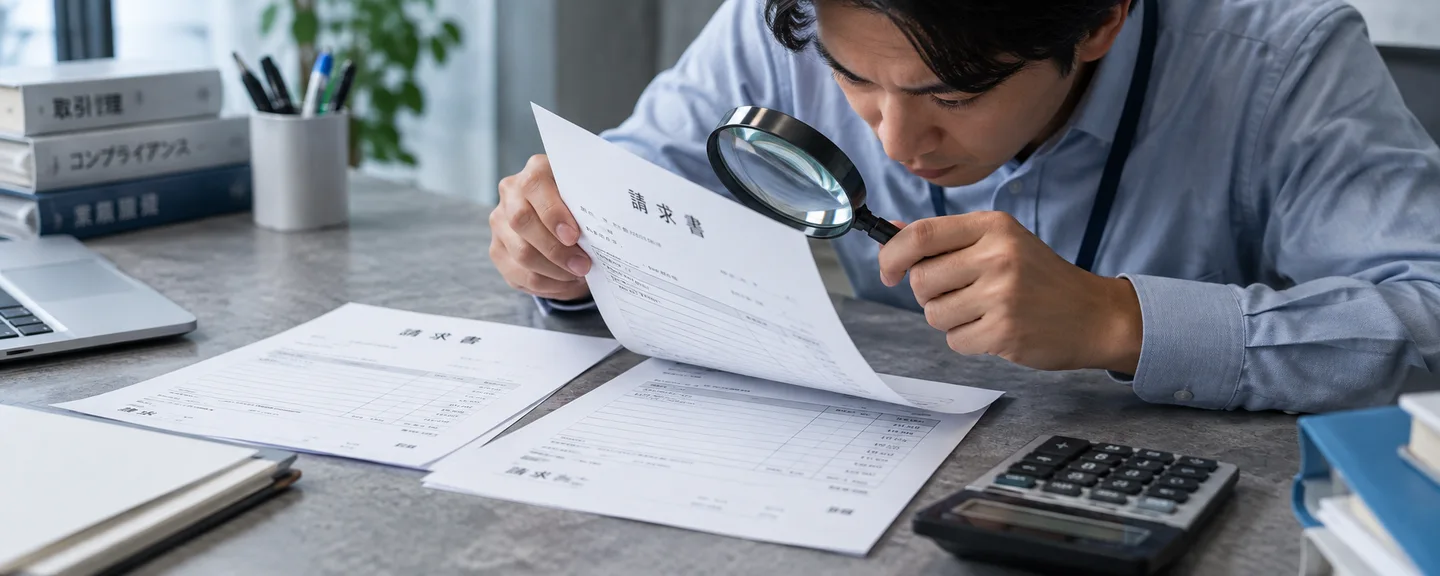
Establishing the facts: comparing your submission with the original and your transaction records
Before you write an appeal, establish the facts internally.
STEP 1. Identify and preserve the file you submitted
Identify when you submitted it, from which screen, and which file it was, and keep a copy without overwriting or renaming it. If an agency or outside contractor submitted it, have them provide the submitted file and their work records. List not only the flagged invoice but also any other invoices the same staff member or contractor submitted in the past, and compare them with the original data using the same method as in STEP 3.
STEP 2. Find the original data you received from the supplier
Invoices received by email or through a supplier's website count as "electronic transactions" under Japan's Electronic Books Maintenance Act, and anyone required to keep records for income tax or corporate tax purposes must retain that electronic data (check the specific requirements with a tax accountant). Find the file exactly as you received it in your inbox or transaction history, and if it was on paper, check the paper original.
STEP 3. Compare the submitted file with the original data, item by item
Compare the issue date, invoice number, addressee, supplier name and contact details, product name and model number, quantity, amount, and so on one by one. If anything differs, find out who changed which part, when, and why, and record it. How serious the problem is depends greatly on whether prices were simply removed or whether the addressee, date, quantity, or product name were changed too.
STEP 4. Check that it ties in with your other transaction records
Also check that the invoice doesn't contradict your other records. If the numbers don't match, don't fix the invoice. Instead, look into why they don't match, such as split deliveries or returns, so you can explain it.
| Record to compare | What to check |
|---|---|
| Purchase orders and order confirmation emails | Whether the product name, model number, quantity, and order date correspond to the invoice |
| Bank transfer records and card statements | Whether the payee's name, the amount, and the date correspond |
| Delivery notes and packing slips | The delivery date, the quantity, and the names of the products received |
| FBA shipment records | Whether the quantities and timing of what you sent to the fulfillment center are consistent with what you purchased |
If you've been asked to substantiate your sales history, also see organizing transaction records when you're asked to back up your sales history.
Gathering genuine documents: checking quantities, dates, and suppliers
The requirements are as shown in the table under "Pinning down what you've been flagged for." Here we add some points to watch while preparing.
Calculate the quantity for each ASIN first
Discovering that your quantities fall short is exactly when you need to be most careful not to touch your documents. The following is a hypothetical example to show how the calculation works, not a real case.
- 120 units sold over the past 365 days + 30 units of inventory on hand = 150 units that need to be covered
- Quantity on invoices within the period: 60 units from Supplier X and 40 units from Supplier Y, for a total of 100 units
- Shortfall: 50 units
Even if there's a shortfall, never rewrite quantities or dates, or reuse invoices from a different transaction. Look for other genuine invoices, or truthfully explain the reason for the shortfall (for example, sales of inventory purchased before the period), together with the genuine documents for that purchase. Keep in mind, however, that the requirement is coverage by invoices within the period, so an explanation alone may not be accepted.
Date requirements differ by procedure
| Procedure | Invoice date | Where to check |
|---|---|---|
| Appeal of a policy violation | Within the 365 days before you received the Performance Notification | Performance Notifications, Account Health |
| Application for approval to sell | A purchase invoice dated within the past 180 days | Search for the product in Add a Product (商品登録) → "Apply to sell" (出品許可を申請) (check the requirements under "Show limitations" (制限を表示)). Manage applications on the Selling Applications dashboard |
| Other investigations | May vary by notification | What each notification says |
Verify for yourself that the supplier can be confirmed
Before submitting, check the following points about the supplier.
Supplier verification checklist
- (For corporations) Whether the trade name and head office address on the National Tax Agency's Corporate Number Publication Site match the invoice, and, for a corporation with a registration number ("T" plus 13 digits), whether those 13 digits match its corporate number (sole proprietors and overseas suppliers may not be verifiable this way)
- If a registration number is shown, whether the name and other details match on the National Tax Agency's Qualified Invoice Issuer Publication Site
- Whether the company information and contact details on the supplier's website match the invoice
- Whether the phone number on the invoice works and whether there's a place of business at the address (check the address listed on the supplier's website or use a map service)
Contacting the supplier and requesting a reissue
Amazon says it may contact suppliers to verify details, so let your supplier know this could happen. You must never ask a supplier to give an explanation that isn't true, but if you've lost the original, it's reasonable to ask them to reissue it with contents that reflect the facts. Here is a sample message.
We need the invoice for the products (product name and model number) we purchased from your company in [month/year] to submit to Amazon. We didn't keep the file from that time. Would you be able to reissue it with the same contents? Also, Amazon may contact your company to confirm the details of the transaction. If so, we would appreciate it if you could answer truthfully.
If you don't have the original, see checking your records and applying for reinstatement when you have no invoice. The documents requested in authenticity reviews are covered in organizing the affected ASINs and the documents to submit.

How to structure your appeal and submit it
The Help page "Respond to appeal questionnaires to reinstate selling privileges" (出品権限を回復するために申し立ての質問書に回答する) gives the following guidance.
- Be factual and specific, clear and concise. Leave out emotional language and information about other cases
- Identify the root cause, and show how you addressed it, along with what you did, when you did it, and the related documents
- Provide evidence for every product and ASIN under review, and check the submission deadline
- It helps to highlight key information such as ASINs, supplier names, and terms of the transaction, for example by circling it (without changing what the document says)
If you did not alter the original
Gather materials that support that the document is an original and that the transaction really happened, such as the file exactly as you received it, screenshots of the email you received or your transaction history, and payment records, and state specifically what each document confirms.
If you did alter a document
Don't conceal the fact that you altered it and try to paper over it with other documents. The Code of Conduct's prohibition on misleading conduct also applies to your communications with Amazon. Organize your appeal into "what happened," "the root cause," "corrective actions and the dates they were taken," and "preventive measures." The following is a skeleton example, a hypothetical case rather than a real one.
Regarding the invoice from Supplier A (issue date: [date]) that we submitted on [date], our internal review found that one of our staff members had changed the addressee to our current trade name before submitting it. The original invoice was addressed to our former trade name, and the date, product names, and quantities were not changed.
The cause was that we had no rules for handling documents for submission, and staff were able to edit documents to make them look tidier.
As a corrective action, we retrieved the original PDF we received from Supplier A from our email inbox and have attached it to this appeal, along with documents showing the history of our change of trade name. We also compared the [number] invoices we submitted over the past [number] months with the original data and confirmed that none contained similar changes.
To prevent a recurrence, starting on [date], we changed our procedures so that documents are stored in a dedicated folder exactly as received, and a manager compares them with the original data before submission.
The explanations you give in an appeal remain on record. If you're concerned about criminal liability, consult a lawyer with your materials before submitting, and have them review your explanation. The purpose is not to hide the facts but to make sure you communicate them accurately.
Even a change where "the content should be correct," such as rewriting the addressee, can count as an alteration. For how to structure an appeal, see how to build a plan of action, and for the gaps that tend to appear when you reuse a template, see how to tailor your plan of action to your own facts.
How to submit, and what to check afterward
For appealing an account suspension, Help lays out the following steps.
- In Seller Central, go to Account Health
- Click "Reactivate your account" (出品用アカウントの再開) at the top of the page
- Follow the instructions to answer questions, submit supporting documents, and so on
- Click "Submit" (送信) and wait for an email with the review result
If you're asked for more information, submit it through "View Account Health requests" (アカウント健全性の要請を見る). Amazon says a response takes up to about two days, but this is only a guideline, not a promise of a particular outcome or reinstatement date. The overall process is laid out in the full picture, from account suspension to reinstatement appeal.
You may also be asked for purchasing documents when you request the release of withheld funds, and the only documents you can submit are genuine ones. For details, see how to check your funds after a suspension.
If your documents are rejected in an application for approval to sell, check the status on the Selling Applications dashboard, and you can submit a new application with genuine documents that meet the requirements. If you see the message "You do not meet the requirements to apply" (申請に必要な要件を満たしていません), that decision reportedly cannot be appealed.
What not to do
- Creating a new account to keep selling: Unless you have a legitimate business need and all of your accounts are in good standing, you're allowed only one account per region where you sell. Continuing to sell through another account while suspended doesn't meet these conditions, and if any one of your accounts has a problem, all of them may be suspended.
- Asking a supplier for an invoice or explanation that isn't true: Having them change the date, quantity, or addressee under the guise of a reissue can also count as alteration.
- Creating or recreating an invoice yourself, or substituting a quote, a "clean copy" in Excel, or an invoice from a different transaction: Invoices you issue yourself, quotes, and editable formats will not be reviewed. Creating or making a clean copy of a document in the supplier's name can amount to forgery or alteration, and reusing a document from a different transaction can amount to giving an untrue explanation, either of which may lead to suspension or the disposal of your inventory.
- Filing a dispute claiming a "false positive" when you actually altered the document: An explanation that contradicts the facts becomes a new problem in itself.
Preventing a recurrence: setting internal rules for handling invoices
Make sure you can verify internally that your preventive measures are actually being followed.
Sample rules for handling documents
- Save files received from suppliers in a dedicated folder exactly as received, and don't edit them
- The only permitted changes are removing pricing information and highlighting (circling or marking) the relevant products, ASINs, supplier name, and so on, and in either case, keep the unmodified original separately
- Before submission, someone other than the person in charge compares the document with the original data
- Require outside contractors and agencies to follow the same rules, and have them keep work records
- Before doing business with a new supplier, verify that it really exists using its corporate number and website
- For your main ASINs, regularly check that your invoices cover your sales volume over the past 365 days and your inventory
Make "save invoices exactly as you receive them, and submit them as they are" your basic preventive practice.

Frequently asked questions
Q. I didn't alter anything, but I'm suspected of forgery.
A. After comparing your file with the original data and confirming you didn't change anything, show that the determination was wrong using materials that support the document being an original. The issue may simply be an unmet requirement, so also review your documents against the table for pinning down what you've been flagged for.
Q. I only removed the prices, but I was flagged for alteration.
A. Removing pricing information is allowed, but Amazon.co.jp Help doesn't specify how to remove it so that it's distinguished from alteration. Explain that nothing other than the prices was changed by comparing against the original with prices intact and the email you received, and note that you removed the prices.
Q. Will an invoice the supplier reissued be accepted?
A. Public Help doesn't say whether a truthful reissue will be accepted. A reissue may carry a newer issue date, so check whether it includes anything showing the original transaction date, and include how the reissue came about in your explanation. Having the supplier change the date to the original transaction date can count as alteration.
Q. My invoice doesn't have a registration number (T number). Will it be suspected of being fake?
A. Amazon's invoice requirements and a qualified invoice under Japanese tax law are two different things. If the supplier is exempt from consumption tax, the invoice may have no registration number, and that alone doesn't make it fake.
Q. I submitted an altered document. Could I face criminal liability?
A. Japan's Penal Code has provisions covering forgery or alteration of private documents and the use of such documents, unauthorized creation of electromagnetic records, fraud, and so on, so this could become a criminal matter. Which provisions apply depends on the facts of each case. Consult a lawyer before filing your appeal.
Summary
When you're flagged, start by confirming what the flag is about and what the facts are on your side.
- Write down the reason in the notification, the affected ASINs, and the deadline, and don't rush to resend a different document
- Compare the submitted file with the original data to establish whether it was altered. Check invoices you submitted in the past as well
- If you didn't alter anything, show that the determination was wrong using the original and your transaction records; if you did, admit it and set out the cause, corrective actions, and preventive measures
- Invoices must be authentic and unaltered (only removing prices and highlighting relevant items are allowed). Also check the date, quantity, issuer, format, and supplier against the requirements for each procedure
- Don't take workarounds such as creating a new account or recreating documents
Document problems can lead to suspension, withheld funds, and even the disposal of your inventory. Handle them while checking legal questions with a lawyer and tax questions with a tax accountant. This article is based on information publicly available as of September 2026. Policies and screens can change, so also check the notification you received and the latest Help content.
Need help with documentation problems?
We'll assess your prospects for reinstatement at no cost. Consultations are free, as often as you need. Please note that we do not forge or alter records.
 Free consultation, 24/7
 *This article provides a general explanation. The appropriate response in individual cases depends on the circumstances.
Further reading
 When Amazon requests proof of authenticity: organizing ASINs and supporting documents Read article →
  Amazon trademark and counterfeit allegations: organizing sourcing evidence and rights information Read article →
  Responding to an Amazon authenticity review: checking evidence and appealing without an invoice Read article →