This article is for sellers who have received a warning or a listing removal from Amazon on the grounds of "design rights" (意匠権) infringement. We walk through checking the notification, sorting out what the claim is actually based on, comparing the registered drawings against your own product's appearance, deciding how to respond, contacting the rights owner, and steps you can take before sourcing to prevent this from happening again.
What a design-right warning is: where it fits in Amazon's policies
Japan's Design Act defines a "design" as the shape, pattern, or color (or any combination of these) of an article (including part of an article) or a building, or of certain images (images used to operate a device, or images displayed as a result of the device performing its function), where the design produces an aesthetic impression through the sense of sight. The right arises upon registration, and it extends not only to the identical design but to similar designs as well.
Amazon's Intellectual Property Policy (Japan) also has entries for "industrial designs" and "design rights," which explain that a design right is neither a right like a trademark, which protects a mark showing the origin of goods, nor a right like a copyright, which protects the expression of a work, but a right that protects a product's new design. This article is based on the Help content and legislation as of September 2026; policies and on-screen labels can change.
An unbranded "lookalike" can also be an issue
The same policy explains that even when a listing does not use a registered trademark, selling a similar product may not count as counterfeit but could still violate a design right or other intellectual property right, or other laws. You cannot assume you're in the clear simply because there is "no brand name involved." For how to sort out intellectual property warnings more broadly, see how to sort out intellectual property warnings.
Amazon may take action, such as issuing a warning or suspending selling privileges, even if you were unaware of the infringement, and the Design Act itself includes a provision presuming negligence on the part of an infringer (except in the case of a secret design). Rather than relying on "I didn't know," start by confirming the facts.
What to check first in the notification and on screen
The wording of a warning varies case by case, and there is no published sample text, so rather than looking for fixed phrasing, check where each of the following items appears.
STEP1. Items to note down from the notification
Open the Performance Notification and the email, and write down the following items. Under Amazon's policy, the rights owner's contact information is included in the warning.
Items to note down from the notification
- The date and time you received the notice, and the affected ASIN/SKU
- How the type of right is described
- The rights owner's name and contact information
- Design registration number or other information identifying the right (if included)
- Whether the claim concerns the product itself, its packaging, or the product images (to the extent this is clear from the notice or the rights owner's explanation)
- The next steps requested, and whether a deadline is stated
STEP2. Check the status in Product Policy Compliance
On the Account Health (アカウント健全性) page in Seller Central (usually opened from the Performance menu), open the "Product Policy Compliance" (商品規約の遵守) section and select "View all" to see the history of removed listings, their current status, and the "Next Steps" column. If you can't find it there, check "Manage Inventory" for suspended listings and "Performance Notifications" for the details of the removal.
STEP3. Confirm the scope of the impact and your score
Help content aimed at rights owners explains that a design-right infringement report can be filed against an entire ASIN, and that if it is approved, that ASIN is removed. Even if you did not create the listing yourself, you may be affected if you sell under the same ASIN. How each individual seller is affected is not spelled out in Help, so confirm this from your own account's display and notifications.
Also check your Account Health Rating (AHR). Help lists "submission of a valid infringement notice by a rights owner" as an example of a "High" severity violation. In addition, the intellectual property policy has a low threshold for repeat violations: reaching the limit within 180 days can result in immediate suspension, and for high-severity violations the limit may be as low as two. How to read your score is covered in how to check your Account Health score.
If a serious violation is detected, or if repeat violations of a particular policy reach the limit, your rating turns red with a score of 0. Even then, Help states there is a three-day grace period before suspension, during which an Account Health specialist may call you, so check the emergency contact number under "Notification Preferences." For how to prepare before reaching out to support, see preparing before you contact Account Health Support.
Sorting out the basis of the warning: appearance, labeling, or contract
The documents you need to gather, and the direction of your response, depend on what the claim is actually based on.
| Basis of the claim | What is at issue | Documents to check mainly | Notes |
|---|---|---|---|
| Design right | The product's shape, pattern, color, or other appearance | Design registration number, drawings from the design gazette, photos of your product's appearance | Start by confirming the scope and current status of the registration |
| Trademark right / counterfeit goods | Use of a logo or brand name, or whether the product is genuine | Invoices, letters of authorization, labeling on the product and packaging | See what to do when you're accused of trademark infringement or selling counterfeit goods |
| Copyright | Expression such as product images, description text, or illustrations | Records of how the material was created, licensing documentation | See responding to a copyright infringement complaint |
| Unfair Competition Prevention Act (imitation of a product's form) | Copying another party's product form even without a design registration | History of development and sourcing, when the other party's product first went on sale domestically | Exceptions exist, such as three years having passed since the first domestic sale. How this is treated in Amazon's reporting process is not covered in published Help, so consult a specialist, including when the rights owner raises this directly |
| Exclusive distribution agreement / minimum advertised price (MAP) agreement | Breach of a distribution or pricing contract | The contract itself | Amazon does not treat this as intellectual property infringement, but as a matter between the parties |
The notification's wording does not always say "design right." Help aimed at rights owners covers design-right infringement within the "patent infringement" section, and the Help on letters of authorization also uses the term "design patent." Even if the notice says "patent," check the registration number and the rights owner's explanation to see whether what's actually at issue is your product's appearance (design).
With a design-right warning, the point at issue can be your product's "appearance" rather than the legitimacy of your sourcing. When the product in question was made by a manufacturer unrelated to the rights owner but happens to look similar, an invoice alone is unlikely to answer the question of whether the appearance is identical or similar to the registered design.
Comparing the registered design against your product's appearance
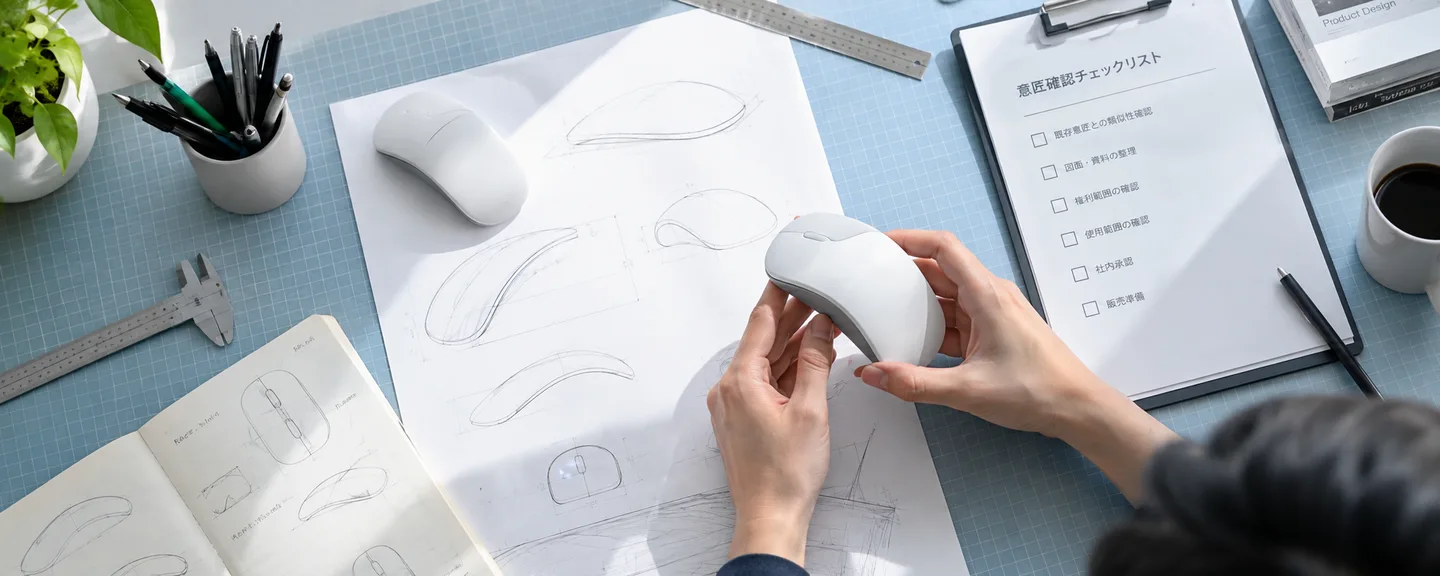
Under the Design Act, the scope of a registered design is determined based on the description in the application and the attached drawings, and whether two designs are similar is judged based on the aesthetic impression they create through the sight of the user (the person who purchases or uses the article). The basic approach is to compare against the registered drawings, not the photos on your sales page.
STEP1. Check the registration details on J-PlatPat
Design gazettes can be searched through "J-PlatPat" (the Japan Platform for Patent Information). Under the "Design" menu, "Design Number Search" lets you search by registration number, and "Design Search" lets you search by article name, applicant, Japanese design classification, and so on (menu names may change).
STEP2. Confirm whether the right is currently in force
Use the filing date and registration date shown in the gazette to estimate the term of protection. The term is 25 years from the filing date for applications filed on or after April 1, 2020, and, as a general rule, 20 years from the registration date for applications filed on or before March 31, 2020 (15 years from the registration date for applications filed on or before March 31, 2007). If the annual registration fee is not paid, including within the grace period, the right is deemed to have lapsed retroactively — though there is also a system for reinstatement within a certain period if the failure to pay was unintentional. Don't conclude that a right "has lapsed" from the listing alone; if it's difficult to determine, ask a patent attorney to check. Because a Japanese design right arises through registration in Japan, also confirm that the registration shown to you is in fact a Japanese one.
STEP3. Check whether it's a partial design or a secret design
A design can be registered for just a "part" of an article, so the design of a portion such as a handle or a lid shape can be the subject of the right (a "partial design"). In that case, even if the overall impression of the product differs, the claim may still be raised if the relevant part looks similar.
There is also a "secret design" system, under which the drawings are kept unpublished for up to three years after registration, so you may not be able to view the drawings on J-PlatPat. If that happens, consider asking the rights owner to show you the content of the right.
STEP4. Build a comparison table of the appearance
Organizing what you've confirmed into a table like the one below makes it useful as material for consulting a specialist or filing a dispute.
| Item | Registered design side (from the gazette) | Your product side (from what you have on hand) |
|---|---|---|
| Identifying information | Registration number, the article the design covers | ASIN, SKU, product name, model number |
| Rights owner / manufacturer | Name and address of the design right owner | Name and contact information of your manufacturer and supplier |
| Timing | Filing date, registration date | Date sourcing began, date the listing began |
| Scope | Whole design or partial design | Shape of the corresponding part |
| Appearance | Shape, pattern, and color shown in the drawings from each angle | Photos of your product taken from the same angles as the drawings |
| Current status | Term of protection and status of registration fee payments | Inventory quantity, units sold, listing status |
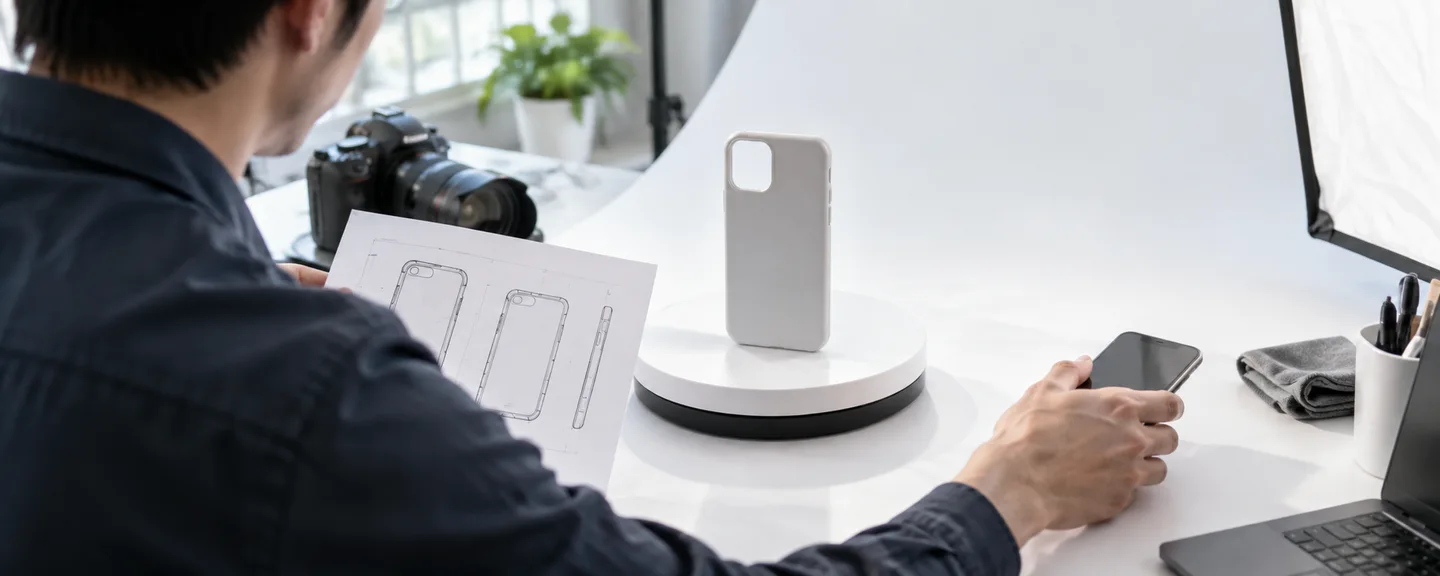
Photograph your product from the same angles as the drawings (front, side, top, and so on) and note the similarities and differences. If the claim concerns your product images or packaging, then the appearance you compare against the drawings should be what actually appears in those images or on that packaging. Whether two designs are similar is ultimately a legal determination, so treat this table as material for accurately conveying your situation to a patent attorney or lawyer.
Deciding how to respond: retraction request, dispute, or appeal
Based on Help content, the response for each situation can be summarized as follows. Note, however, that in the section of the policy covering how to respond to a warning, the reply process for a mistaken removal is described individually only for trademark, patent, and copyright — there is no separate process described for design rights. Check the notification's instructions to see which situation applies to you.
| Situation | Direction to take | Main documents |
|---|---|---|
| You received a warning about a product you have never listed | Reply to the notification and explain this (Amazon will investigate) | Listing history, records from Manage Inventory |
| You have a relationship with the rights owner through a license, manufacturing, or distribution agreement | Contact the rights owner and ask them to retract the complaint | The contract, a letter of authorization |
| You believe the determination is mistaken (the appearance differs, the right is no longer in force, etc.) | File a dispute with specific reasons | Your appearance comparison table, the gazette, a specialist's opinion |
| You source and sell the rights owner's genuine product | Attach documents showing authenticity and file a dispute following the notification's instructions (if appearance is the issue, proof of authenticity alone may not be enough) | Invoices, order numbers, a document granting authorization from the rights owner |
| After checking, you conclude infringement is likely | Stop selling and file an appeal that lays out the cause and corrective actions | Root cause analysis, corrective actions |
If your account has been suspended, file an appeal from "Reactivate your selling account" at the top of the Account Health page, or reply to the suspension notice. Help states that you can expect a response "within about 2 business days" at most, though this can vary by case and is not a promise of when you'll be reinstated. The full process is covered in an overview of the path from account suspension to reinstatement.
Note the difference between an "appeal" and a "dispute"
Account Health Help distinguishes between a "dispute" (異議申し立て), where you show with evidence that a violation was detected in error, and an "appeal" (申し立て), where you accept that the violation occurred but argue it was unintentional and ask for it to be dismissed. Even if an appeal is approved and the violation is removed, it may still count toward the 180-day repeat-violation limit if you did not file a dispute.
Cases in which a violation is removed from the page include: the rights owner retracts the complaint; a dispute confirms the determination was mistaken; an appeal determines the violation was unintentional; you take a corrective measure that resolves the violation, such as removing infringing content; or 180 days pass since the violation was added (though if your account was suspended due to your Account Health rating, the violation remains even after 180 days). On the other hand, it is explicitly stated that changing the listing status — such as ending the listing or removing it from inventory — does not remove the violation. Don't treat deleting the listing as a corrective measure; confirm what's actually required from the "Next Steps" column and the notification's instructions.
Requirements for the documents you submit
You're advised to write appeals concisely and based on facts, including the root cause and corrective actions (what they are, when they were carried out, and any related documents), and evidence for every ASIN under review. For a dispute filed when multiple intellectual property warnings appear on genuine products, you're asked for a list of the affected ASINs, and at least one of the following showing authenticity: an invoice, an order number, or a letter of authorization from the rights owner (forwarded emails are not accepted).
Document requirements (summary of what Help states)
- Invoice: issued within 365 days before the notification, in sufficient quantity, with a product code that can be matched to the ASIN and the supplier's contact information, and an unaltered original. PDF or image format
- Invoices that are not accepted: quotes or proforma invoices, ones you issued yourself, altered documents, or editable formats
- Letter of authorization (a license document in which the owner of a trademark, design patent, or copyright authorizes its use): must include the five elements of licensor, licensee, scope of the grant, geographic scope, and term. A physical letter must be on the rights-owning company's letterhead and bear the signature and company seal of an authorized signatory. Invoices, distributor or reseller agreements, order confirmations, and quotes are not accepted as letters of authorization
For how to put together the cause and corrective actions, see how to build a plan of action. When writing one specifically for a design-right warning, you can organize it around the following points.
Points for writing the cause and corrective actions for a design-right warning
- Cause: there was no procedure at the sourcing/planning stage to check whether a registered design existed
- Corrective action: the date you stopped selling the affected ASIN and how you handled the remaining inventory, a procedure for checking J-PlatPat and customs import-suspension filing information before sourcing, and an arrangement with your supplier to receive documentation on the product's development history and origin
- Documents: internal documentation defining the check procedure, records of correspondence with your supplier (both with the date carried out attached)
Preparing to contact the rights owner, and sample wording
Retracting a complaint is a process handled by the rights owner. Help aimed at rights owners explains that a report filed within the past 365 days can be withdrawn using the "Retract Claim Form."
Before you reach out, gather the affected ASIN, the listing period, units sold, inventory quantity, your supplier and manufacturer information, and your appearance comparison table, and keep a record of the exchange. Below is sample wording for confirming the details of the right — this is a hypothetical example, not an actual case. Rewrite it to match your facts, and if you have not stopped selling, delete the last sentence.
We received a notification based on a design-right infringement report from your company regarding a product we sell on Amazon.co.jp (ASIN: B0XXXXXXXX). Could you please provide the design registration number at issue and specify which part of the right is claimed to be infringed? We have suspended sales of the affected product pending confirmation.
Below is sample wording for a retraction request when you have authorization from the rights owner (also hypothetical).
Our company sells your product on Amazon.co.jp (ASIN: B0XXXXXXXX) under a distribution agreement dated MM/DD/20XX. We received a notification based on a design-right infringement report concerning this product. We would appreciate it if you could review a copy of the agreement and consider retracting the report. If retraction is not possible, could you issue a letter of authorization that we can submit to Amazon (stating the licensor, licensee, scope of the grant, geographic scope, and term, on your company's letterhead and bearing a signature)?
Writing a conclusion such as "we were infringing" before the facts are confirmed can create a contradiction with your later explanation once you've verified the details. Stick to the facts you actually know. Because the Design Act also includes provisions for injunctions, damages, and criminal penalties, consider checking with a patent attorney or lawyer before you send anything.
Responses to avoid
- Simply deleting the listing and considering the matter closed: as noted above, the violation does not disappear. Relisting the same-looking product under a different ASIN without resolving the underlying cause can invite a new warning or a separate policy-violation finding.
- Selling off remaining inventory through another sales channel: under the Design Act, "working" a design includes offering it for sale (including display for the purpose of sale) and importing it, and possessing infringing goods for the purpose of sale can itself be deemed infringement.
- Dismissing the report as "unfair" without checking the basis: it is Amazon that determines whether a report is valid. File a dispute backed by evidence, such as a comparison against the drawings.
- Altering documents such as invoices: digitally altered invoices and invoices you issued yourself are not accepted, and Help states that where fraudulent activity is suspected, the account may be suspended regardless of score. For more detail, see how to respond when you're accused of forging or altering invoices.
- Opening a new account to keep selling: under the Seller Code of Conduct, you may hold only one Seller Central account per region in which you sell, except where there is a legitimate business reason and all your accounts are in good standing. Selling through a separate account to avoid a warning or suspension is not permitted, and if an attempt to circumvent the system is suspected, the account may be suspended regardless of score.
Checks you can do before sourcing to reduce design-right risk
Amazon's Intellectual Property Policy notes that manufacturers and distributors may be able to help with design-related issues, and recommends consulting a legal professional before listing a product if you're unsure whether it infringes.
Checks before sourcing and listing
- Search J-PlatPat's design search by article name or design classification to look for registered designs
- Check the "import suspension filing information" (design rights) published by Japan Customs for the registration number, the name of the infringing goods, the effective period, and the filer
- Confirm whether your supplier can provide an invoice or letter of authorization showing the product's origin
- Use a contract to clearly define your supplier's responsibility for inventory affected by a legitimate complaint
- For a product whose shape resembles a popular item, check and keep a record of its development history
Not appearing on the customs list doesn't mean no right exists. Goods that infringe a design right are subject to customs enforcement, and goods can be found to be infringing — and therefore blocked from import — even if you were unaware. If you're unsure, you can consult for free at one of the "Intellectual Property Comprehensive Support Desks" that INPIT (the National Center for Industrial Property Information and Training) operates in all 47 prefectures.
Frequently asked questions
Q. The notification doesn't include a design registration number. How should I look it up?
A. One way is to search J-PlatPat's design search using the rights owner's name to look for the applicant or the relevant article name. If you can't find it, ask the contact listed in the warning to provide the registration number.
Q. If the product has no design registration, is it fine to sell it even if it looks similar?
A. Even without a design registration, selling a product that copies another party's product form can be a problem under the Unfair Competition Prevention Act's provisions on "imitation of a product's form." There are exceptions, such as when three years have passed since the product's first domestic sale, or for someone who sourced the product without knowledge and without gross negligence, but whether these apply should be confirmed with a lawyer or patent attorney.
Q. Can I get a warning even for an original product we designed ourselves?
A. Yes, this is possible. Because a design right extends to similar designs as well, a claim can arise if your product's appearance is identical or similar to another party's registered design. Searching J-PlatPat at the planning stage and checking with a specialist before manufacturing can help reduce this risk.
Q. What should I do with inventory remaining in hand or at FBA?
A. How to handle inventory specifically for design-right cases is not covered in published Help, so follow the guidance in the notification and on the Manage Inventory screen, and decide on disposal or returns in consultation with a specialist. Note that, as covered in "Responses to avoid," you should not sell off remaining inventory through another sales channel.
Summary
A design-right warning differs from trademark or counterfeit-goods cases in that the product's appearance itself is what's being questioned, which changes how you go about checking it.
- Note the affected ASIN, the type of right, what the claim concerns, the rights owner, and the next steps from the notification
- Sort out whether the basis is a design right, or instead a trademark, copyright, imitation of product form, or a contractual claim
- Compare the registered drawings against your own product, and also check the term of protection and whether it's a partial or secret design
- Choose your approach with the difference between an appeal and a dispute in mind, along with the 180-day repeat-violation count
- Deleting the listing alone does not remove the violation. Never alter documents or sell through a separate account
Because judging similarity involves legal questions, once you've organized the facts and your documents, consider consulting a patent attorney or lawyer sooner rather than later.
Need help with a suspension for design rights infringement?
We'll assess your prospects for reinstatement at no cost. Consultations are free, as often as you need.
 Free consultation, 24/7
 *This article provides a general explanation. The appropriate response in individual cases depends on the circumstances.
Further reading
 Understanding Amazon intellectual property warnings: rights involved and supporting evidence Read article →
  Amazon trademark and counterfeit allegations: organizing sourcing evidence and rights information Read article →
  Responding to Amazon copyright complaints: identifying content and checking permissions Read article →