You've received a payment-related message described as coming from a "Payments team," or your sales proceeds stay on hold and never arrive. This article is for sellers in that position and walks through the official contact channels, how to sort out why a payment has stopped, how to check whether a message is genuine, how to reconcile the amounts, and how to keep records.
What is the "Payments team"? Separating the nickname from the official contact channel
Among sellers, the team that sends payment-related messages is sometimes called the "Payments team." However, we could not find either that team name or a "payments-funds" address anywhere in Amazon's payment-related Help. Rather than going by a team name, use the subject of the message and the steps written in the notification as your guide.
This article reflects information as of September 2026 and is based on Amazon Help, the Amazon Services Business Solutions Agreement, and replies from Amazon staff on the Seller Forums. Because terms, screen names, and addresses can change, also check your actual notification and the latest Help.
| Address / channel | Source | Stated purpose |
|---|---|---|
| The steps stated in your notification | The notification you received, Seller Central | Appealing a hold on sales proceeds |
| disbursement-appeals@amazon.co.jp | Help's "Policy on the release of held sales proceeds" (売上金留保の解除に関するポリシー) | Checking your balance at any time; a separate appeal once 60 days have passed from the hold date |
| payments-funds@amazon.com | A reply from Amazon staff (we could confirm only one instance) | An example where this was given as a place to ask about the status of a payment hold caused by a block or a suspension |
We could not confirm the payments-funds address in official Help, and its domain is ".com" rather than ".co.jp." Because we don't know whether it still serves the same purpose, this article does not list it as a recommended contact address.

When the number of days or the address differs between sources: the order to decide in
| Source | What it says (summary) |
|---|---|
| Help | File an appeal to disbursement-appeals@amazon.co.jp once 60 days have passed from the hold date |
| A staff reply | Request payment from the same address 90 days after deactivation |
| Another staff reply | An appeal becomes possible once 60 days have passed from the suspension |
| Another staff reply | For funds held more than 180 days after a suspension, disbursement-appeals@amazon.com is the contact |
Neither the starting point (the hold date, the suspension date, or the deactivation date) nor the address is consistent across these sources. Decide in this order: (1) give first priority to the date, address, and steps in your own notification; (2) check them against Help; and (3) if you're still unsure, confirm through a case. Keep a record of the hold date, the suspension date, and the date you received the notification.
Sorting out why a payment has stopped, by subject
Not every payment-related message or delayed deposit is tied to a suspension. Help's "Why haven't I been paid?" (売上金の支払いが行われないのはなぜですか?) states that it can take up to 5 business days for funds to arrive, and lists common reasons for a delay.
| Subject | Where to check | What you should do |
|---|---|---|
| A normal hold (Delivery Date-based reserve) | The Payments report, the Payment Tracking Tool (決済追跡ツール) | Generally, wait. Contact Amazon if the number of days or the amount doesn't match the explanation |
| A shipping confirmation not sent | Manage Orders, the Payments report | Send the shipping confirmation. Proceeds from an order without one are held for 7 days from the latest estimated delivery date |
| Incomplete bank account or card information | Guidance sent to your registered email address, the Settings screen | Check and update it in Seller Central (both are needed for payment) |
| Account under review | Performance Notifications | Check the stated reason and appeal following the guidance given |
| A hold on sales proceeds from a suspension or a risk determination | Performance Notifications, the Payments report | Appeal following the steps in the notification, and track progress separately from any reinstatement appeal |
| A negative balance | The settlement balance in the Payments report | Pay it off using an option such as "Pay negative balance." If it isn't resolved, your registered card may be charged |
| Amazon Business pay-by-invoice orders | The Payments report | The payment flow differs from normal orders, so check the explanation in Help |
If a restriction has been placed on your registered card or on payments, also see how to check card-related restrictions.
The normal hold and the "account-level reserve"
To cover possible refunds, proceeds from an order are held by default for 7 days from the delivery date (this number of days can change). Separately, there is an "account-level reserve," held for reasons such as unresolved guarantee claims, chargebacks from transactions within the past 90 days, performance metrics falling below target, or the account being under review. More than one reason can apply at once, and the total appears on the summary tab of the Payments report.
Changing your bank account and "small deposit verification"
Adding or changing your bank account information means the transfer process only begins 3 days later, so Help recommends avoiding changes within the 3 days before a payment date. Under the agreement, registering or changing a bank account can also defer the disbursement calculation date (2 business days before the transfer date) by up to 14 days. In addition, "small deposit verification" (少額入金確認), which confirms that an account is valid, may deposit 1 yen, and if it fails, the reason and how to update your information are sent to your registered email address. If you don't correct it, your sales proceeds carry over to the next settlement date.
Rules for holds on sales proceeds based on a risk determination (including at suspension)
If Amazon determines that a seller's conduct or track record carries risk (such as returns, chargebacks, or policy violations), payment can be held even without a suspension. Here are the key points from Help's "Policy on the release of held sales proceeds" (売上金留保の解除に関するポリシー) and the agreement.
- As a rule, a hold lasts 90 days, and it is extended if the risk continues or an investigation is still needed. Nothing states that payment is made automatically after 90 days
- If Amazon determines the account is being used for deceptive, fraudulent, or illegal purposes (for example, listing counterfeit goods or fictitious transactions), funds are held until it is confirmed that no such conduct took place
- The agreement (Section 2 of the General Terms) also provides that if Amazon determines the purpose is deception, fraud, illegal activity, or repeated policy violations, it can permanently withhold disbursements or payments
- The amount held is the entire unpaid balance at the time of the hold, and it can change as returns, refunds, guarantee claims, unpaid fees, and similar items are settled or offset
When an account is suspended, you are generally notified of the reason and your appeal options. For the bigger picture of sales proceeds after a suspension, see how to check your sales proceeds after a suspension. Topics beyond payment, such as the reinstatement appeal process, are covered in other articles.
Confirming whether a message you received is genuine
Treat emails claiming to be about "payment" or "payments" with extra caution. Help's "How to identify spam email" (スパムメールの見分け方) states that Amazon never asks for bank account information, card numbers, or passwords by email, and cites "amazon-payments@msn.com" as an example of a fraudulent sender.
- Don't click the link: Log in to Seller Central directly from your browser.
- Look for the same notification on screen: Check Performance Notifications and the notification center (通知管理センター) (the past 30 days).
- Check the header: Look at the "From," "Reply-To," and "Return-Path" fields. A genuine address is said to end in something like "@amazon.com" or "@amazon.co.jp," but the display name can be spoofed, so don't judge by the domain alone.
- Report it if it looks suspicious: You're advised to send a spoofed email as an attachment to stop-spoofing@amazon.com. Amazon.co.jp's buyer-facing Help, "How to identify contact intended to defraud you" (詐欺目的の連絡を見分ける), also describes forwarding a message to verify@amazon.co.jp to check whether it's really from Amazon.
An email asking you to "update your bank account information" could be either a genuine notice or a fake one. Either way, make any update through the Settings screen in Seller Central.
Reading a notification: items worth writing down
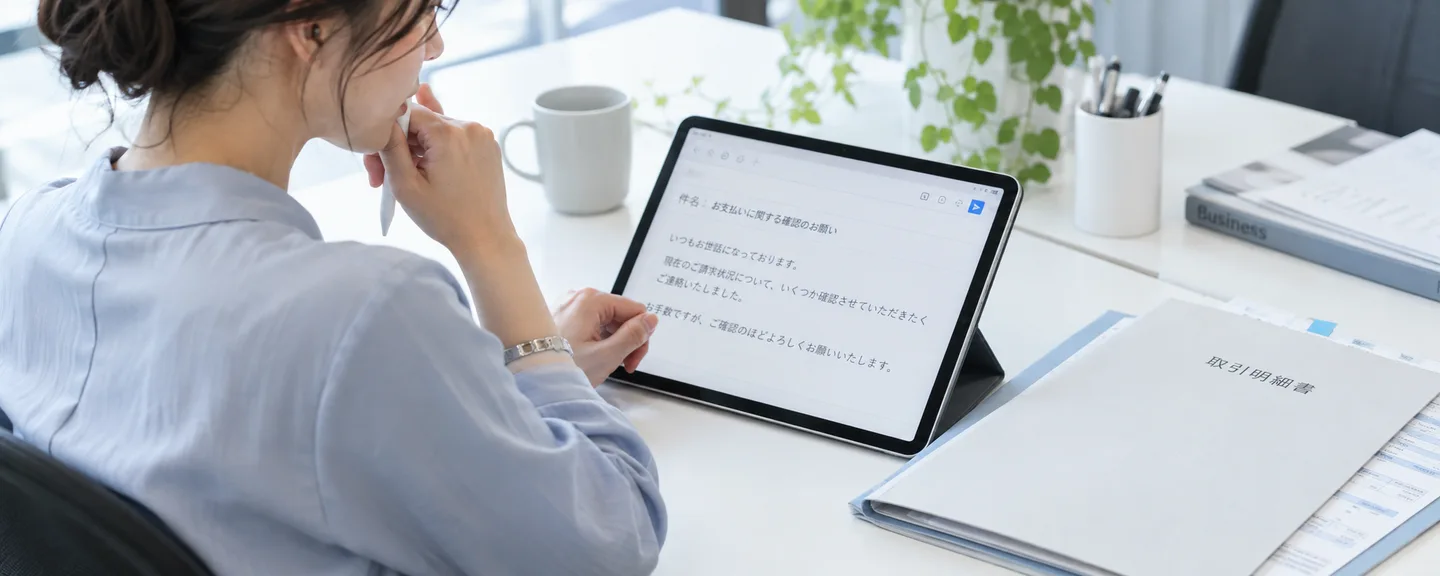
On the Forums, there are examples of Amazon staff naming subject lines to look for, such as "Important Notice Regarding Your Amazon Selling Account" or "Amazon.co.jp Balance Status" (subject lines can vary). When a notification arrives, write down the following items.
Items to write down from the notification
- Account status (under review, suspended, etc.)
- The section of the agreement or the policy cited as the basis
- The unpaid balance amount, and any caveat such as "this amount may change"
- Where to check the amount (for example, the Payments report)
- The reason (don't fill in a guess even if it's vague; write "not stated" if there is none)
- The action requested, the deadline, and where to submit it
What you write down becomes the baseline you check against the amount paid and any reply. For notifications about a review, also see how to read review emails.
Reconciling the amount in three places before you contact Amazon
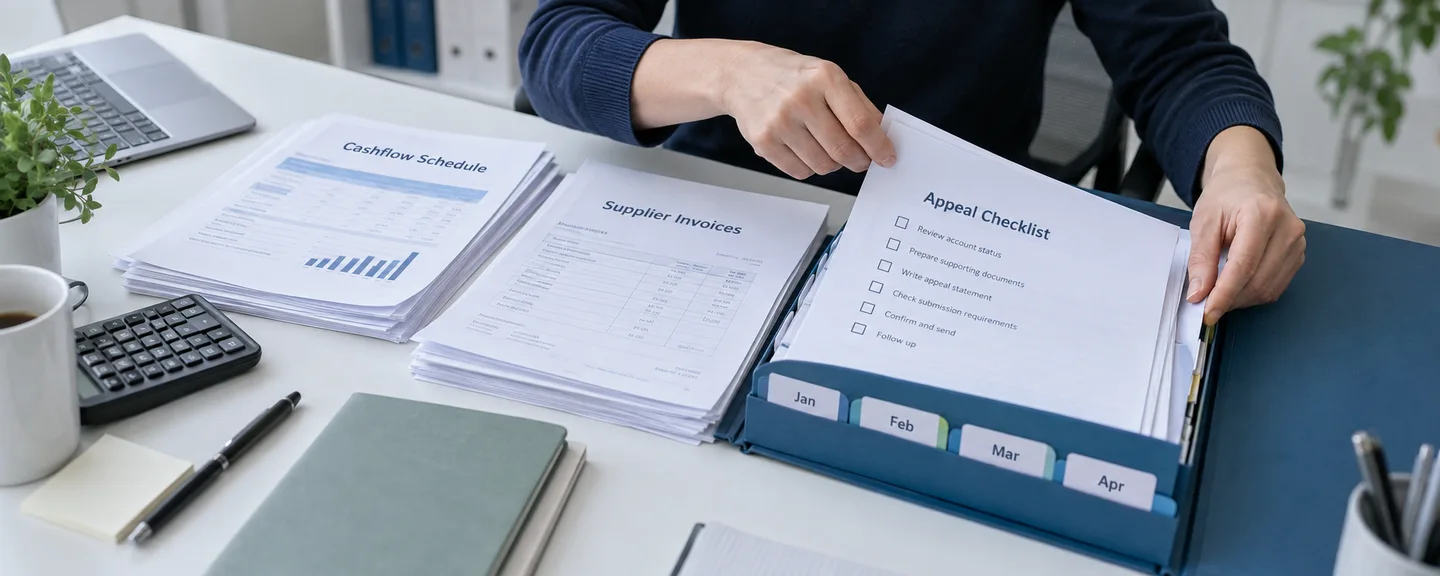
If the held amount and the amount paid stay vague, it's hard to convey exactly what you want checked. Line up the following three figures and turn only the difference into a question.
| What to check | Where to check it | What to look at |
|---|---|---|
| (1) The amount in the notification | Performance Notifications | The unpaid balance and the date of the notification |
| (2) The breakdown of your balance | The Payments report, or the Balance Overview (残高概要) on the new screen | "Available balance" and "Reserve" |
| (3) The actual transfer | The Payment Tracking Tool, or Manage Disbursements (支払い管理) on the new screen | The amount, status, and trace ID for each settlement period |
The Payment Tracking Tool shows one of four stages: "Payment scheduled," "Processing," "Sent to bank," or "Confirmed by bank," and even after confirmation it can take up to 5 business days for the funds to arrive. On the new Manage Disbursements screen, the status is shown as "Succeeded," "Initiated," "Sent to Amazon's bank provider," "Approved by Amazon's bank," "Failed," or "Canceled," and you can also check it using the trace ID.
What to check when there's a discrepancy
- Whether guarantee claims, chargebacks, refunds, fees, or similar items have been deducted (Amazon staff have explained that these kinds of adjustments can apply to the balance held at suspension; under the policy, the cost of returning or disposing of inventory is also settled this way)
- Whether you've checked the details of any deduction in Manage Transactions (取引管理) on the new screen (or Transaction View and similar on the old screen)
- Whether small deposit verification or a failed settlement has caused the amount to carry over to the next settlement period
- Whether you're using the right kind of report. A transaction report is based on the order date and includes amounts still on hold, while a settlement report is based on the payment date. For the Japan store, an April 2026 update added a column showing whether each item is deferred or released, plus the release date, to transaction reports for periods from January 1, 2025 onward
Contact Amazon about any difference that still can't be explained. In a staff reply, you were advised that you can request a breakdown of the adjustments through "Contact Us."

How to contact Amazon: checks before you send, and what to do if there's no reply
STEP1. Decide the subject and the contact channel
If your notification states a procedure, follow it. If not, choose whichever channel in the table at the start of this article matches your subject. For a delay that doesn't match any reason in Help, you can raise it through "Contact Us" (the available channels may differ if your account is suspended).
STEP2. If you email them, send it from your registered email address
This is a note for when you email addresses like disbursement-appeals. Several posts describe being asked to resend a message because it was sent from an unregistered address, and Amazon staff also advise contacting them from your registered address. Watch out for forwarding settings and alias addresses.
STEP3. One case per issue
Technical Support's guidelines ask you to check the status through your Case History, open one case per issue, and not open a new case if one on the same issue is already under review, and they state that a case may be closed if you don't follow this. "Urgent request" can also be used for issues receiving payments, but only when an urgent resolution is essential. Also see how to organize a consultation with Technical Support.
STEP4. Keep your message focused on "the period, the amount, and what you don't understand"
Below is a sample message asking for a breakdown of a discrepancy. This is a hypothetical example, not an actual case, so replace the dates, amounts, and numbers with your own records.
There is a discrepancy between the unpaid balance stated in the Performance Notification I received on [date] and the transfer amount shown as completed on [date] in the Payment Tracking Tool (or Manage Disbursements).
I was able to confirm the deductions for refunds and fees, but could you tell me the breakdown of the remaining difference ([amount] yen)?
I'm sending this as a follow-up to my existing case (Case ID: [ID]).
Below is a sample message requesting a balance inquiry and a separate appeal once 60 days have passed from the hold date (also a hypothetical example).
I would like to file a separate appeal regarding the hold on sales proceeds for my selling account (store name: [store name]). 60 days have passed from the hold date stated in the notification I received on [date].
Could you tell me the current amount held and the procedure and documents required to receive payment?
I'm sending this email from my registered email address.
STEP5. If there's no reply
Amazon staff have advised that if you contact disbursement-appeals and get no reply within 2 weeks, you should consult Account Health Support, while another staff member advised adding to your existing case rather than creating a duplicate (the 2 weeks is a rough guide, not an official deadline). There are also examples of being guided to open a case through "Help" by selecting options such as "Account Health" or "Account restoration," but menu names can change. For how to prepare, see preparing before you contact Account Health Support.
If you're asked for documents
A separate appeal may involve a request for additional documents related to identity verification, financial matters, or sourcing. Help on seller reviews requires documents that are valid, legible, and show a name and address matching your registered information, and it cautions against resubmitting documents repeatedly. Whether payment reviews use the same criteria is unconfirmed, so follow the specifics in your notification first, and also see preparing additional identity verification documents.
How to keep records of your inquiries: separate reinstatement, identity verification, and payment
Amazon staff have explained that identity verification and payment review are separate processes. There are also reports of payment being denied, or only partly paid, after identity verification was approved. Keep a separate record for each procedure: reinstatement, identity verification, and payment.
| What to record | Tips for writing it down |
|---|---|
| Which procedure it is | Whether it's a reinstatement appeal, identity verification, or payment (sales proceeds) |
| Date and time | The date you received the notification and the date you sent your reply |
| Subject and sender | The address in the header, and whether you could confirm the same notification on screen |
| Amount | The unpaid balance in the notification, the balance figures, and the trace ID for the transfer |
| Basis and reason | The section or policy cited (write "not stated" if none) |
| The action requested | The type of document, the deadline, and where to submit it |
| From, to, and case ID | Whether it was sent from your registered address, and which case you added it to |
| Reply and next steps | Whether you got a reply and when, and when to check next |
Here is a sample entry (a hypothetical example, not an actual case).
[Procedure: Payment] [Date]: Received the Performance Notification "Amazon.co.jp Balance Status" (also confirmed in the notification center). No reason stated.
[Date]: Sent a balance inquiry to disbursement-appeals@amazon.co.jp from my registered address.
[Date]: No reply after 2 weeks. Opened a case with Account Health Support (Case ID: [ID]), noting the date I sent the inquiry email and the background. Next check: [date]
The notification center only shows notifications from the past 30 days, so save the full text as a PDF or an image. Payment records also serve as accounting materials, so check with a tax accountant about how much to keep, and also see accounting during a suspension.
Things not to do
- Altering a document before submitting it: Help requires genuine, unaltered documents, and altering one to make it match isn't allowed. If it's judged to be false, the hold may last even longer. Resolve a mismatch either by updating your registered information to match reality or by submitting a related document explaining the reason. Because changing your bank account or address can trigger a deferral of transfers or a review, check the guidance in your notification before doing so.
- Sending from an unregistered address, or opening the same case multiple times: This can mean your message isn't accepted, or your case gets closed.
- Opening a new account and continuing to sell: The Seller Code of Conduct states that you may maintain only one account for each region where you sell, unless you have a legitimate business need to open a second account and all of your accounts are in good standing. Opening an account to avoid a suspension or a hold does not qualify, and it violates this code.
- Pledging held sales proceeds as collateral, or selling them as a receivable: Under a contract revision effective August 24, 2026, it is now explicitly stated that receivables such as sales proceeds cannot be assigned or pledged as collateral.
- Entering bank account information or a password through a link in an email: Amazon is stated to never request this kind of information by email.
Frequently asked questions
Q. How should I choose between the payments-funds address and disbursement-appeals?
A. Only disbursement-appeals@amazon.co.jp appears in official Help. payments-funds@amazon.com is only an example of an address a staff member gave as a place to ask about your status, and we could not confirm any basis for contacting it leading to faster payment. Follow the steps in your notification for the procedure to receive payment.
Q. Will I automatically be paid once 90 days have passed?
A. As a rule, a hold lasts 90 days, but it can be extended, so the passage of time alone doesn't decide it. If a hold isn't released even after an appeal, or if you haven't appealed, you're told you can file a separate appeal to disbursement-appeals@amazon.co.jp once 60 days have passed from the hold date. Also check the number of days and the address in your own notification.
Q. When will sales proceeds held in a "reserve" be paid?
A. As described in "The normal hold and the 'account-level reserve'" above, think of reserves in two groups. The Delivery Date-based reserve is there to cover refund requests from buyers, and its default is 7 days from the delivery date (this number of days can change). Whether a hold under this reserve has been released, and the release date, can be checked in a column of the transaction report (for the Japan store, for periods from January 1, 2025 onward; see "What to check when there's a discrepancy" above). The account-level reserve is held for reasons such as unresolved guarantee claims or the account being under review, so to work toward its release, check the status of the claims or review causing it and take any necessary action. The total appears on the summary tab of the Payments report, but a hold due to a suspension can also be shown the same way, so check the reason in your Performance Notifications (for how to tell the groups apart, see how to check your sales proceeds after a suspension). For accounting treatment, refer to accounting during a suspension and check with a tax accountant.
Q. I received a message in English.
A. We could not confirm why it arrived in English. Check Seller Central for the same notification, and if it's genuine, translate it accurately and follow its steps. Note that while translated versions of the Amazon Services Business Solutions Agreement are sometimes published, the Japanese version is stated to control. This concerns how the text of the agreement itself is handled, and it doesn't mean an English-language notification is invalid.
Q. I missed or deleted a payment-related notification.
A. You can check notifications and email delivery status from the past 30 days in the notification center. Going forward, review the receiving address for each notification type, such as "Account notifications," under "Settings" (設定) > "Notification Preferences" (通知設定). If you link the official LINE account for Amazon Selling Services, notices such as "bank account information update guidance" also arrive via LINE, but that channel is send-only and you can't reply.
Q. If I'm not satisfied with Amazon's explanation, is there anywhere outside Amazon I can consult?
A. Under the enforcement regulations of Japan's Transparency Act (the Act on Improving Transparency and Fairness of Specified Digital Platforms), "a hold on payment" is one of the matters for which disclosure of the details and reasons is required, but whether it applies to your particular notification is a legal question, so consult an attorney. The Digital Platform Transaction Consultation Desk (for businesses using online malls), a service commissioned by Japan's Ministry of Economy, Trade and Industry, offers advice on how to raise an issue with the marketplace operator and provides information about lawyers along with a cost subsidy (up to once per business, one hour); it does not mediate or act as an intermediary. As the details may change, check the desk's latest information before using it.
Summary
The "Payments team" is a name used among sellers; the basic rule is to choose your contact channel by subject, not by that team name.
- Sort a payment delay into categories such as a normal hold, a missing shipping confirmation, a bank account or card issue, an account under review, a hold from a suspension or risk determination, or a negative balance
- For an email claiming to be about "payment," confirm the same notification in Seller Central without using the link
- Because the number of days and the address vary between sources, give first priority to your own notification and back it up with Help
- Reconcile the amount in the notification, the breakdown of your balance, and the actual transfer, and contact Amazon only about the difference you can't explain
- Send messages from your registered address with one case per issue, and keep separate records for reinstatement, identity verification, and payment
Organizing your notifications and records, and checking things one at a time, can reduce misunderstandings. Consult an attorney for legal judgments and a tax accountant for accounting treatment.
Need help responding to the payments team?
If an account suspension or warning is involved along with held sales proceeds, we can help you sort out your situation at no cost, including your prospects for reinstatement. Consultations are free, as often as you need.
 Free consultation, 24/7
 *This article provides a general explanation. The appropriate response in individual cases depends on the circumstances.
Further reading
 Checking funds after an Amazon suspension: holds, disbursement requests and video interviews Read article →
  Contacting Amazon Account Health Support: preparation and questions for the call Read article →
  Accounting during an Amazon suspension: records for Japanese tax returns and year-end accounts Read article →